What it is
Your callback phone is the cell where people ring when they call your caller ID back and nobody answers in the browser. It is never shown to the people you call. You must verify it once before you can start dialing.
Where to find it
Dialer > Connection > Verify your callback number
Steps
- Open Dialer, pick a campaign and press Continue.
- Under Verify your callback number, type your phone in Callback phone.
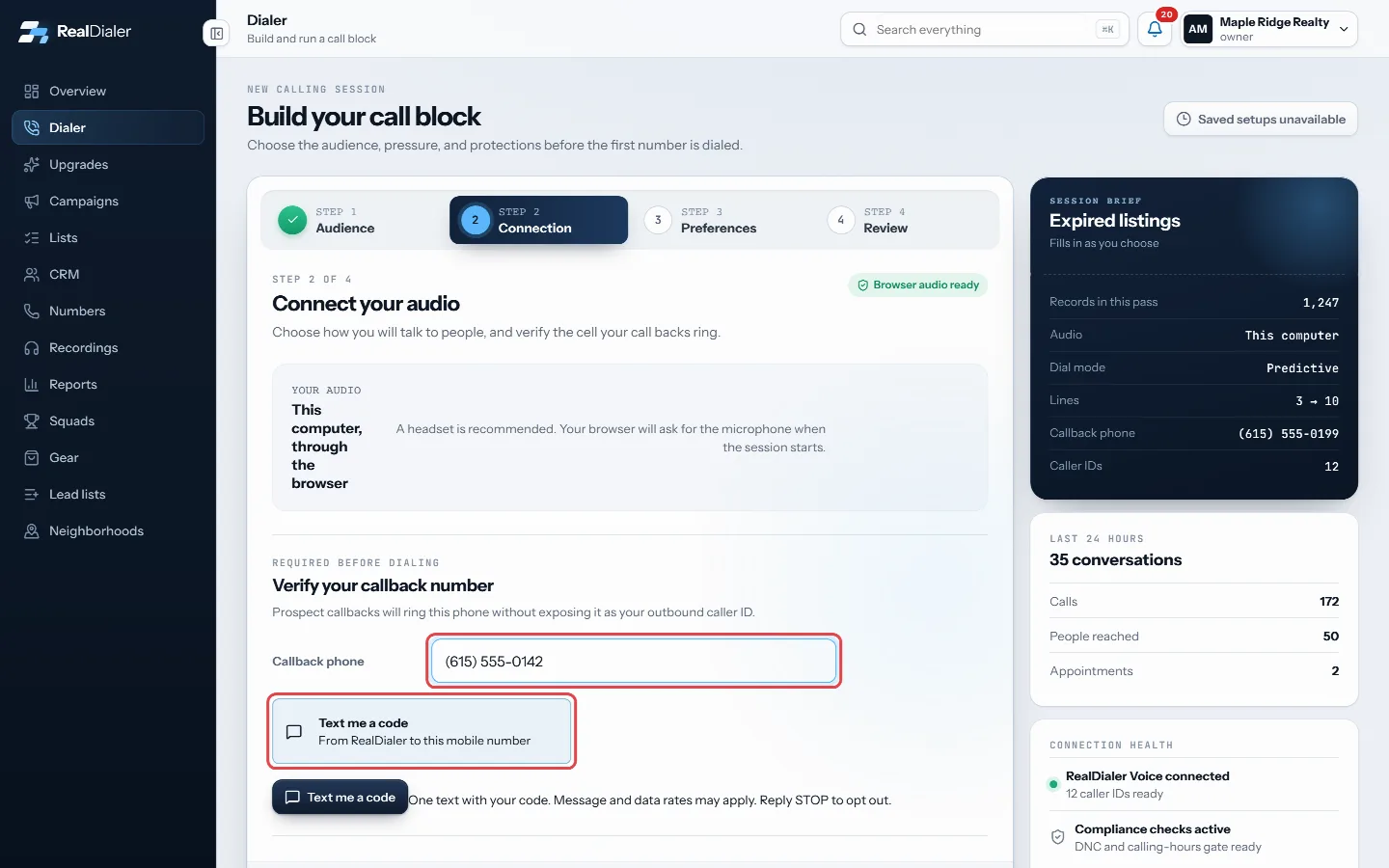
Step 2 Connection: type your cell in Callback phone. The code comes by text message. - The code comes by text message. Press Text me a code.
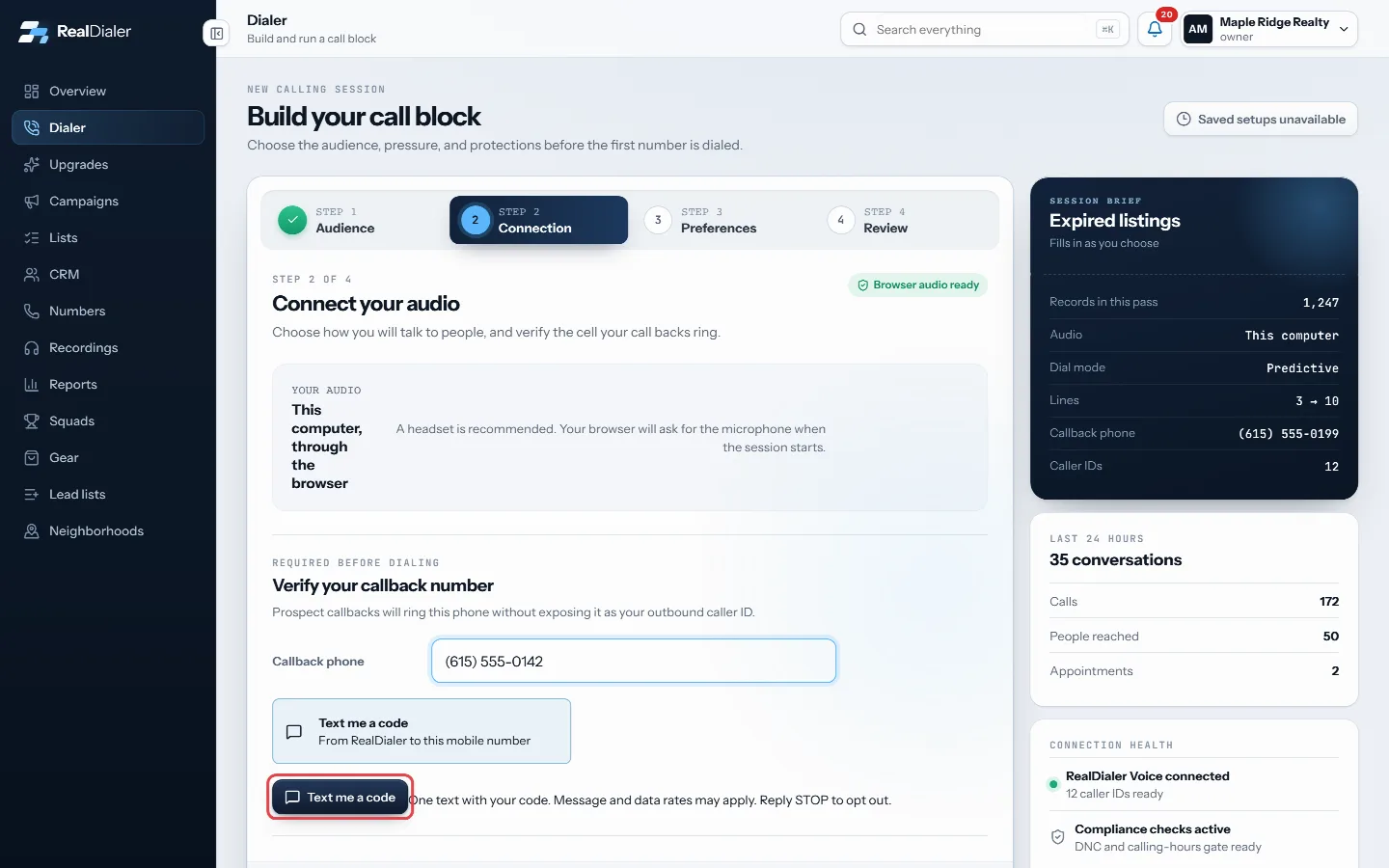
Press Text me a code. - Type the six digit code under Six-digit code and press Confirm number.
- The card turns to Verified and shows the number.
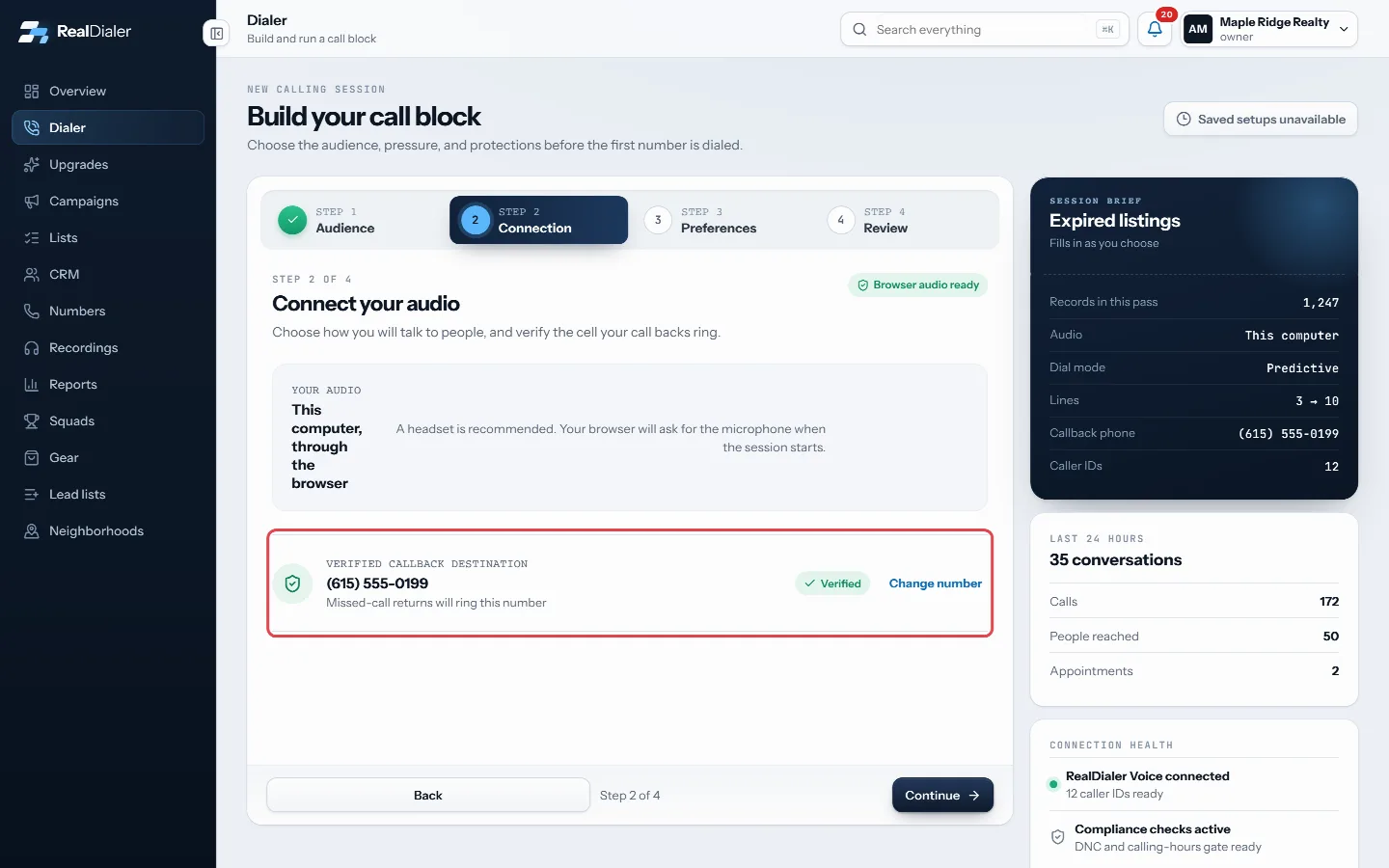
Once confirmed, the card shows Verified and the number.
Good to know
- To use a different phone later, press Change number on the verified card and repeat the steps.
- Typed the wrong number? Press Use a different number before confirming.
- If texting codes shows as unavailable, write to support to verify the number.
- Continue on step 2 stays locked until the phone is verified.
- The same verified phone is used by the Accountability alarm and by Call with RealDialer from the CRM.
Was this guide helpful?
Thanks. It helps us make these better.
Next in Dialer
What each call result meansRealDialer has one set of call results used everywhere, in the Dialer, on contacts and in Reports. Some count as a conversation, some as a lead, and some changeWhy I cannot start a sessionThe review step of the Dialer runs every check before your first call. If the start button is greyed out, the heading and status pill on that step tell you exacWhy the dialer is not calling some contactsSometimes lines sit quiet even though contacts are left. That is usually the dialer following your rules, not a fault. Contacts can be held because they are res
Still stuck? Write to support@realdialer.com, or open Support from inside RealDialer.