What it is
Call with RealDialer places one call to one contact straight from the CRM, through your RealDialer caller ID and audio. A small call bar stays on the page you are on, and when the call ends you save a result like any dialer call.
Where to find it
CRM > Contacts > open a contact > Call
Steps
- Open a contact in the CRM, or find them in a contact list.
- Press Call. The arrow beside it offers Call with RealDialer or Call from my phone.
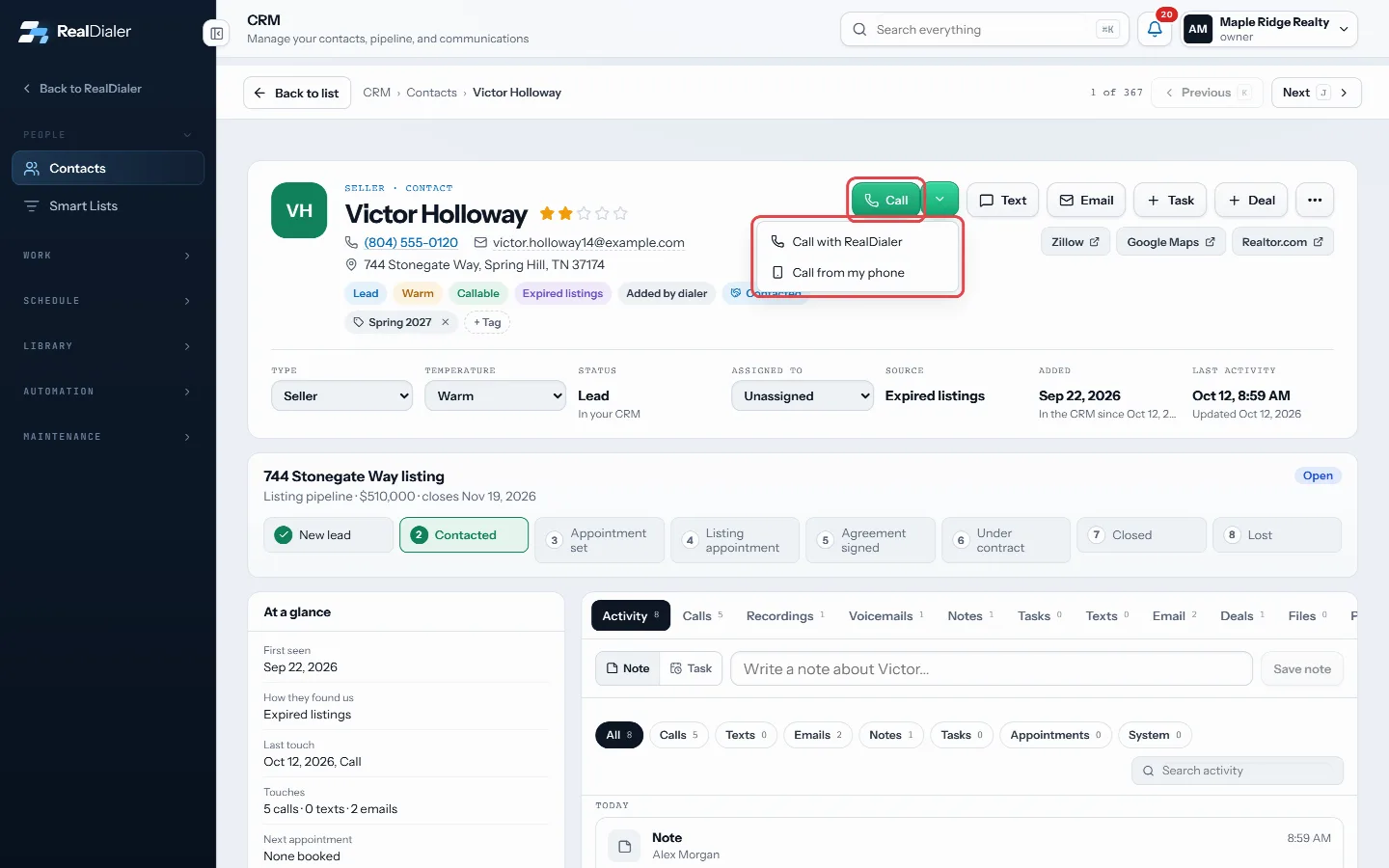
On the contact, press Call. The arrow beside it offers Call with RealDialer or Call from my phone. - Allow the microphone if your browser asks. The call starts when your audio connects.
- Talk from the call bar. Use Notes to type, and Hang up when done.
- Pick the result in the popup and press Save result.
Good to know
- You can also click a phone icon next to a specific number to call that number.
- If RealDialer calling is not ready for your seat, for example no caller IDs yet or no verified cell, the button calls from your phone instead and a note says why. Verify your cell in the Dialer to fix that.
- Do not call, calling hours, attempt limits and caller ID rotation still apply. Only the spacing between attempts is skipped, because you chose to call now.
- Finish the call you are on before starting another. If your audio is already on a call in this tab, the app asks you to finish that call first.
- Redial is available after a direct call if you have it turned on.
Was this guide helpful?
Thanks. It helps us make these better.
Next in Dialer
Call my missed callsCall my missed calls puts everyone who called one of your numbers this week and was not answered onto a list named Missed calls, then opens the Dialer on it. YoChoose how many lines to dialLines are how many numbers the dialer rings at once on a predictive campaign. The first person to answer is connected to you and the other lines are released. MConnect your audio through the browserStep 2 of the Dialer connects your own voice to the session. You talk through the browser on this computer with a headset, so no phone line or PIN is needed. Th
Still stuck? Write to support@realdialer.com, or open Support from inside RealDialer.