What it is
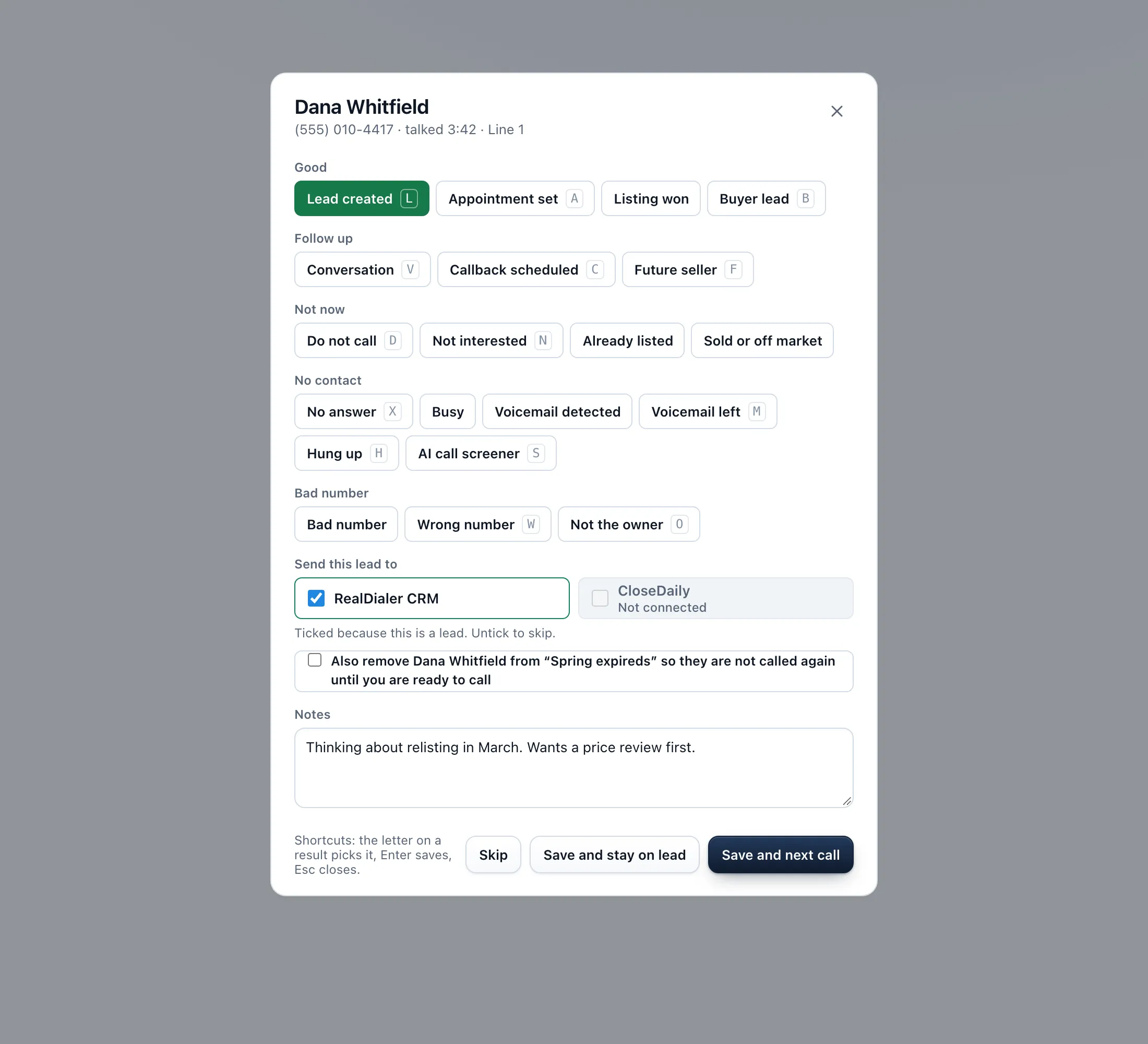
Save and stay on lead saves the call result but keeps the person on your screen instead of dialing the next one. Use it when you want to finish notes, book a time, send a text or look up the property before you move on.
Where to find it
Dialer > live session > result popup > Save and stay on lead
Steps
- When a call ends, pick the result in the popup and add your notes as usual.
- Press Save and stay on lead. The result is saved and the person stays on screen.
- Finish what you need: the History and Contact record tabs, Book appointment and Text all still work.
- When you are ready, press Next call in the session bar. The dialer starts again.
Good to know
- Nothing dials while you are staying on a lead. Your audio stays connected.
- The result is already saved. You do not need to save it again before Next call.
- End session works as usual if you are done for the day.
- To always move straight on, press Save and next call instead.
Was this guide helpful?
Thanks. It helps us make these better.
Next in Dialer
Set a goal for your sessionA session goal is your own target for conversations, appointments and leads in one sitting. The live dialer tracks each one against your real numbers, shows youStart a calling sessionA calling session, also called a call block, is one sitting on the Dialer working a campaign. You build it in four steps: Audience, Connection, Preferences and Take notes during a callThe Notes card sits on the right of the live call screen, so you can type while the person talks. Whatever you type carries into the result popup and saves to t
Still stuck? Write to support@realdialer.com, or open Support from inside RealDialer.