What it is
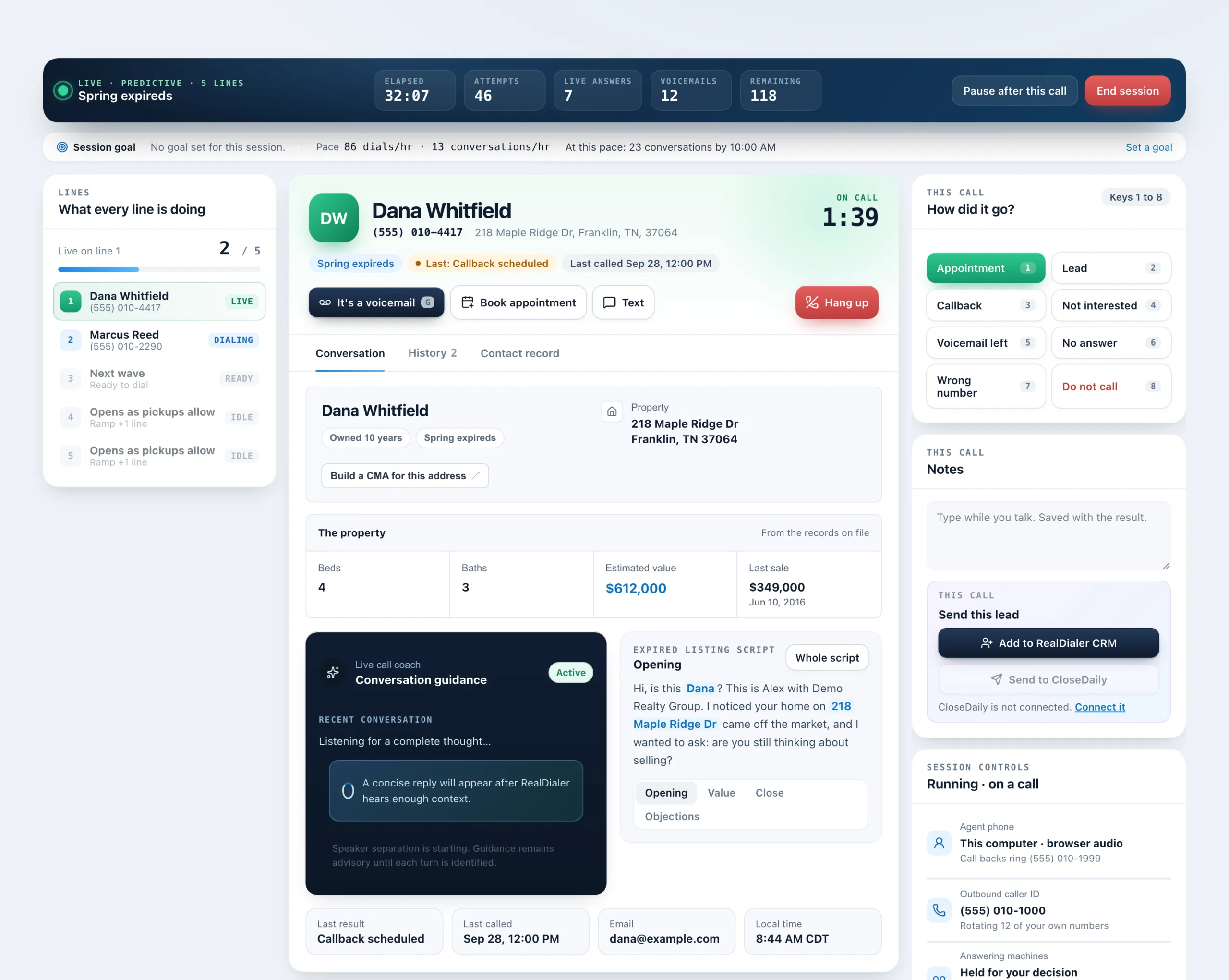
You can pick call results and run the call from the keyboard. Numbers pick the eight results on the live screen, letters pick any result in the popup, and a few keys work the call itself.
Where to find it
Dialer > live session > How did it go?, and the result popup
Steps
- During a call, press 1 to 8 to pick a result under How did it go?: 1 Appointment, 2 Lead, 3 Callback, 4 Not interested, 5 Voicemail left, 6 No answer, 7 Wrong number, 8 Do not call.
- Press M to mute or unmute your microphone, and G when a voicemail greeting reaches you.
- In the popup after the call, press a letter to pick a result, Enter to save, or Esc to close without saving. If the Redial button shows, press R to redial.
Good to know
- The popup letters: A Appointment set, L Lead created, F Future seller, C Callback scheduled, B Buyer lead, V Conversation, N Not interested, W Wrong number, O Not the owner, H Hung up, M Voicemail left, X No answer, D Do not call.
- D needs a second press, D again or Enter, so one stray key can never mark someone do not call. Esc cancels.
- A result picked during the call is only pre-selected. Nothing saves until you save in the popup.
- Keys do nothing while you are typing in the Notes box or a date field.
- Keys only pick results that are on screen. If a campaign uses a shorter result set, the hidden ones have no key.
Was this guide helpful?
Thanks. It helps us make these better.
Next in Dialer
Pause dialing or end a sessionYou can pause a session to take a break without losing your connection, hang up on just the person you are talking to, or end the whole session. Each does sometPick a campaign and calling passEvery session starts from a campaign. A campaign holds the lists you call and remembers every pass you have made through them. A pass is one run through the camPreview or predictive dialingEach campaign dials in one of two modes. Preview hands you one record at a time: you read it, then decide to call it or set it aside. It always runs at one line
Still stuck? Write to support@realdialer.com, or open Support from inside RealDialer.