What it is
When a call reaches a voicemail box, RealDialer can leave your saved voicemail drop for you, hold the mailbox for your decision, or let you drop it yourself. What happens depends on your lines and whether you have saved a drop.
Where to find it
Dialer > live session > Session controls > Answering machines, and It’s a voicemail under the person’s name
Steps
- Record your drop first in Dialer settings, Voicemail drop.
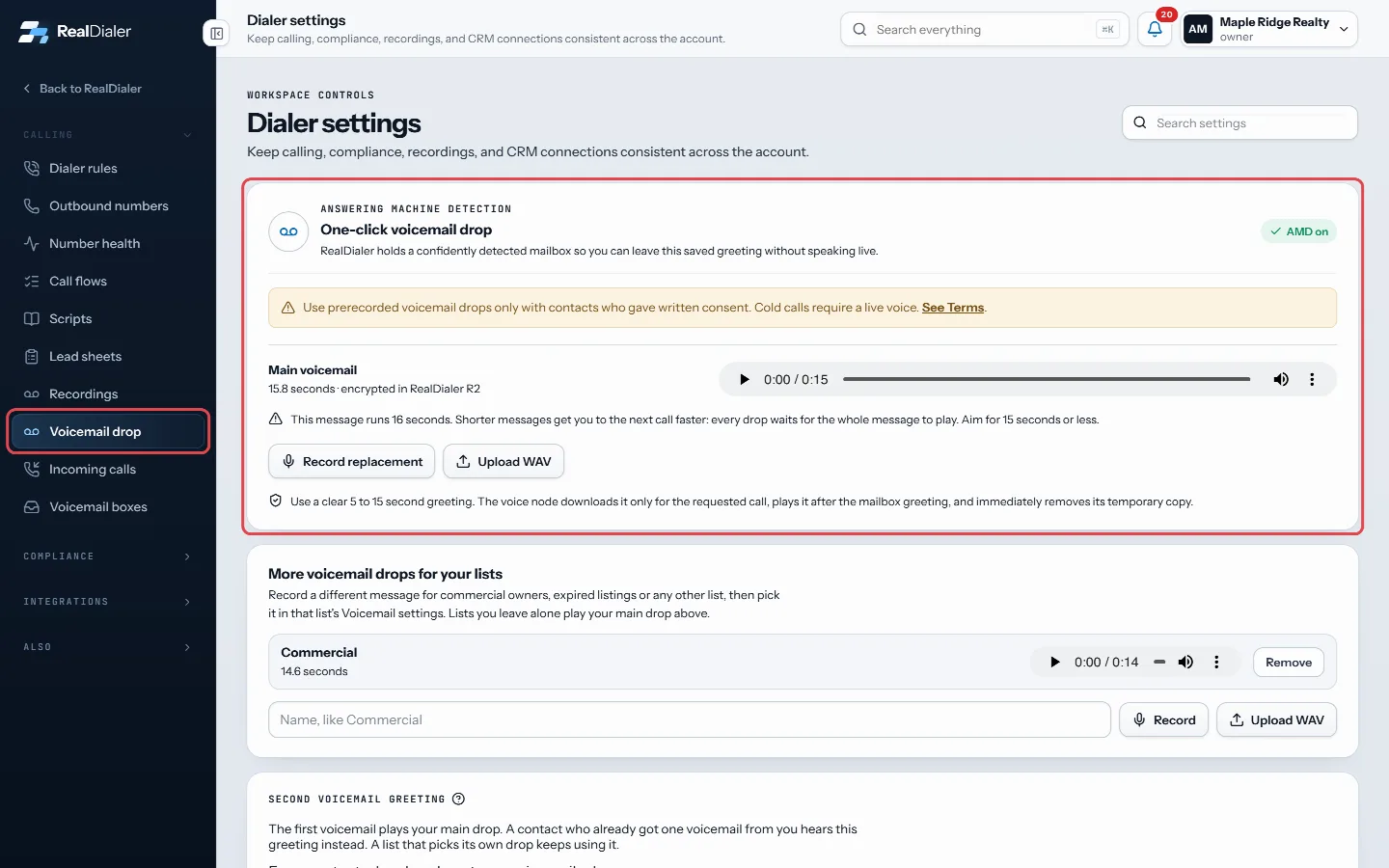
Dialer settings > Voicemail drop: record the message the dialer leaves at the beep. - With a drop saved, detected machines get it in the background and the line moves on. Session controls shows Drop my voicemail at the beep.
- Without a drop on several lines, a detected machine is held and the Conversation tab shows Choose what happens next.
- Press Leave saved voicemail, Connect as person if it is really a person, or Skip · next call.
- If a voicemail greeting reaches you on a live call, press It’s a voicemail under the person’s name, or the G key. It does what you chose in Dialer settings, Dialer rules, under When a call reaches voicemail: drop your saved voicemail at the beep and move you on, keep you on to leave your own message, or hang up and move on. The call is logged as a voicemail, not a conversation.
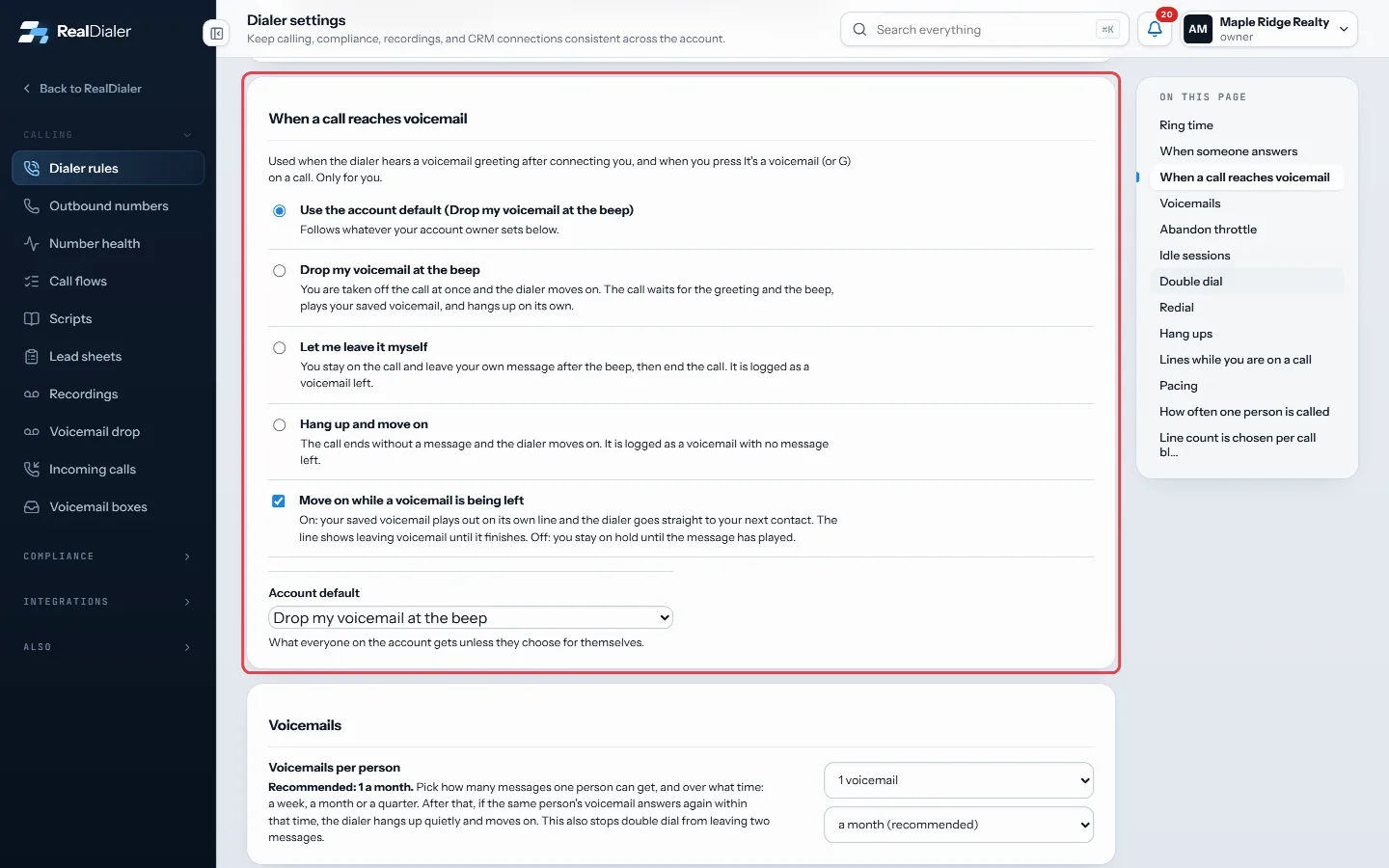
Dialer settings > Dialer rules > When a call reaches voicemail decides what It's a voicemail does.
Good to know
- Skip saves the call as Voicemail detected. Leaving your drop saves it as Voicemail left.
- On one line with no saved drop, every answer comes straight to you, greetings included.
- Your recorded drop plays after the mailbox greeting.
- By default each person gets at most one voicemail a month. After that, their voicemail is hung up quietly. Change it in Dialer rules under Voicemails per person, where you can also pick 1 a week or 1 a month.
- How fast answers reach you is set in Dialer rules under When someone answers.
- Only use prerecorded drops with contacts who gave written consent. Cold calls need a live voice.
Was this guide helpful?
Thanks. It helps us make these better.
Next in Dialer
Keyboard shortcuts for call resultsYou can pick call results and run the call from the keyboard. Numbers pick the eight results on the live screen, letters pick any result in the popup, and a fewPause dialing or end a sessionYou can pause a session to take a break without losing your connection, hang up on just the person you are talking to, or end the whole session. Each does sometPick a campaign and calling passEvery session starts from a campaign. A campaign holds the lists you call and remembers every pass you have made through them. A pass is one run through the cam
Still stuck? Write to support@realdialer.com, or open Support from inside RealDialer.