What it is
RealDialer can record your connected calls automatically. By default it only records when both your state and the contact’s state allow one-party recording, and no announcement is played on those calls. An account owner can also turn on Record calls in all-party consent states: those calls then start with RealDialer saying “This call is being recorded.” to both people. Or you can choose Record my side only, which records your own voice and never the other person, in every state. Every recorded call also gets a standard transcript at no charge.
Where to find it
Settings > Calling > Recordings
Steps
- Open Settings and choose Recordings.
- Under How calls are recorded, pick one of the four modes (below).
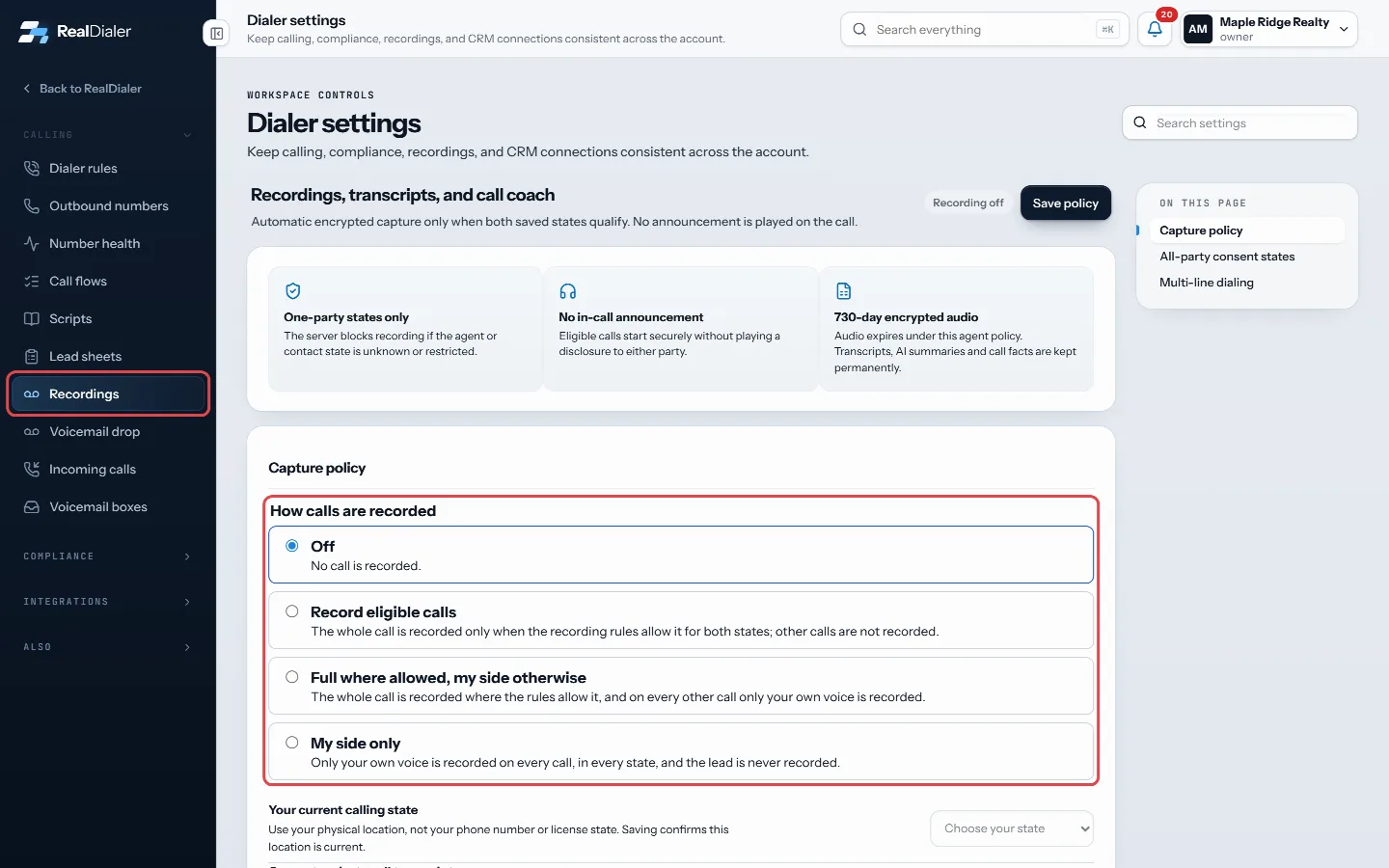
Settings, Recordings: pick one of the four ways calls are recorded - Under Your current calling state, pick the state you are physically in. Only one-party states are listed unless your account has turned on recording in all-party consent states; then every state is listed, and all-party states are marked as all-party consent with the notice playing.
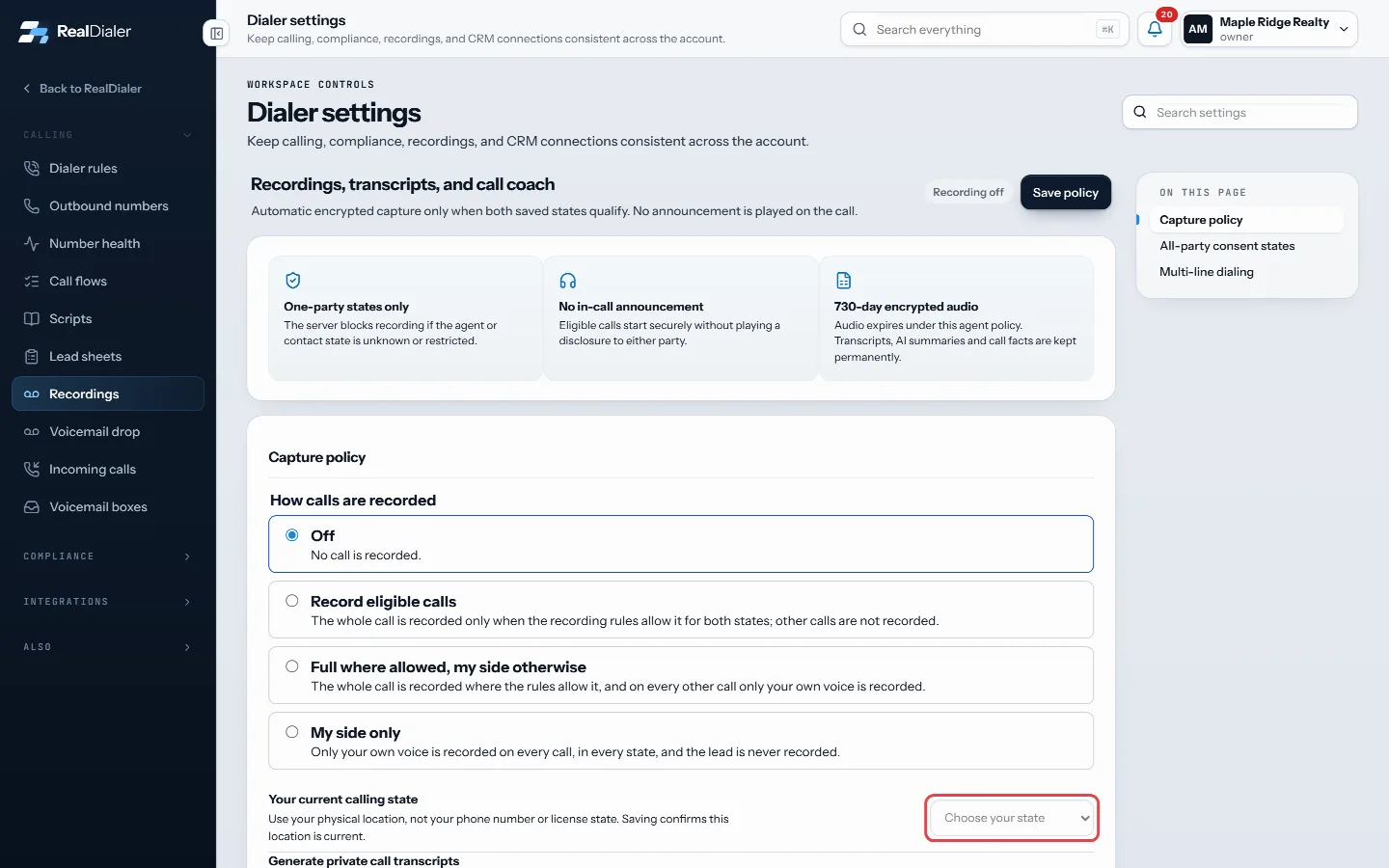
Under Your current calling state, pick the state you are physically in - Choose whether to Generate private call transcripts and, with RealDialer AI, AI call summaries and Show live reply suggestions.
- Press Save policy. It applies from your next connected call.
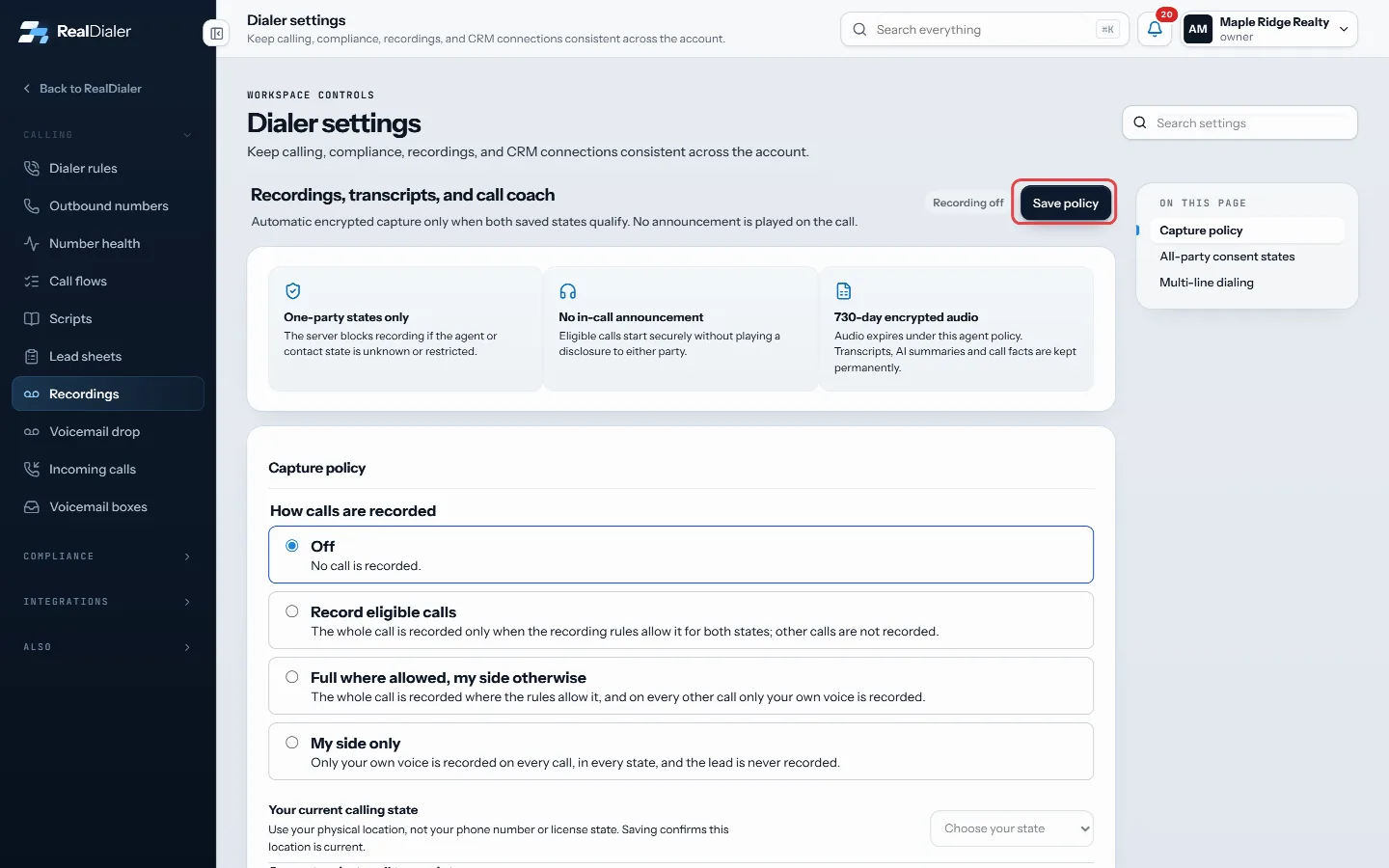
Press Save policy. It applies from your next connected call
The four modes
- Off: no call is recorded.
- Record eligible calls: the whole call is recorded only when the recording rules allow it for both states; other calls are not recorded.
- Full where allowed, my side otherwise: the whole call is recorded where the rules allow it, and on every other call only your own voice is recorded. Without a confirmed calling state, every call records your side only. If an all-party call’s notice does not play, that call records your side only, never the whole call.
- My side only: only your own voice is recorded on every call, in every state, and the lead is never recorded.
Each recording says which it is: a recording of your voice alone is labelled “Your side only”.
Recording in all-party consent states
In states like California, Florida and Pennsylvania every person on the call must be told it is being recorded. These calls are only recorded if your account owner or an admin has turned on Record calls in all-party consent states under Settings > Recordings. Turning it on asks them to confirm that the account is responsible for following state recording laws.
When it is on:
- A call where your state or the contact’s state is an all-party consent state starts with RealDialer playing “This call is being recorded.” into the call. Both of you hear it.
- Recording starts only after the notice has finished. You are connected right away as usual; the notice plays once you are talking.
- The notice is mandatory on every such recorded call. Nobody can turn it off.
- If the notice cannot play, or the person hangs up first, that call is not recorded at all.
- The live Call Coach stays limited to one-party calls.
When it is off, all-party consent calls are never recorded, exactly as before. Turning it off is always allowed.
Record my side only
Pick My side only in Settings > Recordings to record your own voice and never the lead’s. Because the other person is never recorded, it works in every state, needs no account setting, and plays no announcement. You get a transcript of what you said and, with RealDialer AI, AI notes you can copy into your CRM with Copy notes. These recordings are labelled “Your side only”. The live Call Coach is not available in this mode, since it needs the other person’s words.
Good to know
- A call is not recorded if your state or the contact’s state is unknown. All-party states such as California, Florida and Pennsylvania are not recorded unless your account has turned on recording in all-party consent states (or you use Record my side only).
- Use your physical location, not your phone number or license state.
- Audio is kept for the days your plan includes: Foundation 30, Operator 60, Command 90. The Call Recording upgrade keeps it for two years.
- Transcripts and AI summaries are kept permanently.
- More accurate transcripts, summaries and the live Call Coach come with the RealDialer AI upgrade.
- Recording settings are your own. This is a conservative safeguard, not legal advice.
Next in Calling settings
Still stuck? Write to support@realdialer.com, or open Support from inside RealDialer.