What it is
This setting decides what the dialer does in the first seconds after someone picks up: connect you right away, or listen longer to filter out voicemail greetings. It is used when you dial more than one line, or one line with a saved voicemail drop.
Where to find it
Settings > Calling > Dialer rules > When someone answers
Steps
- Open Settings and choose Dialer rules.
- Under When someone answers, pick one option. It saves at once.
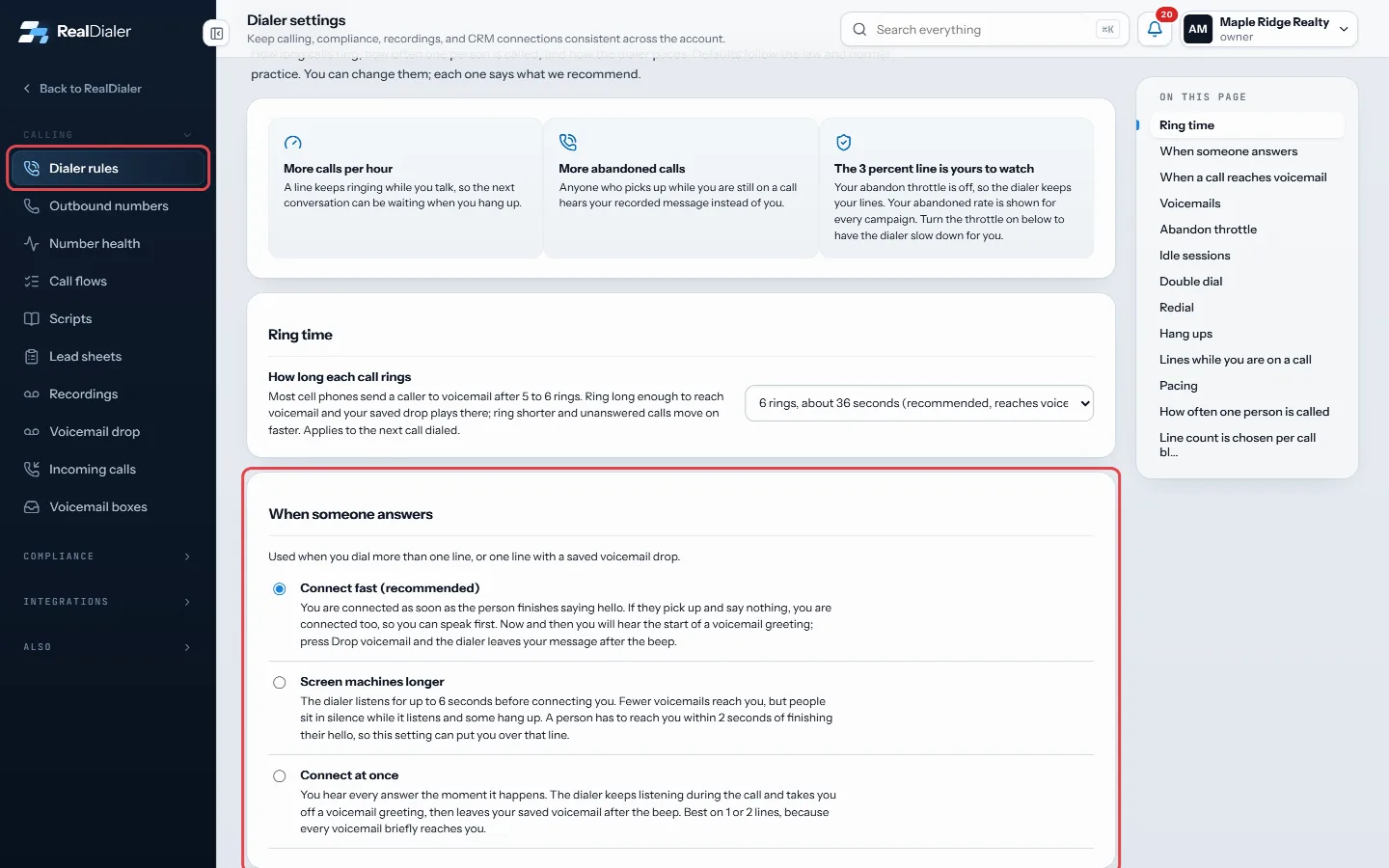
Settings, Dialer rules: pick how the dialer handles the first seconds after someone answers
Good to know
- Connect fast (recommended) is the default. You are connected as soon as the person finishes saying hello, or straight away if they say nothing. Now and then you hear the start of a voicemail greeting; the dialer keeps listening after it connects you and acts on a greeting it hears, or you can press It’s a voicemail (key G). What happens next is your choice under When a call reaches voicemail.
- Screen machines longer listens for up to 6 seconds. Fewer voicemails reach you, but people sit in silence and some hang up. A person has to reach you within 2 seconds of finishing their hello, so this can put you over that line.
- Connect at once puts every answer through the moment it happens and takes you off a voicemail greeting if it hears one. Best on 1 or 2 lines.
- Changes apply from the next call dialed.
- Only an account owner or manager can change this.
Was this guide helpful?
Thanks. It helps us make these better.
Next in Calling settings
Choose when an idle calling session endsA calling session with no activity (no call, no answer, no saved result, no click in the dialer) ends on its own. Two minutes before it ends, the dialer shows SChoose where calls to your numbers ringWhen someone calls one of your numbers back, a rule decides what happens. You can set the rule once for a group of numbers, or on a single number.Choose whether the dialer slows down for abandoned callsAn abandoned call is someone who answers while you are already on another call and hears your live-answer message instead of you. Federal rules limit abandoned
Still stuck? Write to support@realdialer.com, or open Support from inside RealDialer.