What it is
A calling session with no activity (no call, no answer, no saved result, no click in the dialer) ends on its own. Two minutes before it ends, the dialer shows Still there? with a soft chime and a Keep my session button. RealDialer ends the session on its servers, so it still ends if the browser tab is closed or asleep.
Where to find it
Settings > Calling > Dialer rules > Idle sessions
Steps
- Open Settings and choose Dialer rules.
- Under Idle sessions, enter the minutes (5 to 60) and press Save.
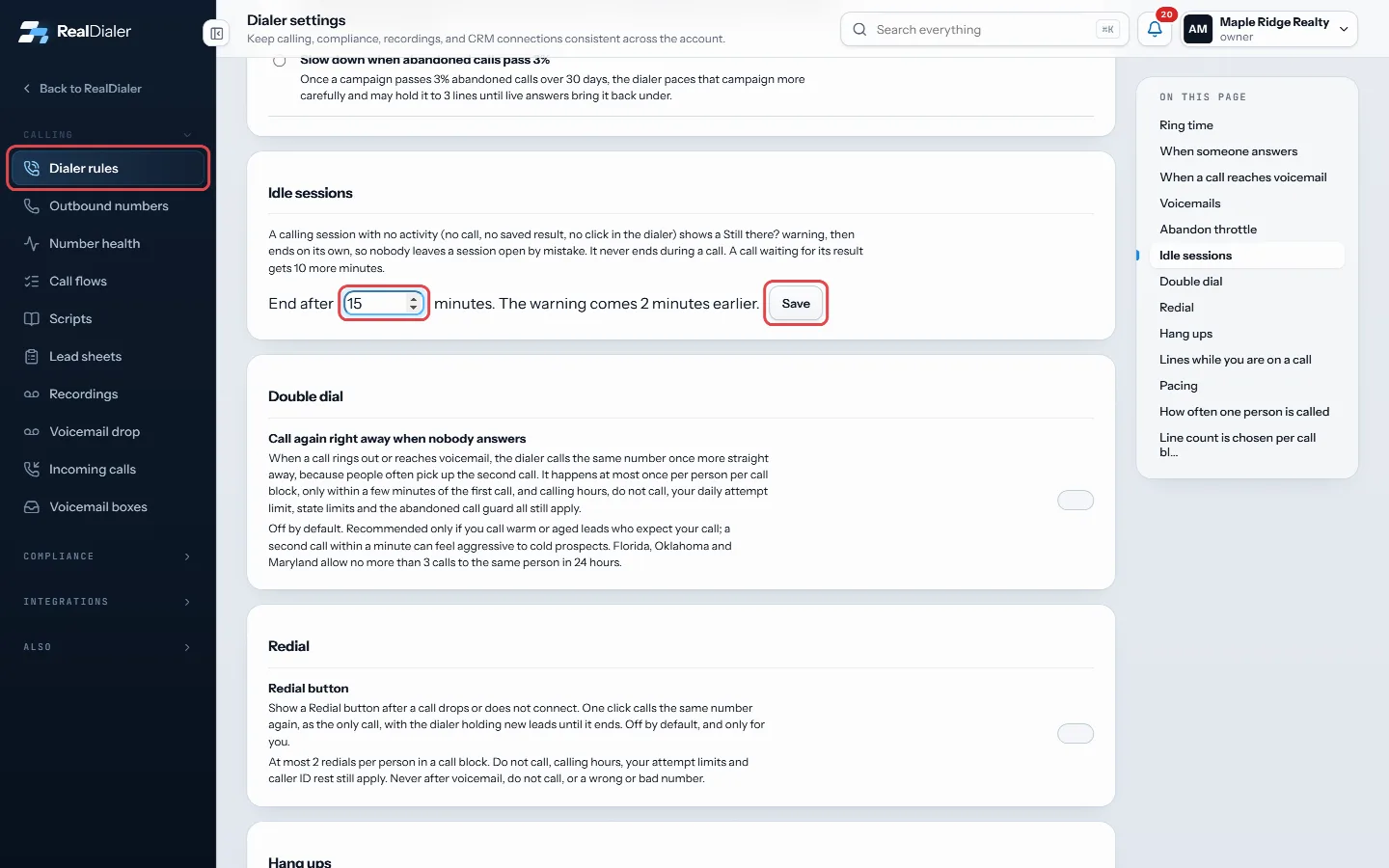
Dialer rules, Idle sessions: enter the minutes and press Save - To go back to the default, press Use the default.
Good to know
- The default is 10 minutes: the warning at 8, the end at 10.
- A session never ends during a call, while a number is ringing, or while a voicemail drop plays.
- A call that ended and has no result yet gets 10 more minutes, so you can finish your notes.
- If your browser audio or PIN phone is gone for 2 minutes with nothing in progress, the session ends too.
- An ended session shows its report and a Start again button. Reports lists it as Ended: no activity.
- Only an account owner or manager can change this.
Was this guide helpful?
Thanks. It helps us make these better.
Next in Calling settings
Choose where calls to your numbers ringWhen someone calls one of your numbers back, a rule decides what happens. You can set the rule once for a group of numbers, or on a single number.Choose whether the dialer slows down for abandoned callsAn abandoned call is someone who answers while you are already on another call and hears your live-answer message instead of you. Federal rules limit abandoned Create a shorter result list for a campaignA result set is a shorter list of call results for one kind of calling, such as expired listings. Attach it to a campaign and the result popup only offers those
Still stuck? Write to support@realdialer.com, or open Support from inside RealDialer.