What it is
These dialer rules control how hard the dialer works one person: how many times a day and a week, how long they rest between calls, a lifetime ceiling, a daily dial cap for the account, and whether mobile or registry numbers are called.
Where to find it
Settings > Calling > Dialer rules > How often one person is called
Steps
- Open Settings and choose Dialer rules.
- Scroll to How often one person is called.
- Set Attempts per person per day, Minutes between attempts, Lifetime attempts per person, Dials a day and Attempts per person per week. Leave a box empty for no ceiling where offered.
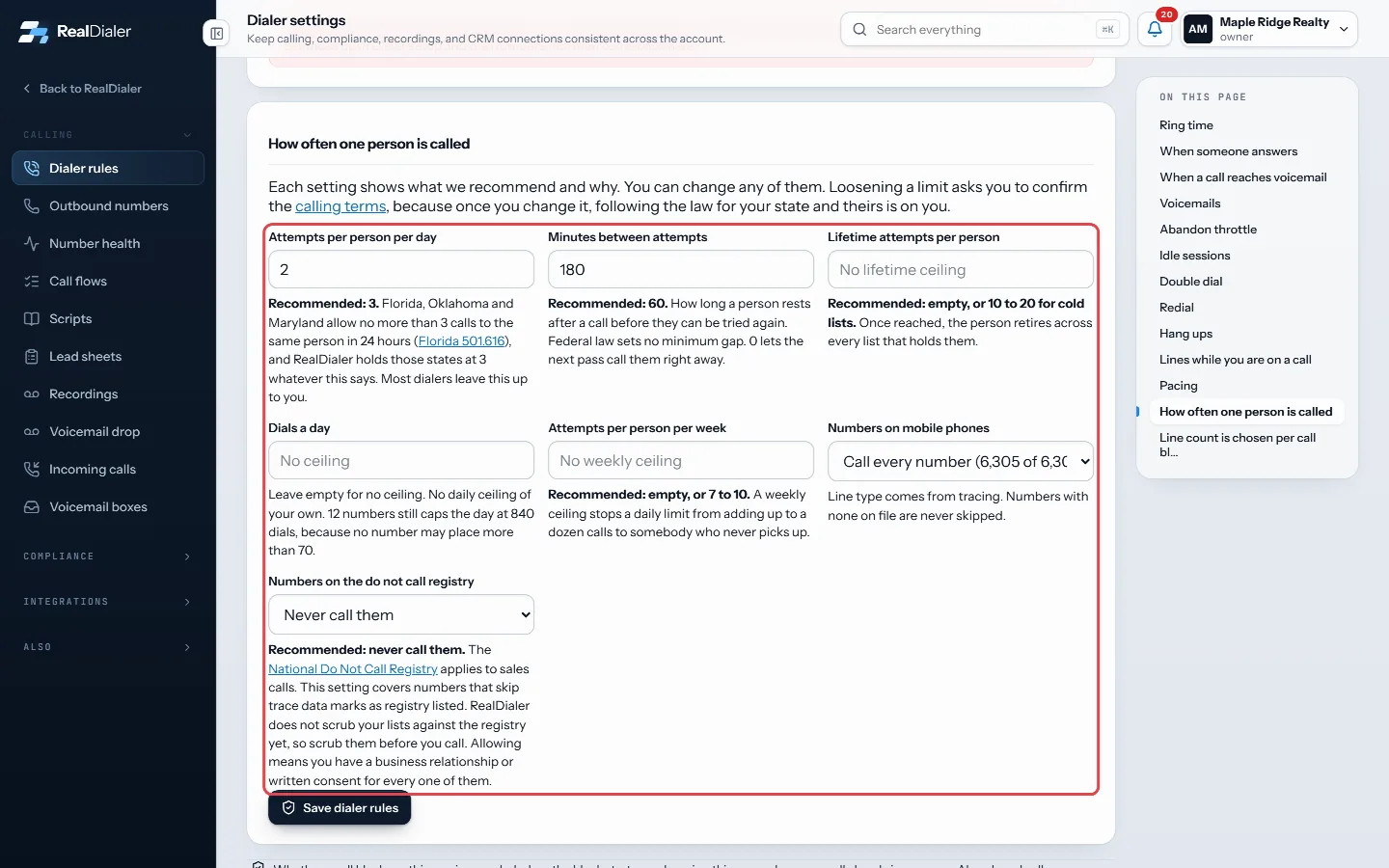
How often one person is called: set the attempts per day, minutes between attempts, lifetime attempts, dials a day and attempts per week - Choose Numbers on mobile phones and Numbers on the do not call registry.
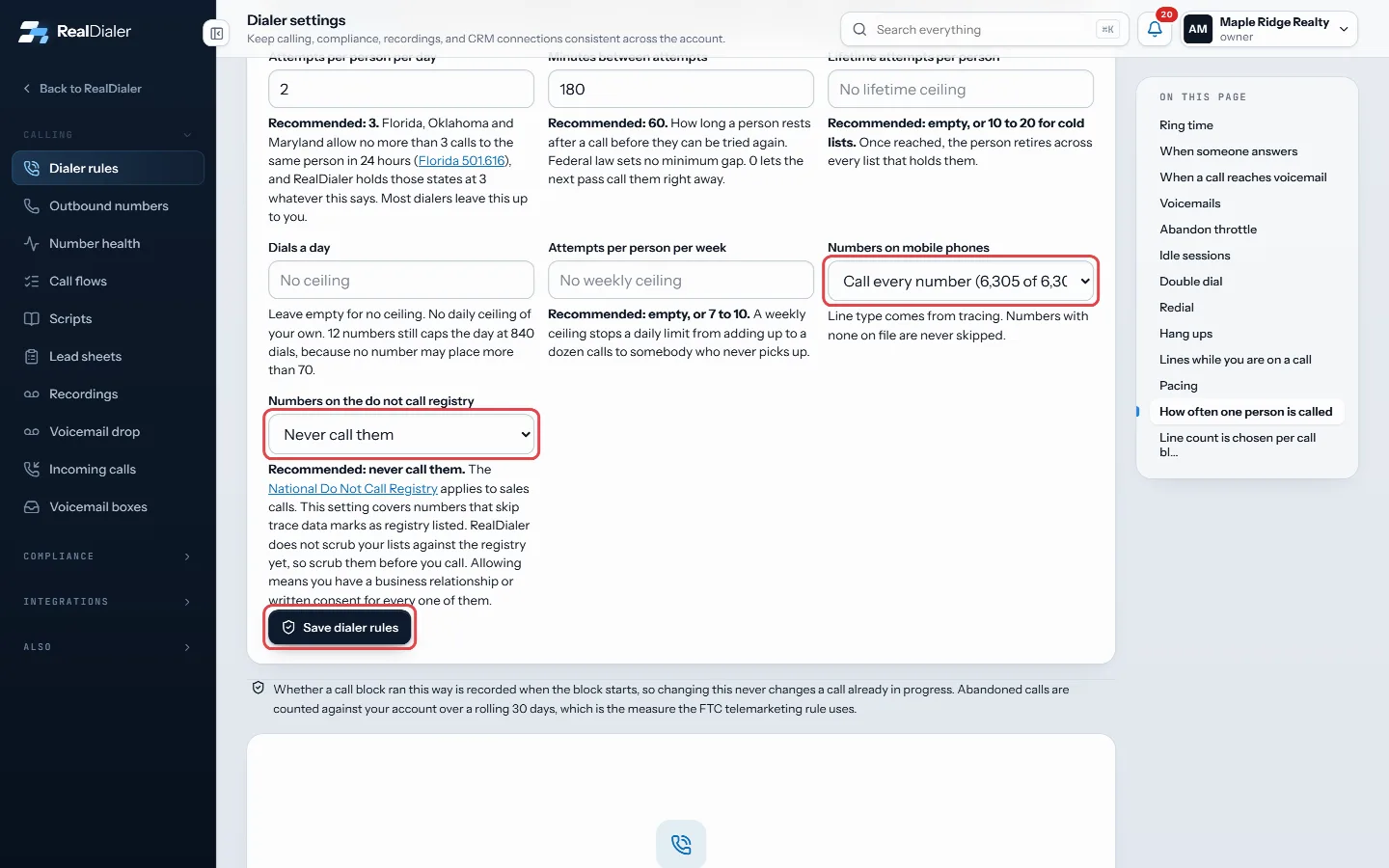
Choose how mobile and registry numbers are handled, then press Save dialer rules - Press Save dialer rules. If you loosened a limit, tick the calling terms box and press Agree and save.
Good to know
- Defaults are 2 attempts per day, 180 minutes apart, with no weekly or lifetime ceiling. The screen recommends 3 a day and 60 minutes.
- Florida, Oklahoma and Maryland are held to 3 calls to the same person in 24 hours whatever this says.
- Once a lifetime ceiling is reached, the person retires across every list that holds them.
- Each caller ID stops at 70 dials a day, so a high daily cap needs enough numbers behind it.
- Mobile choices only skip numbers with a known line type. Numbers with none on file are never skipped.
- Registry numbers are never called by default. Allow them only if you have a business relationship or written consent for each one.
- Changes apply to your next call block, not one already running.
- Only an account owner or manager can change these.
Was this guide helpful?
Thanks. It helps us make these better.
Next in Calling settings
Set up an inbound voicemail boxA voicemail box is where a call to one of your numbers goes when nobody is going to pick up. The caller hears your greeting and can leave a message instead of rSet your live-answer messageWhen more than one line is dialing and a second person answers before you are free, they hear this short recorded message instead of silence. Federal rules requText back missed callsWhen someone calls one of your numbers and nobody answers, text back sends them one text from your texting number. It is sent after the call is over: when it ra
Still stuck? Write to support@realdialer.com, or open Support from inside RealDialer.