What it is
A voicemail box is where a call to one of your numbers goes when nobody is going to pick up. The caller hears your greeting and can leave a message instead of ringing out.
Where to find it
Settings > Calling > Voicemail boxes
Steps
- Open Settings and choose Voicemail boxes.
- Press New box. Give it a Name, an optional note, who it Belongs to, and the Longest message.
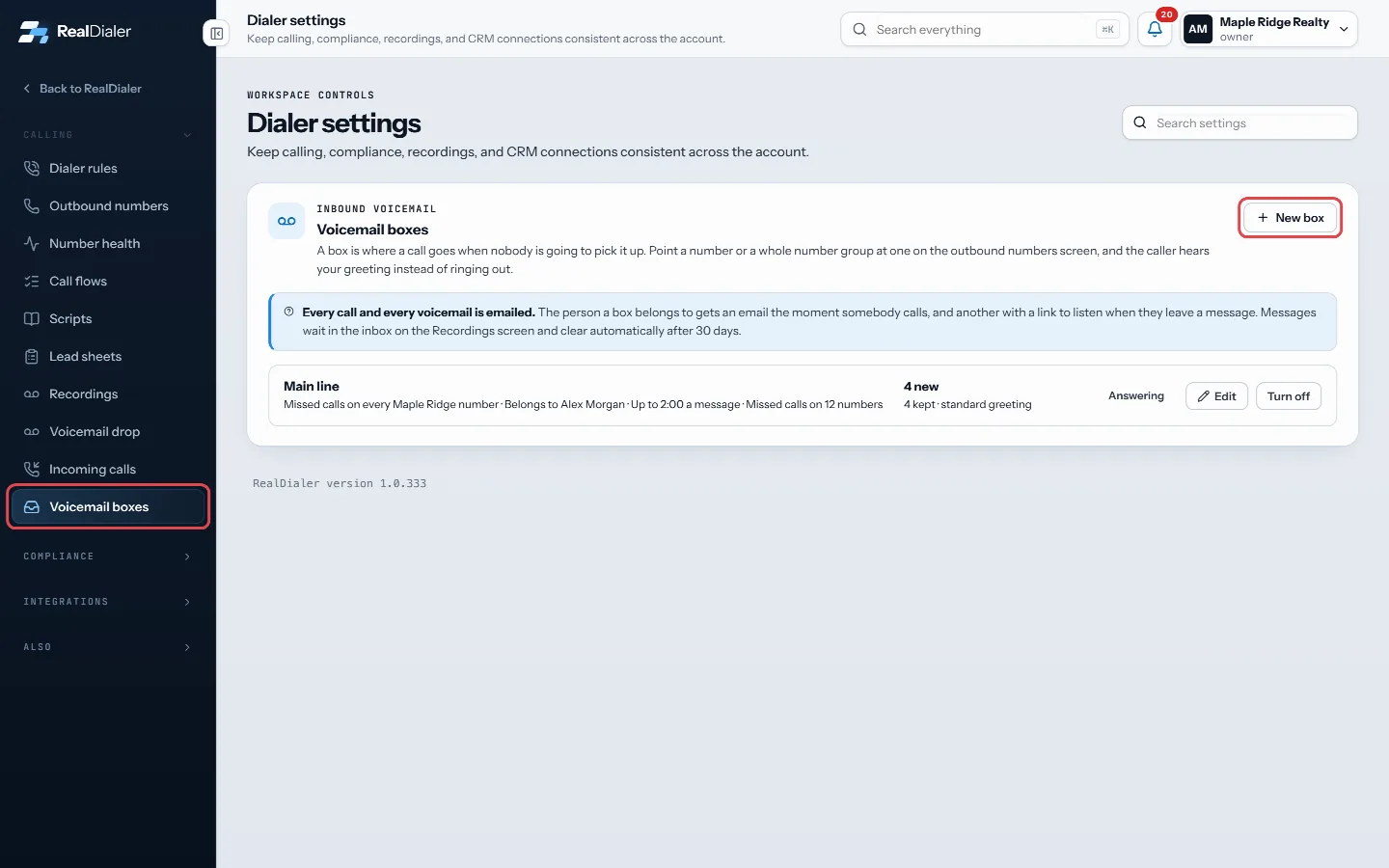
Settings, Voicemail boxes: press New box 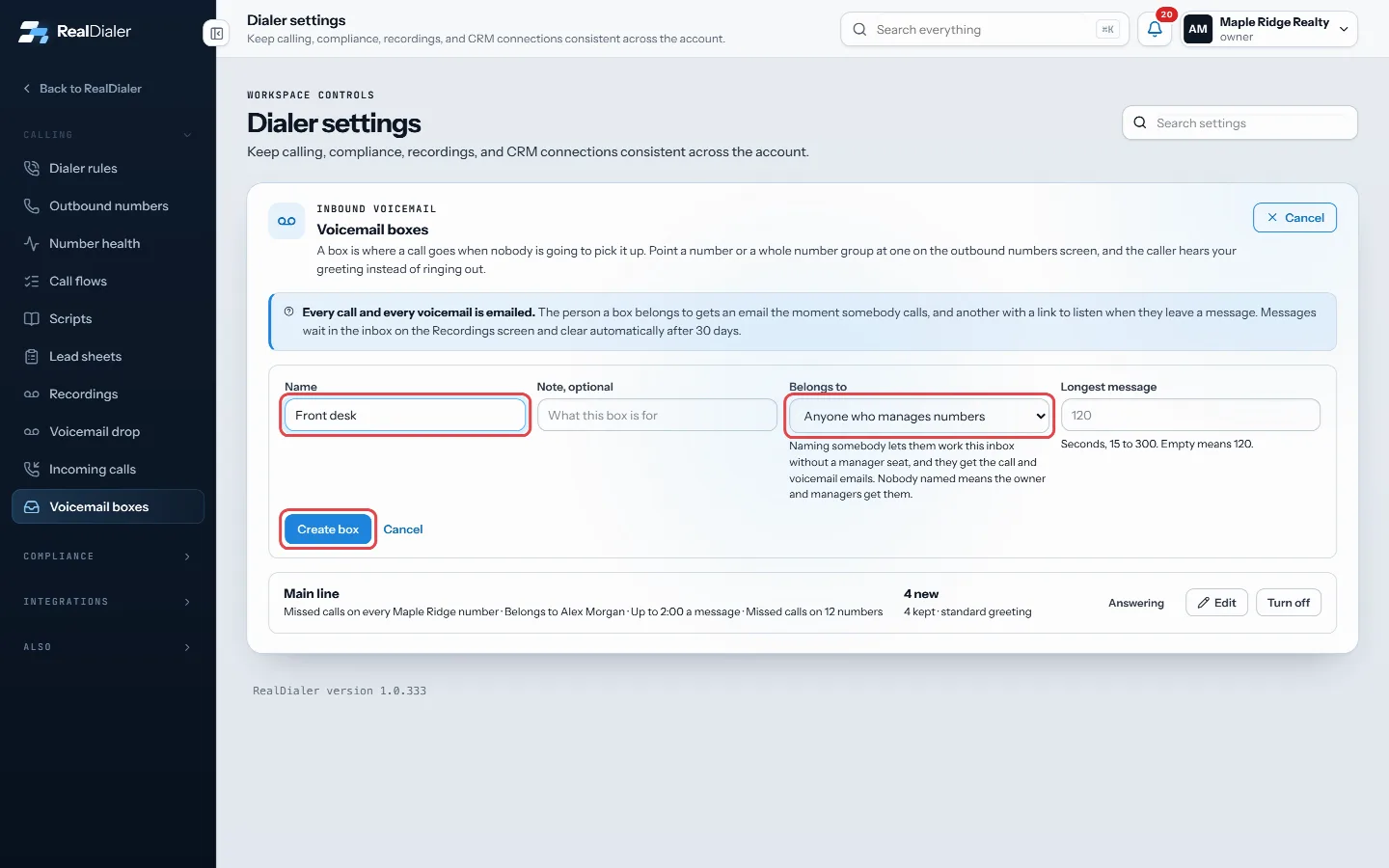
Give the box a name, who it belongs to and the longest message, then press Create box - Press Create box, then open it with Edit.
- Press Record a greeting or Upload WAV, then Save greeting.
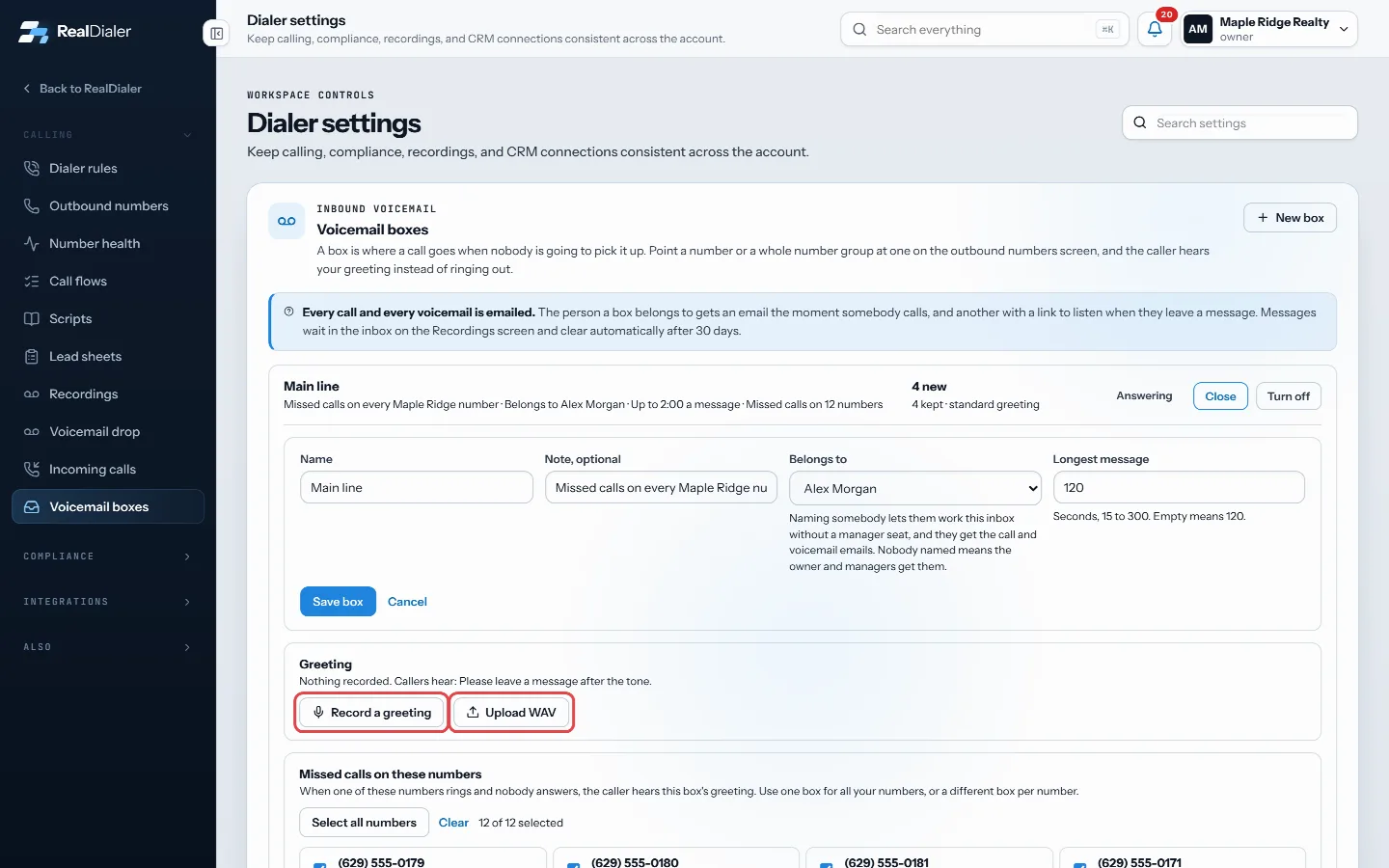
Open the box with Edit, then press Record a greeting or Upload WAV - Under Missed calls on these numbers, tick the numbers that should use this box and press Save numbers.
Good to know
- With no greeting, callers hear: Please leave a message after the tone.
- Greetings must be under 60 seconds. WAV files must be under 8 MB.
- The person a box belongs to gets an email when someone calls and another with a link to listen when they leave a message. Nobody named means the owner and managers get them.
- Messages wait in the inbox on the Recordings screen and clear automatically after 30 days.
- You can also point a number or a number group at a box on the outbound numbers screen.
- Turning a box off sends its numbers back to ringing the account. Deleting it deletes its messages.
- Only people who manage numbers can create or change boxes.
Was this guide helpful?
Thanks. It helps us make these better.
Next in Calling settings
Set your live-answer messageWhen more than one line is dialing and a second person answers before you are free, they hear this short recorded message instead of silence. Federal rules requText back missed callsWhen someone calls one of your numbers and nobody answers, text back sends them one text from your texting number. It is sent after the call is over: when it raTurn on call recordingRealDialer can record your connected calls automatically. By default it only records when both your state and the contact's state allow one-party recording, and
Still stuck? Write to support@realdialer.com, or open Support from inside RealDialer.