What it is
When more than one line is dialing and a second person answers before you are free, they hear this short recorded message instead of silence. Federal rules require it to state your name and a callback number. RealDialer plays its own key-press opt-out straight after it.
Where to find it
Settings > Calling > Recordings > Live-answer message
Steps
- Open Settings and choose Recordings. Scroll to Live-answer message.
- Type the Message script, exactly what the recording will say, with your name and callback number (20 to 160 characters).
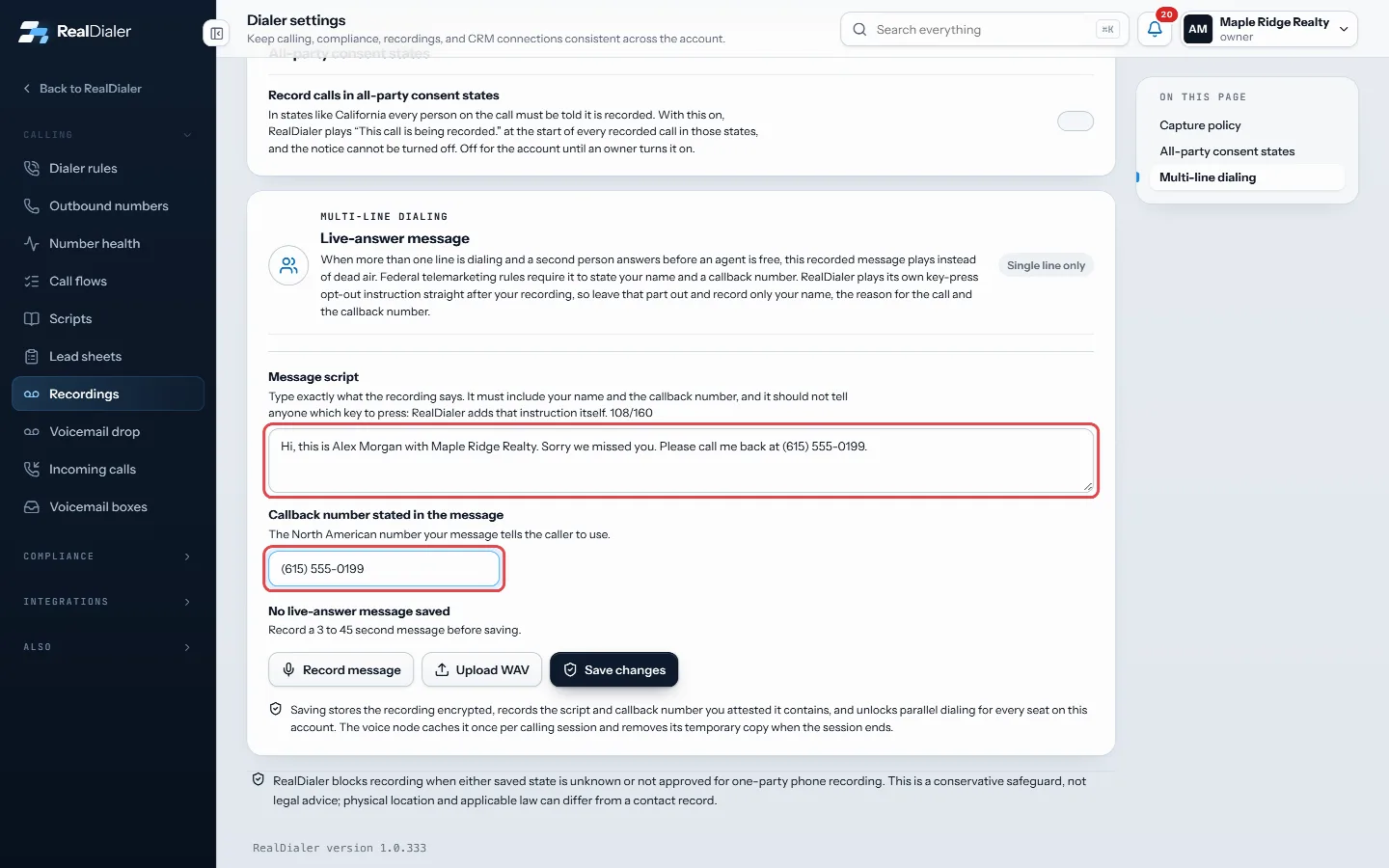
Type the message script and the callback number it states - Enter the Callback number stated in the message.
- Press Record message and speak, then Stop recording. Or press Upload WAV.
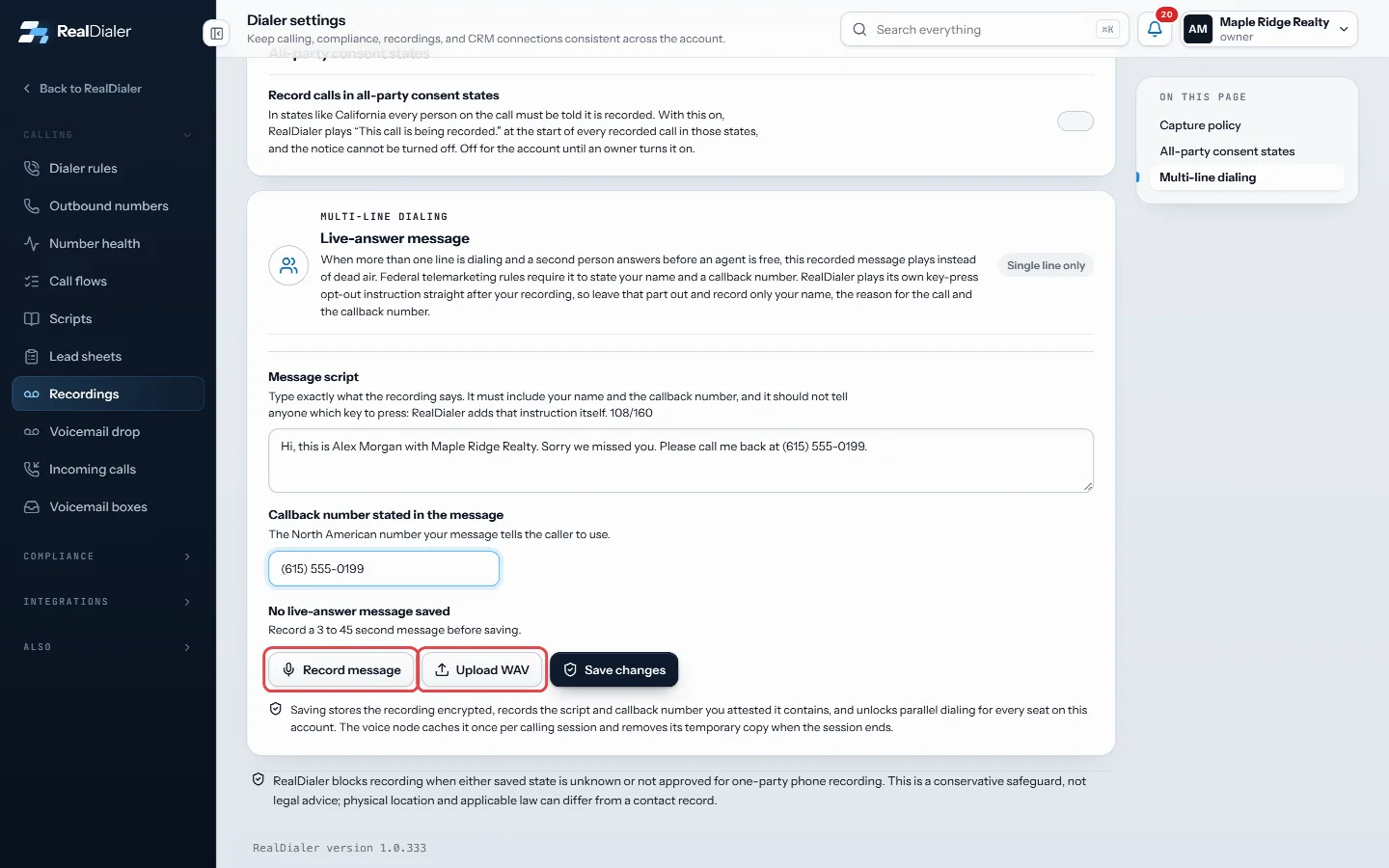
Press Record message and speak, or Upload WAV - Press Save and unlock multi-line if it does not save on its own.
Good to know
- You do not have to record one. The first time someone starts more than one line, RealDialer makes a default spoken message with your account name and a number that reaches the account. Your own recording replaces it.
- To change just the words or the number, edit them and press Save changes. The message is spoken again with the new wording.
- Leave out any “press a key” instruction. RealDialer adds it.
- Recordings must be 3 to 45 seconds. WAV files must be 2 MB or smaller.
- One message covers every seat on the account.
- Only an account owner or manager can record or replace it.
Was this guide helpful?
Thanks. It helps us make these better.
Next in Calling settings
Text back missed callsWhen someone calls one of your numbers and nobody answers, text back sends them one text from your texting number. It is sent after the call is over: when it raTurn on call recordingRealDialer can record your connected calls automatically. By default it only records when both your state and the contact's state allow one-party recording, andTurn on click to dial onlyClick to dial only is for numbers with no record of consent behind them. It pins the account to preview dialing, so every call is placed by a person, one record
Still stuck? Write to support@realdialer.com, or open Support from inside RealDialer.