What it is
When someone calls one of your numbers back, a rule decides what happens. You can set the rule once for a group of numbers, or on a single number.
Where to find it
Settings > Outbound numbers > Number groups, and the Routing button on each number.
Steps
- Open Settings and choose Outbound numbers.
- Under Number groups, click New group, give it a name, and pick what calls to these numbers should do.
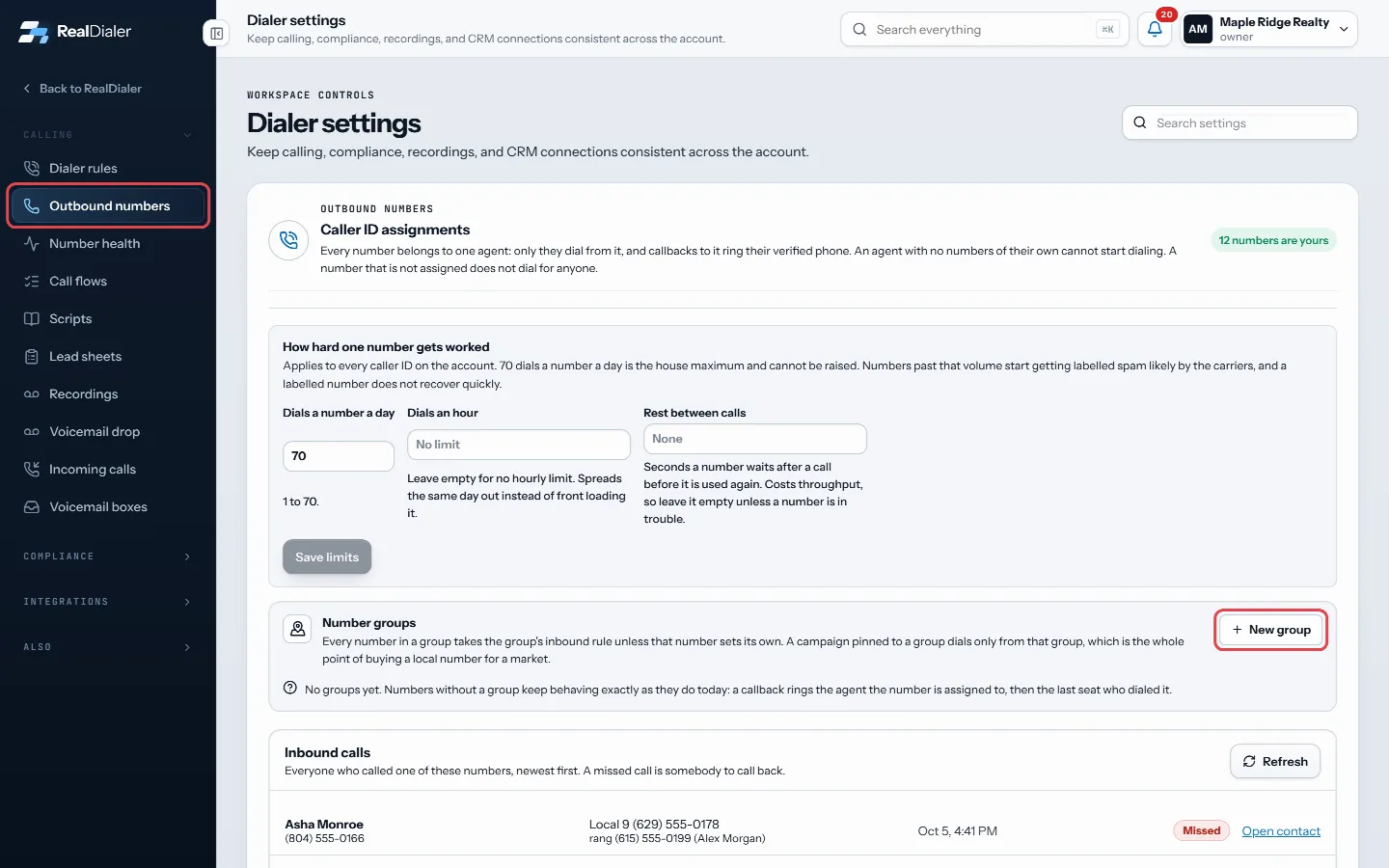
Outbound numbers, Number groups: click New group - Click Create group.
- On a number’s row, click Routing. Pick its Group, and leave the rule on Follow the group or choose a rule just for that number.
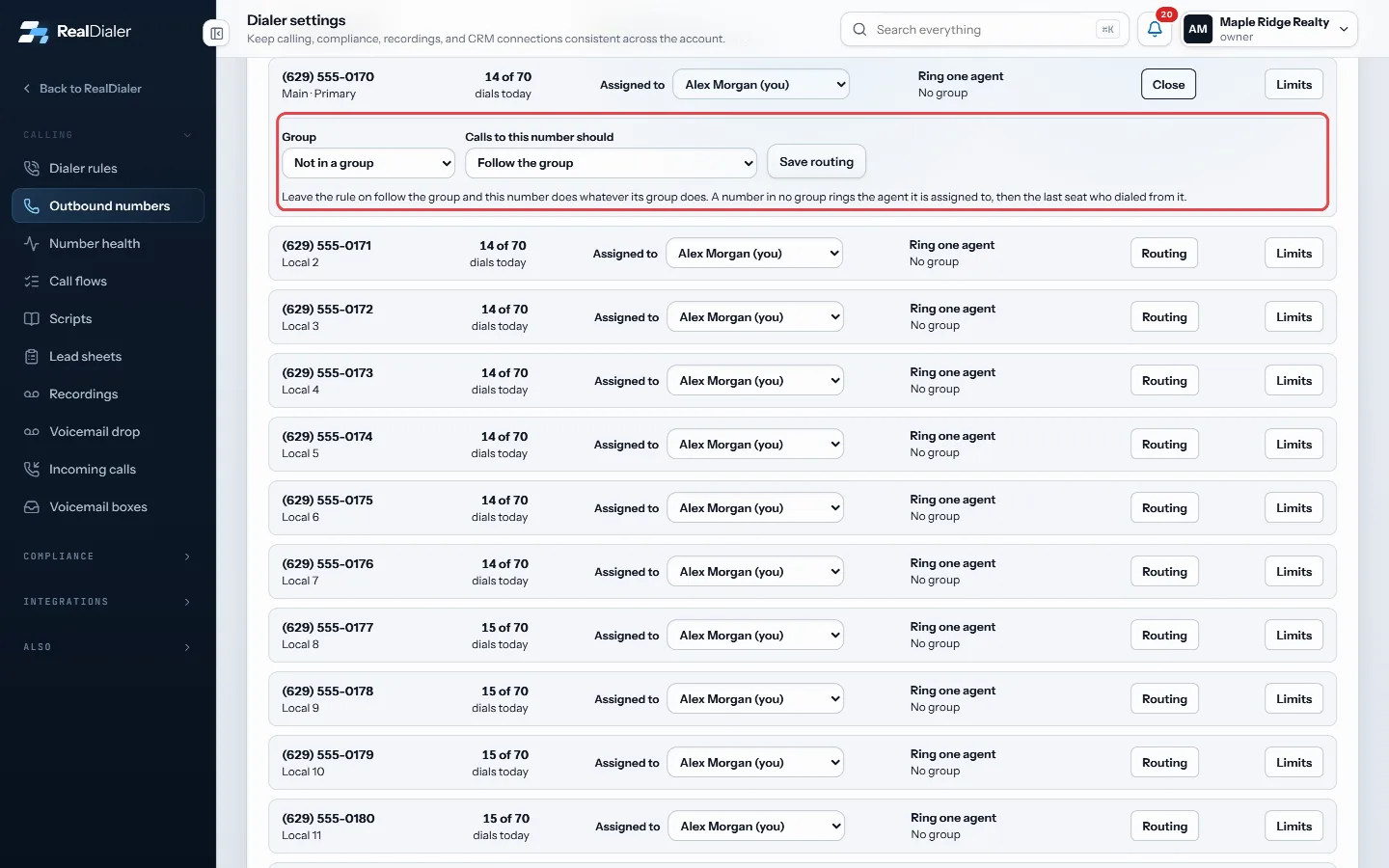
Routing on a number's row: pick its Group and rule, then press Save routing - Click Save routing.
Good to know
- The choices are Ring one agent, Forward to another phone, Ring whoever is dialing a campaign, Send the caller to voicemail, Do not take inbound calls, and Add the caller to do not call, then end the call.
- Ring whoever is dialing a campaign rings a seat on a live block for that list. When nobody is dialing it, the call falls back to the account.
- Send to voicemail needs a voicemail box. Build one on the Voicemail boxes screen first.
- A number in no group rings the agent it is assigned to, then the last seat who dialed from it.
- Deleting a group keeps its numbers on the account. They go back to the default behavior, and call history and recordings are not touched.
Was this guide helpful?
Thanks. It helps us make these better.
Next in Calling settings
Choose whether the dialer slows down for abandoned callsAn abandoned call is someone who answers while you are already on another call and hears your live-answer message instead of you. Federal rules limit abandoned Create a shorter result list for a campaignA result set is a shorter list of call results for one kind of calling, such as expired listings. Attach it to a campaign and the result popup only offers thoseLimit voicemails per personThis sets how many voicemails one person can be left in a day, a week or a month. After the limit, if that person's voicemail answers again within that time, th
Still stuck? Write to support@realdialer.com, or open Support from inside RealDialer.