What it is
With rapid fire on, the dialer keeps one line ringing during your live call instead of waiting for you to hang up. You reach more people in an hour, but more people pick up while you are busy and hear your recorded live-answer message instead of you.
Where to find it
Settings > Calling > Dialer rules > Pacing
Steps
- Open Settings and choose Dialer rules.
- Under Pacing, switch on Rapid fire dialing.
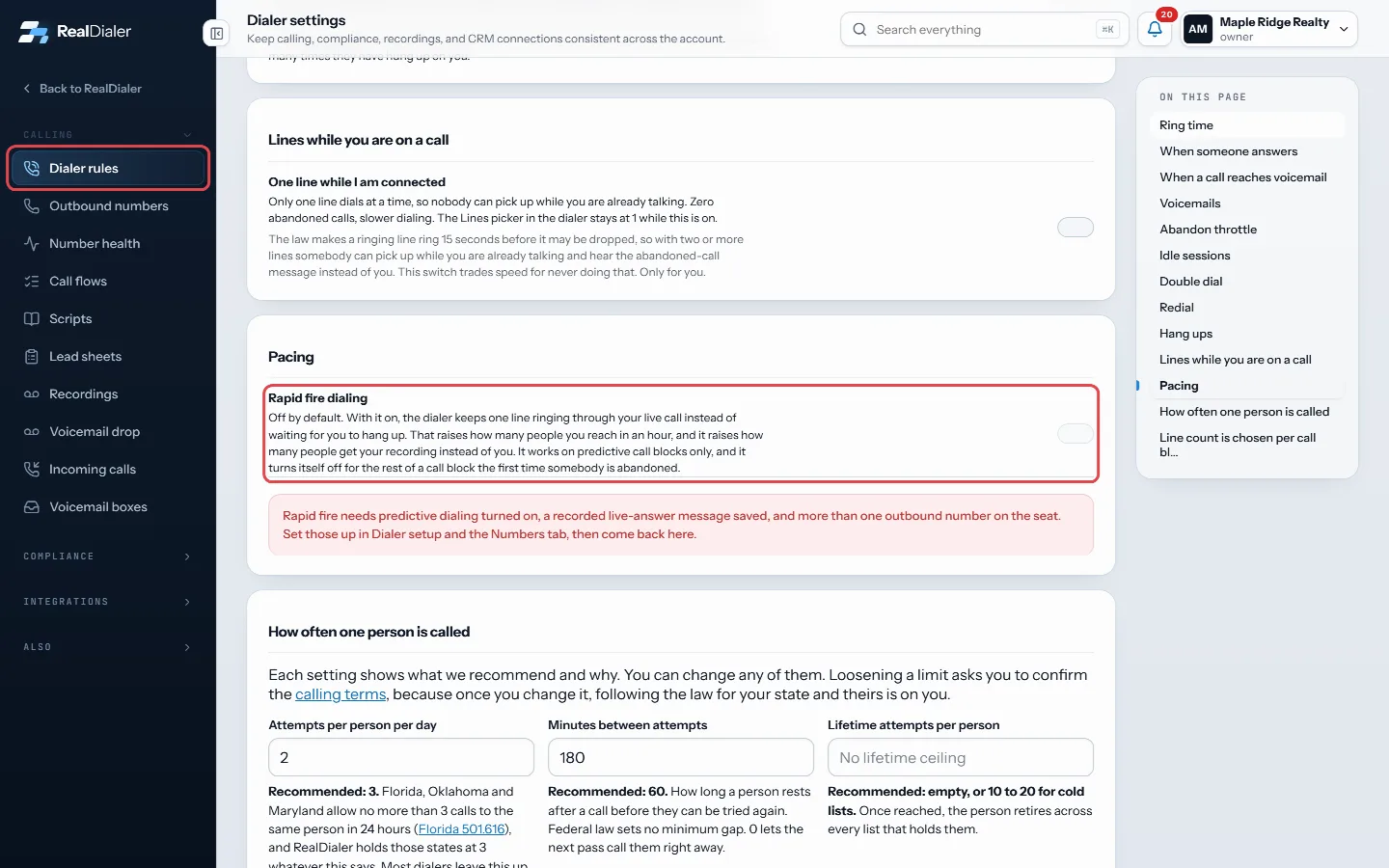
Dialer rules, Pacing: switch on Rapid fire dialing - It applies to the next call block you start.
Good to know
- Off by default.
- It needs predictive dialing, a saved live-answer message and more than one outbound number on the seat. If any is missing, the switch is greyed out and a note says so.
- It works on predictive call blocks only.
- It turns itself off for the rest of a call block the first time somebody is abandoned.
- The 3 percent guard still holds. If your abandoned rate over 30 days drifts up, the dialer narrows your lines on its own until it comes back down.
- Only an account owner or manager can change pacing.
Was this guide helpful?
Thanks. It helps us make these better.
Next in Calling settings
Turn on the Redial buttonThe Redial button lets you call the same number again with one click after a call drops or does not connect. It is your own setting, off by default, and turningWhen you may use voicemail dropsA prerecorded message left in a voicemail box counts as a prerecorded call under federal law. For a sales call to a cell phone or a home line, that needs the peWrite or customize a calling scriptScripts appear in the Script tab during live calls, with contact details merged in. RealDialer includes stock scripts for FSBO, expired listings and neighborhoo
Still stuck? Write to support@realdialer.com, or open Support from inside RealDialer.