What it is
Ring time is how long each outbound call rings before it counts as no answer. It is shown in rings and each ring is about 6 seconds.
Where to find it
Settings > Calling > Dialer rules > Ring time
Steps
- Open Settings and choose Dialer rules.
- Under Ring time, open How long each call rings.
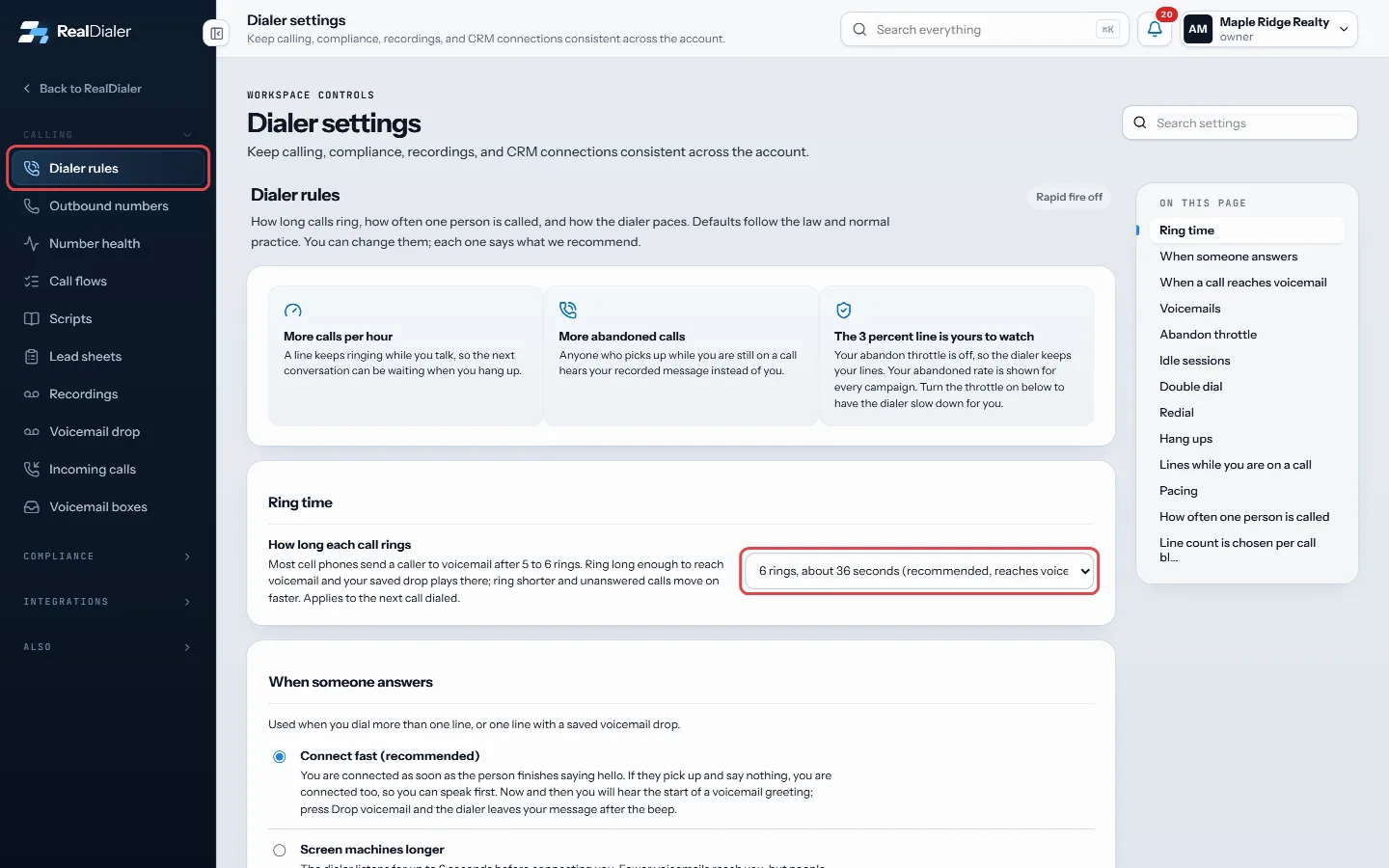
Settings, Dialer rules, Ring time: open How long each call rings and pick the rings - Pick 4, 5, 6, 7, 8 or 10 rings. It saves as soon as you choose.
Good to know
- The default and recommended choice is 6 rings, about 36 seconds, which usually reaches voicemail.
- Most cell phones send a caller to voicemail after 5 to 6 rings. Ring long enough to reach voicemail and your saved drop plays there.
- Ring shorter and unanswered calls move on faster, but you leave fewer voicemails.
- The change applies to the next call dialed.
- Only an account owner or manager can change ring time.
Was this guide helpful?
Thanks. It helps us make these better.
Next in Calling settings
Choose what each call result doesEach call result can do things automatically when it is saved: stop calling the contact, add them to your do not call list, book a callback, put an appointment Choose what happens when someone answersThis setting decides what the dialer does in the first seconds after someone picks up: connect you right away, or listen longer to filter out voicemail greetingChoose when an idle calling session endsA calling session with no activity (no call, no answer, no saved result, no click in the dialer) ends on its own. Two minutes before it ends, the dialer shows S
Still stuck? Write to support@realdialer.com, or open Support from inside RealDialer.