What it is
A result set is a shorter list of call results for one kind of calling, such as expired listings. Attach it to a campaign and the result popup only offers those results on that campaign.
Where to find it
Settings > Calling > Call flows > Result sets
Steps
- Open Settings, choose Call flows and scroll to Result sets.
- Press New set.
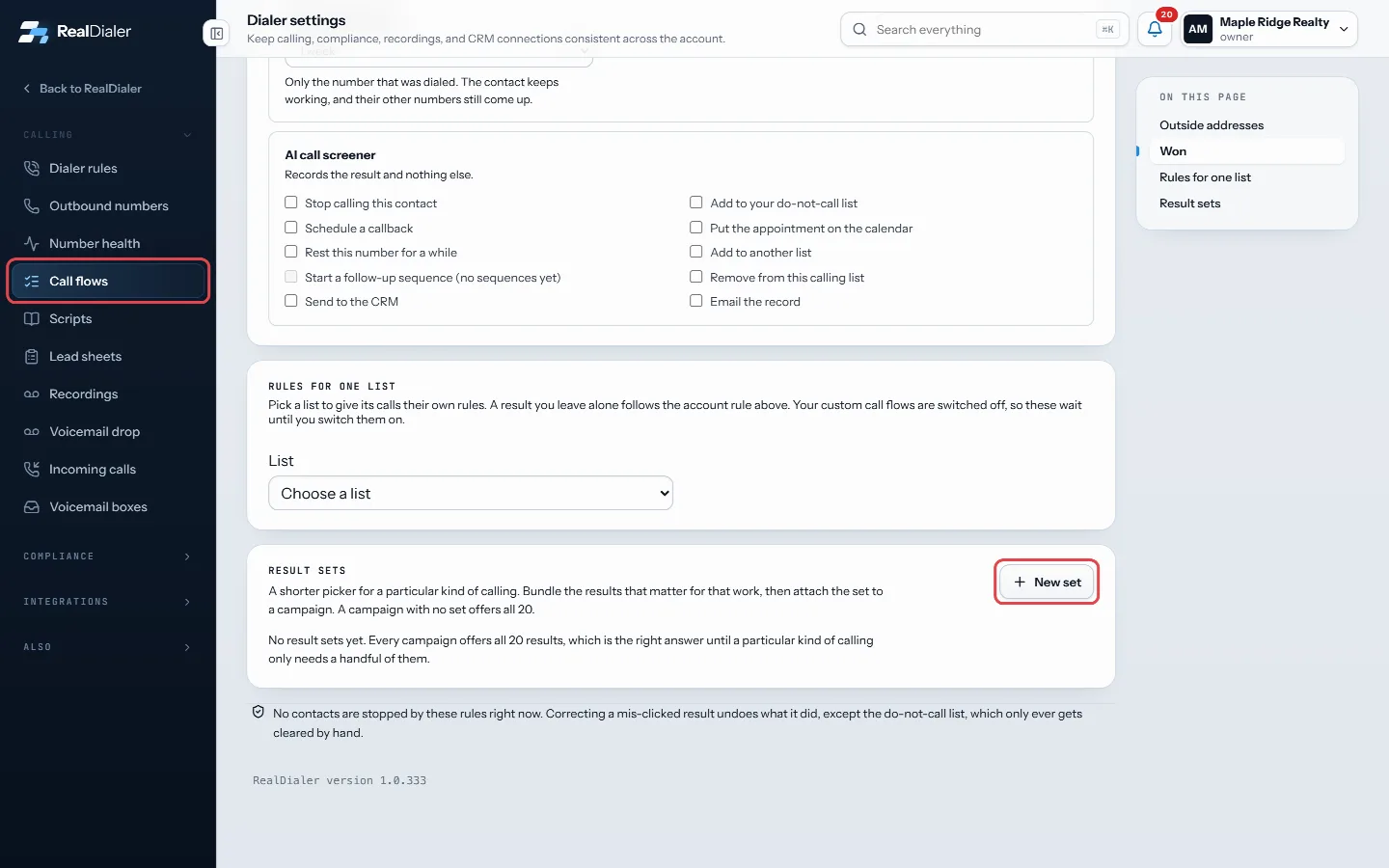
Settings, Call flows, Result sets: press New set - Give it a Name and tick the results under Results this set offers.
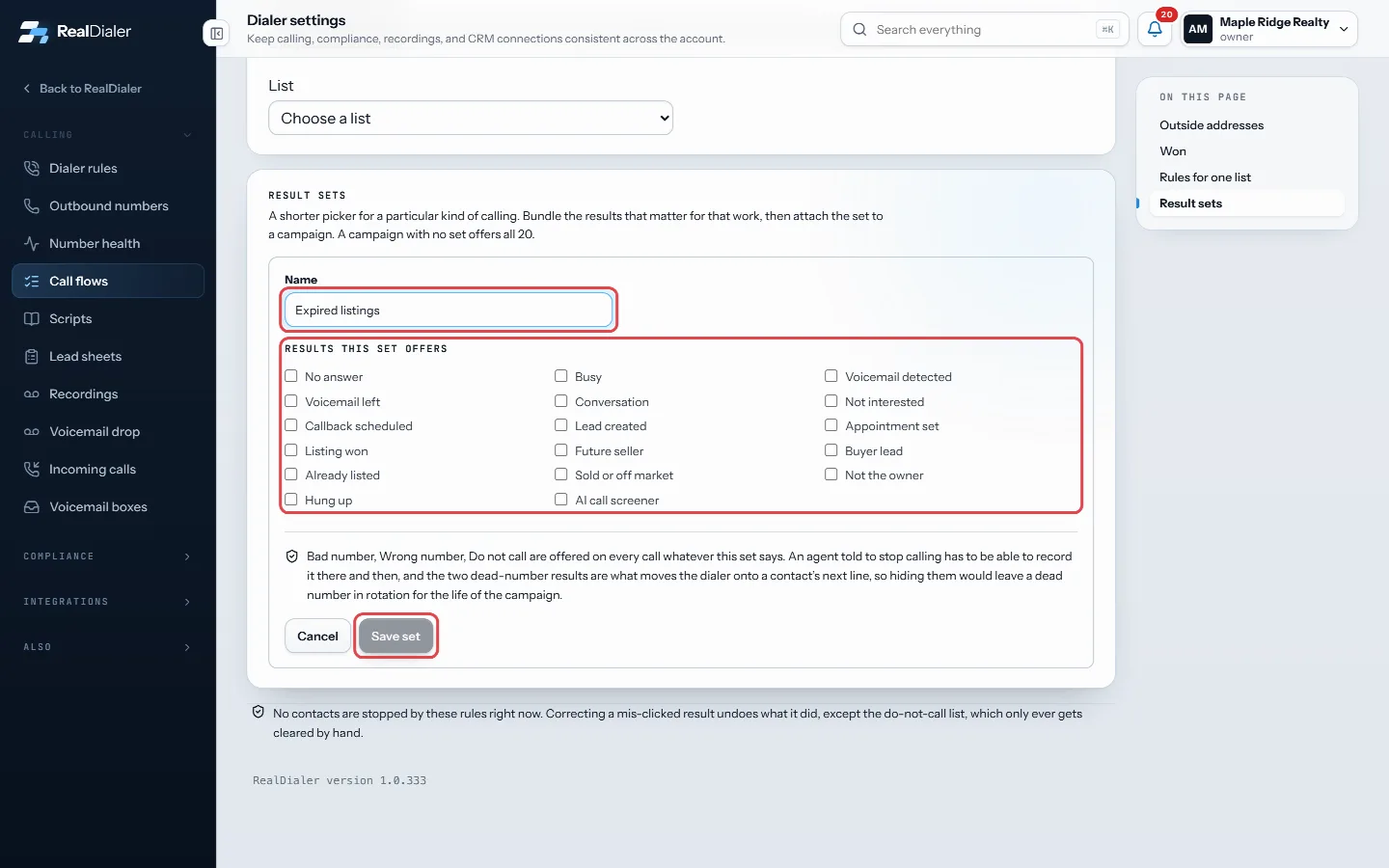
Name the set, tick the results it offers, then press Save set - Press Save set.
- Open the campaign on the Campaigns page and choose the set in Call results the agent sees.
Good to know
- Do not call, Wrong number and Bad number are always offered, whatever the set says.
- A campaign with no set offers every result.
- Use Edit to change a set. Campaigns using it show the new list on the next call.
- Remove deletes a set. Campaigns using it go back to offering every result.
- An account can have up to 40 sets.
- The popup tells the agent when it is showing a set.
Was this guide helpful?
Thanks. It helps us make these better.
Next in Calling settings
Limit voicemails per personThis sets how many voicemails one person can be left in a day, a week or a month. After the limit, if that person's voicemail answers again within that time, thRecord a voicemail dropA voicemail drop is a message you record once. When the dialer reaches a voicemail box, it plays your message after the greeting so you do not have to say it liSet daily dial limits per caller IDThese limits control how hard each caller ID gets worked. Numbers dialed past about 70 times a day start getting labeled spam likely by the carriers, and a labe
Still stuck? Write to support@realdialer.com, or open Support from inside RealDialer.