What it is
Scripts appear in the Script tab during live calls, with contact details merged in. RealDialer includes stock scripts for FSBO, expired listings and neighborhood circle calls, and you can write your own or customize a copy.
Where to find it
Settings > Calling > Scripts
Steps
- Open Settings and choose Scripts.
- Press New script, or Customize a copy on a stock script.
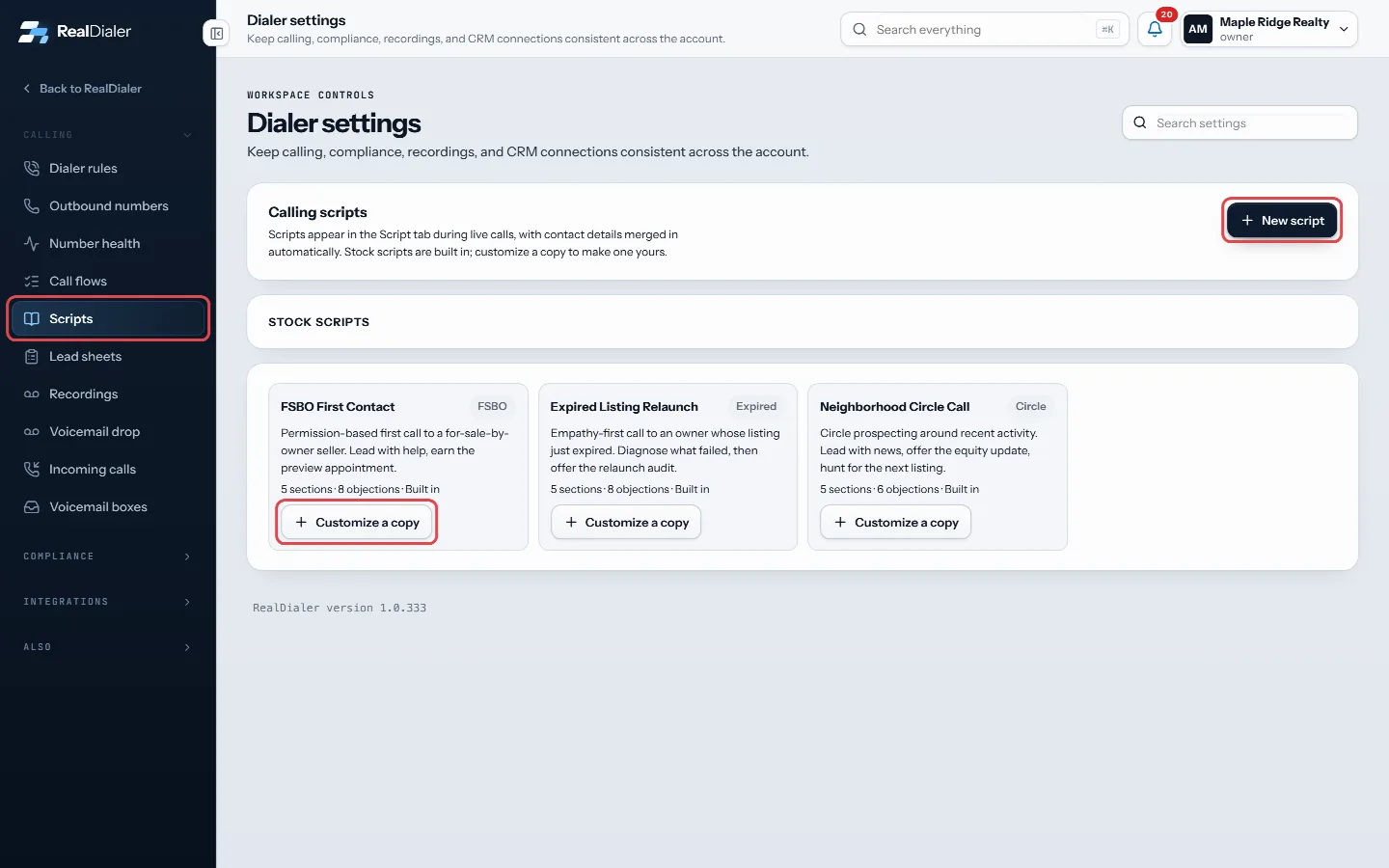
Settings, Scripts: press New script, or Customize a copy on a stock script - Fill in Script name, Lead type and an optional description.
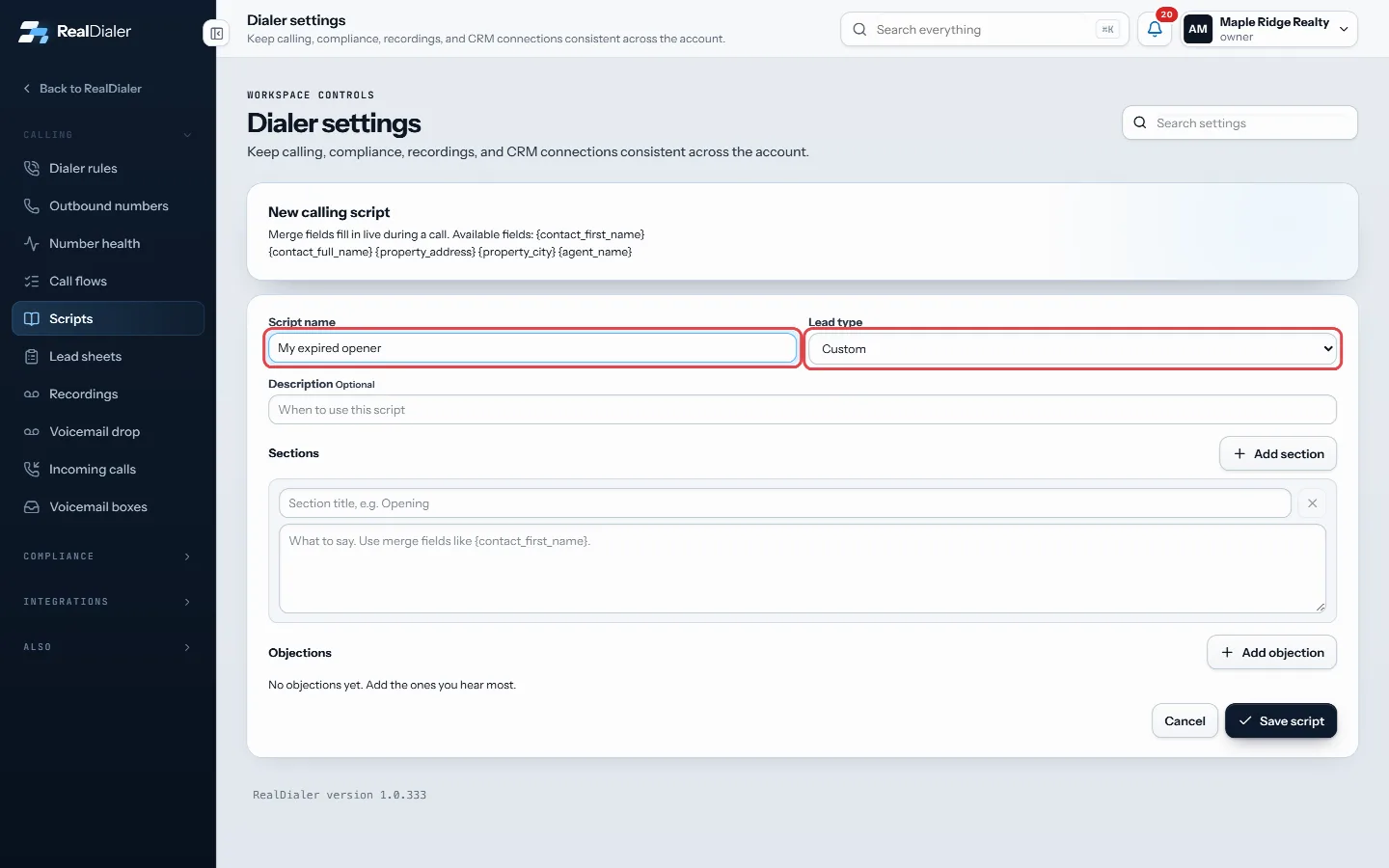
Fill in the script name and lead type - Under Sections, add a title and what to say for each part. Press Add section for more.
- Under Objections, press Add objection and write the objection and your best response.
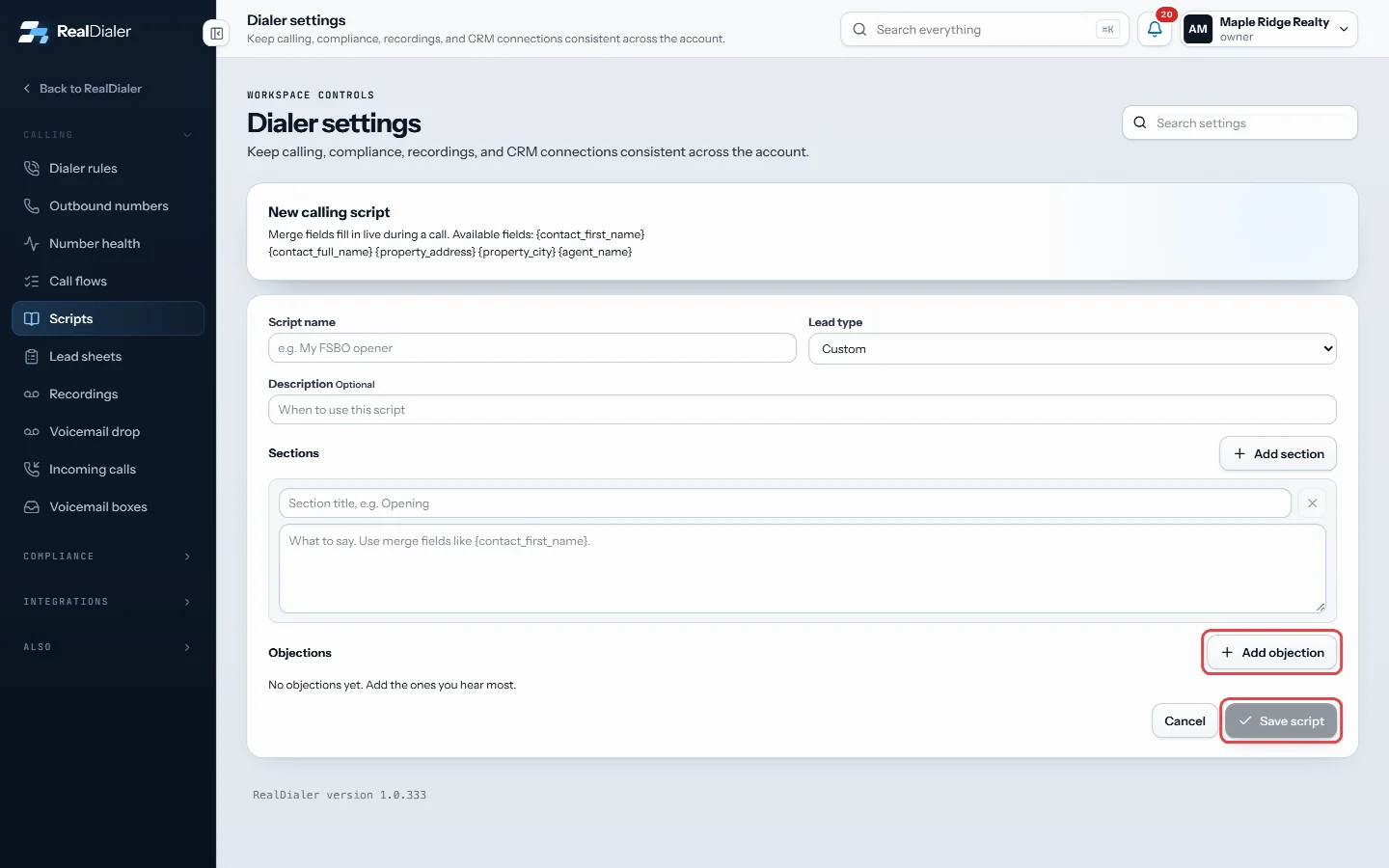
Add objections with Add objection, then press Save script - Press Save script. It is live in the dialer right away.
Good to know
- Merge fields go in curly brackets: {contact_first_name}, {contact_full_name}, {property_address}, {property_city} and {agent_name}.
- If a detail is missing, a stand in is shown, like “there” for a first name.
- Lead type helps the dialer pick the right script for a list.
- To retire a script, press Archive, then Confirm archive.
- Scripts are shared by everyone on the account.
Was this guide helpful?
Thanks. It helps us make these better.
Next in Calling settings
Assign caller IDs to agentsEvery caller ID belongs to one agent. Only that agent dials from it, and callbacks to it ring that agent's verified phone. An agent with no numbers of their ownBench numbers automaticallyWith automatic benching on, the dialer takes a number out of rotation when its answer rate collapses compared with your other numbers. It comes back on its own Build a lead sheet for your callersA lead sheet is the form your callers fill in while someone is still on the phone. You write the questions once. Every answer comes back to the Leads tab here,
Still stuck? Write to support@realdialer.com, or open Support from inside RealDialer.