What it is
Every caller ID belongs to one agent. Only that agent dials from it, and callbacks to it ring that agent’s verified phone. An agent with no numbers of their own cannot start dialing, and a number that is not assigned does not dial for anyone.
Where to find it
Settings > Outbound numbers. The same list is on Numbers > Caller IDs.
Steps
- Click your name in the top right and choose Dialer settings, then Outbound numbers.
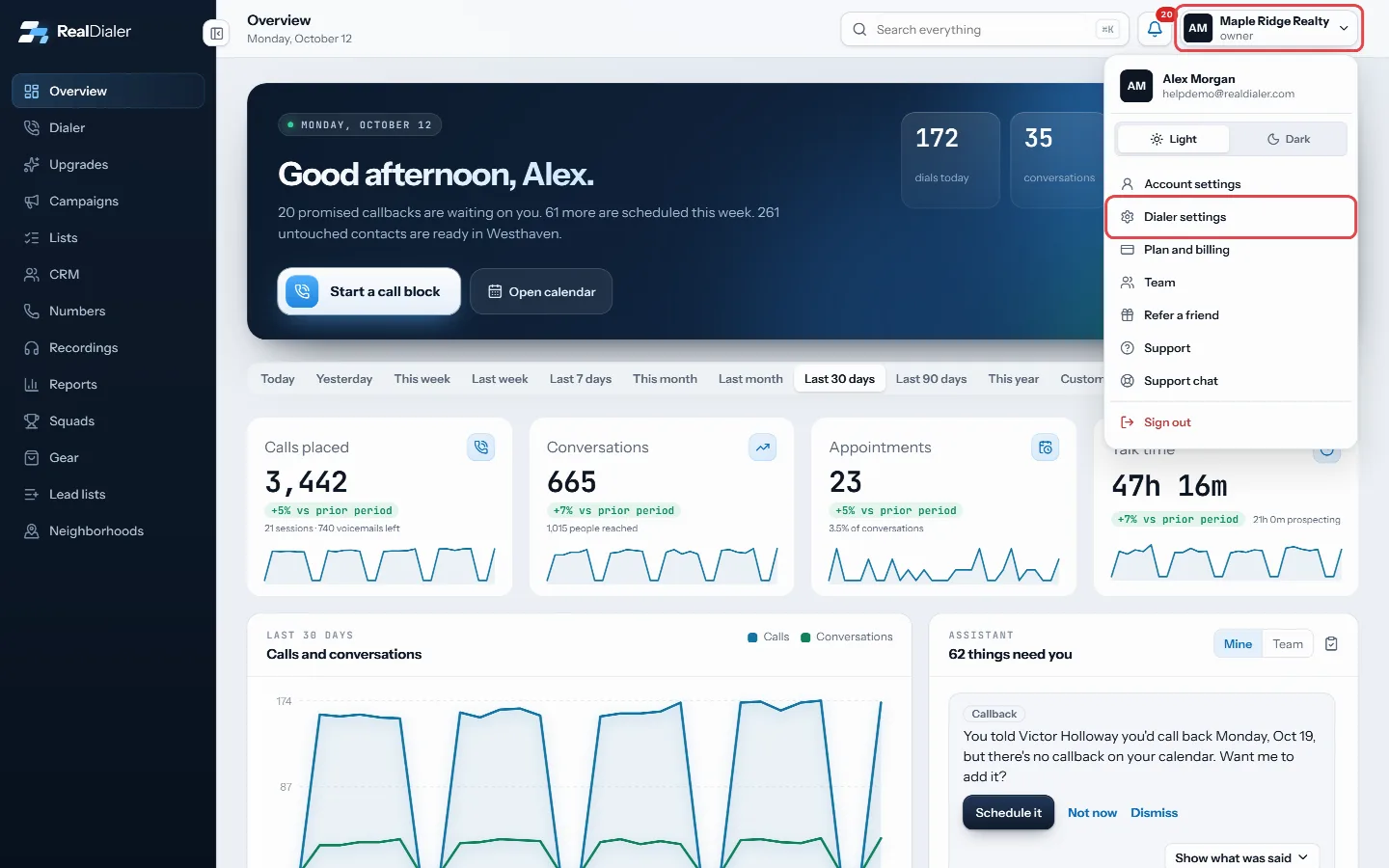
Click your name in the top right and choose Dialer settings - Find the number in the list.
- Under Assigned to, pick the agent. Pick Not assigned (won’t dial) to take it out of use.
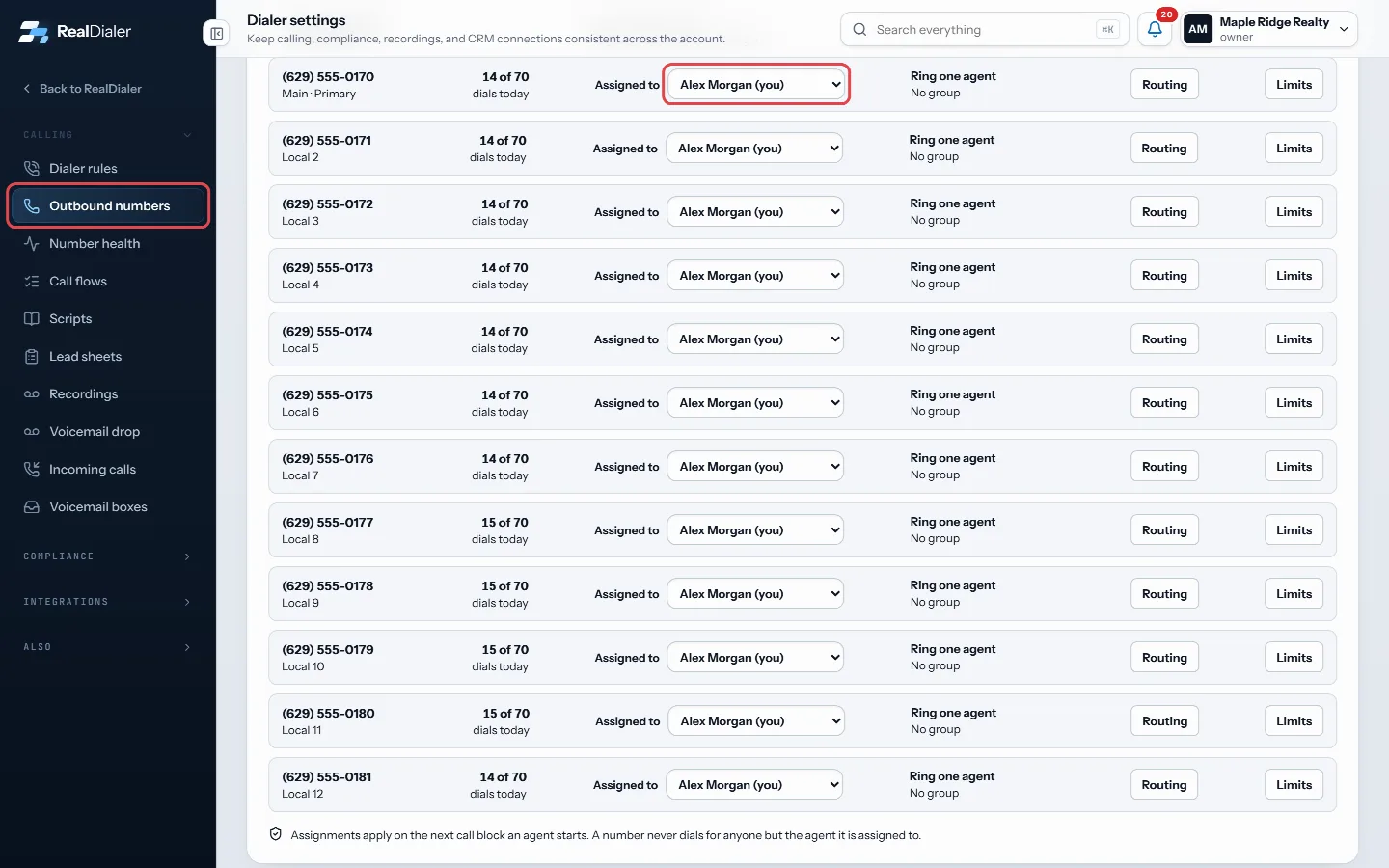
Outbound numbers: pick the agent under Assigned to - The change saves right away.
Good to know
- Only account owners and managers can assign numbers. Agents see who each number is assigned to.
- Assignments apply on the next call block an agent starts.
- An agent whose callback phone is not verified shows callback unverified in the menu.
- Each row shows dials used today against that number’s daily limit. It turns amber near the limit.
- A number marked Not dialing is inactive or set up for something other than outbound calls.
- If no numbers are listed, none are provisioned yet. RealDialer support adds numbers during onboarding, or you can order more from the Numbers page.
Was this guide helpful?
Thanks. It helps us make these better.
Next in Calling settings
Bench numbers automaticallyWith automatic benching on, the dialer takes a number out of rotation when its answer rate collapses compared with your other numbers. It comes back on its own Build a lead sheet for your callersA lead sheet is the form your callers fill in while someone is still on the phone. You write the questions once. Every answer comes back to the Leads tab here, Change how long calls ringRing time is how long each outbound call rings before it counts as no answer. It is shown in rings and each ring is about 6 seconds.
Still stuck? Write to support@realdialer.com, or open Support from inside RealDialer.