What it is
With automatic benching on, the dialer takes a number out of rotation when its answer rate collapses compared with your other numbers. It comes back on its own after a set number of days.
Where to find it
Settings > Number health. Also Numbers > Number health.
Steps
- Click your name in the top right and choose Dialer settings, then Number health.
- Tick Bench a number automatically when its answer rate collapses.
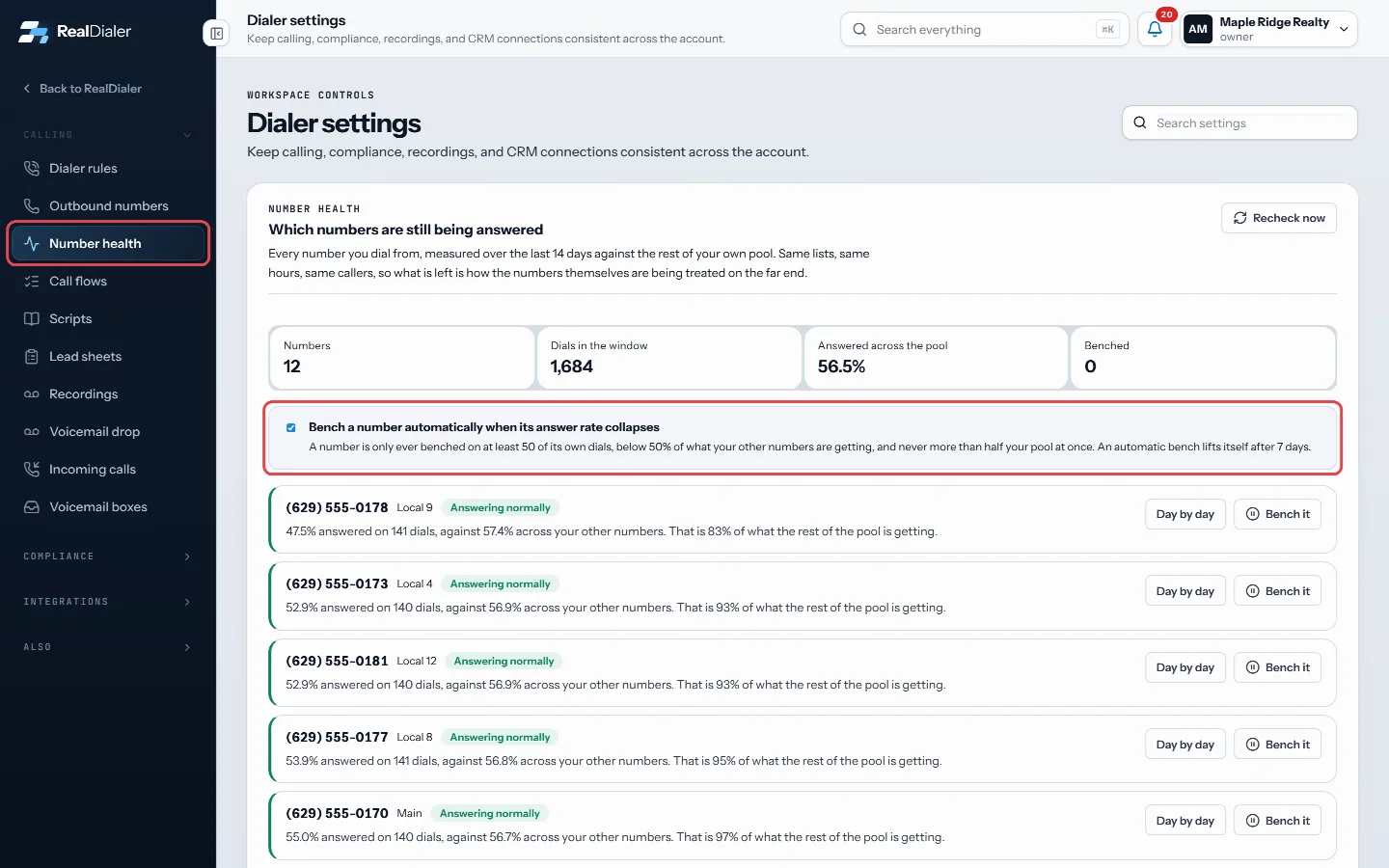
Settings, Number health: tick Bench a number automatically - The setting saves right away. Untick it to turn it off.
Good to know
- A number is only benched on at least 50 of its own dials, when it is answered at less than half the rate of your other numbers.
- Never more than half your numbers are benched at once.
- An automatic bench lifts itself after 7 days.
- When you put a number back by hand, it will not be benched again automatically for a while. The row shows the date.
- With the setting off, numbers are still measured and you decide what to do.
- The limits shown on screen are the ones that apply to your account.
Was this guide helpful?
Thanks. It helps us make these better.
Next in Calling settings
Build a lead sheet for your callersA lead sheet is the form your callers fill in while someone is still on the phone. You write the questions once. Every answer comes back to the Leads tab here, Change how long calls ringRing time is how long each outbound call rings before it counts as no answer. It is shown in rings and each ring is about 6 seconds.Choose what each call result doesEach call result can do things automatically when it is saved: stop calling the contact, add them to your do not call list, book a callback, put an appointment
Still stuck? Write to support@realdialer.com, or open Support from inside RealDialer.