What it is
These limits control how hard each caller ID gets worked. Numbers dialed past about 70 times a day start getting labeled spam likely by the carriers, and a labeled number does not recover quickly.
Where to find it
Settings > Outbound numbers > How hard one number gets worked.
Steps
- Open Settings and choose Outbound numbers.
- Under How hard one number gets worked, set Dials a number a day, from 1 to 70.
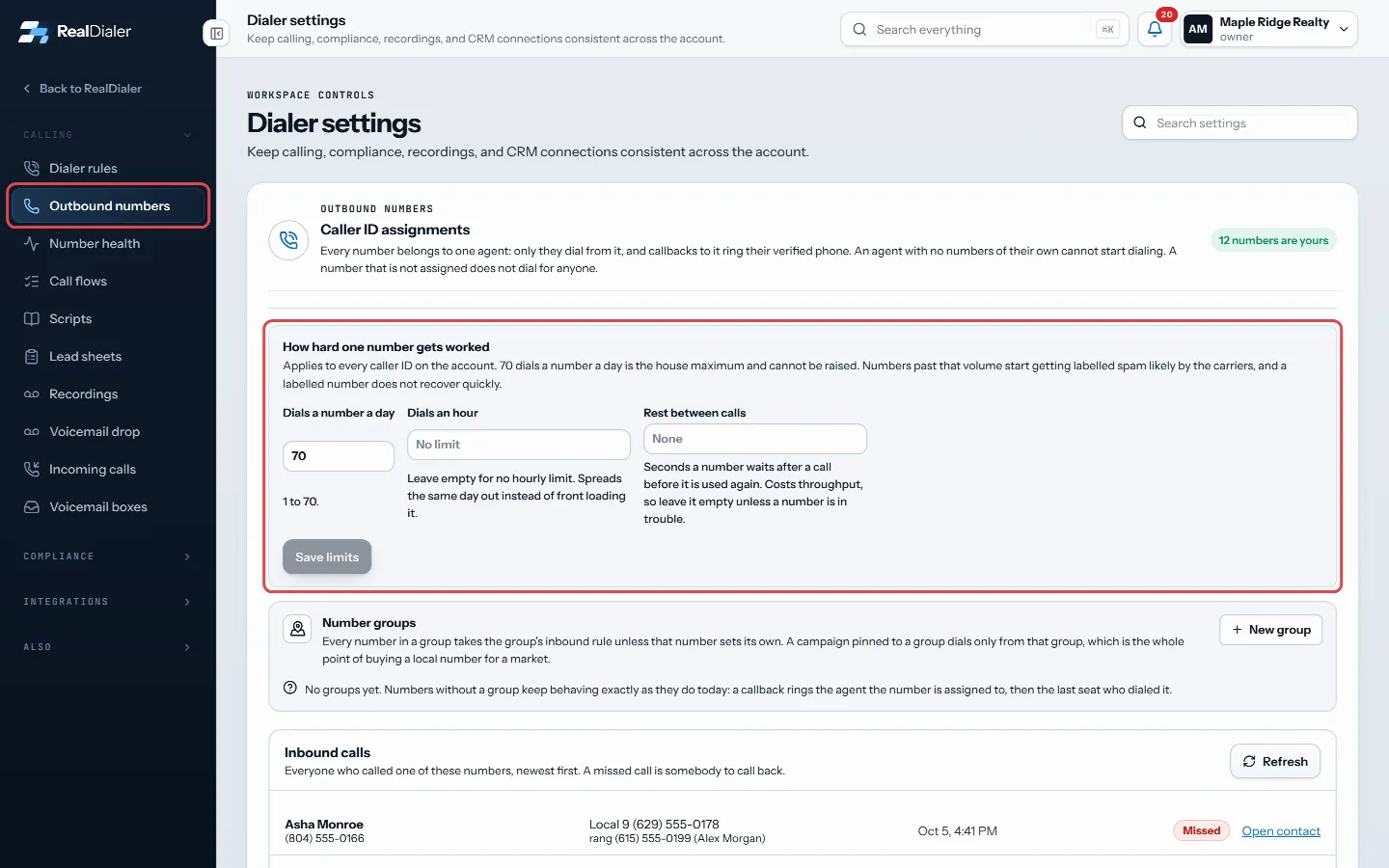
Outbound numbers, How hard one number gets worked: set the limits and press Save limits - Optionally set Dials an hour to spread the day out. Leave it empty for no hourly limit.
- Optionally set Rest between calls, in seconds. Leave it empty unless a number is in trouble, because it slows you down.
- Click Save limits.
- To give one number its own lower limits, click Limits on its row, fill in the fields, and click Save.
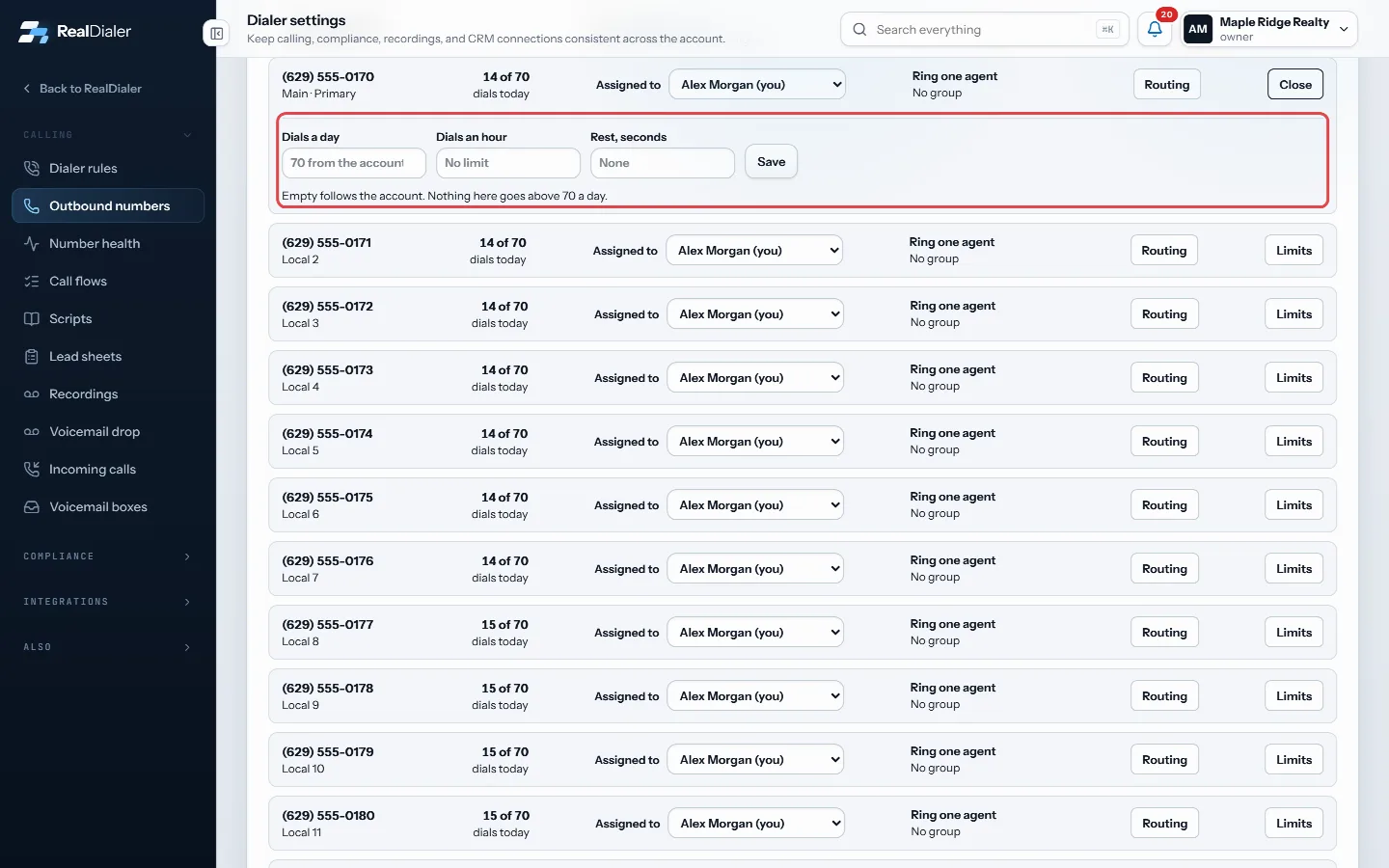
Limits on a number's row opens its own fields; fill them in and press Save
Good to know
- 70 dials a number a day is the house maximum and cannot be raised.
- These limits apply to every caller ID on the account.
- A number’s own limits can only be lower than the account’s. Empty fields follow the account.
- Agents see the daily limit but only owners and managers can change it.
Was this guide helpful?
Thanks. It helps us make these better.
Next in Calling settings
Set how often one person is calledThese dialer rules control how hard the dialer works one person: how many times a day and a week, how long they rest between calls, a lifetime ceiling, a daily Set up an inbound voicemail boxA voicemail box is where a call to one of your numbers goes when nobody is going to pick up. The caller hears your greeting and can leave a message instead of rSet your live-answer messageWhen more than one line is dialing and a second person answers before you are free, they hear this short recorded message instead of silence. Federal rules requ
Still stuck? Write to support@realdialer.com, or open Support from inside RealDialer.