What it is
Availability holds the hours you are willing to be booked in and the rules around them. Your booking pages and the free slots RealDialer offers are worked out from it.
Where to find it
CRM > Availability
Steps
- Under Your week, add hours for each day with Add hours. A day with no blocks is a day off. Press Save this week.
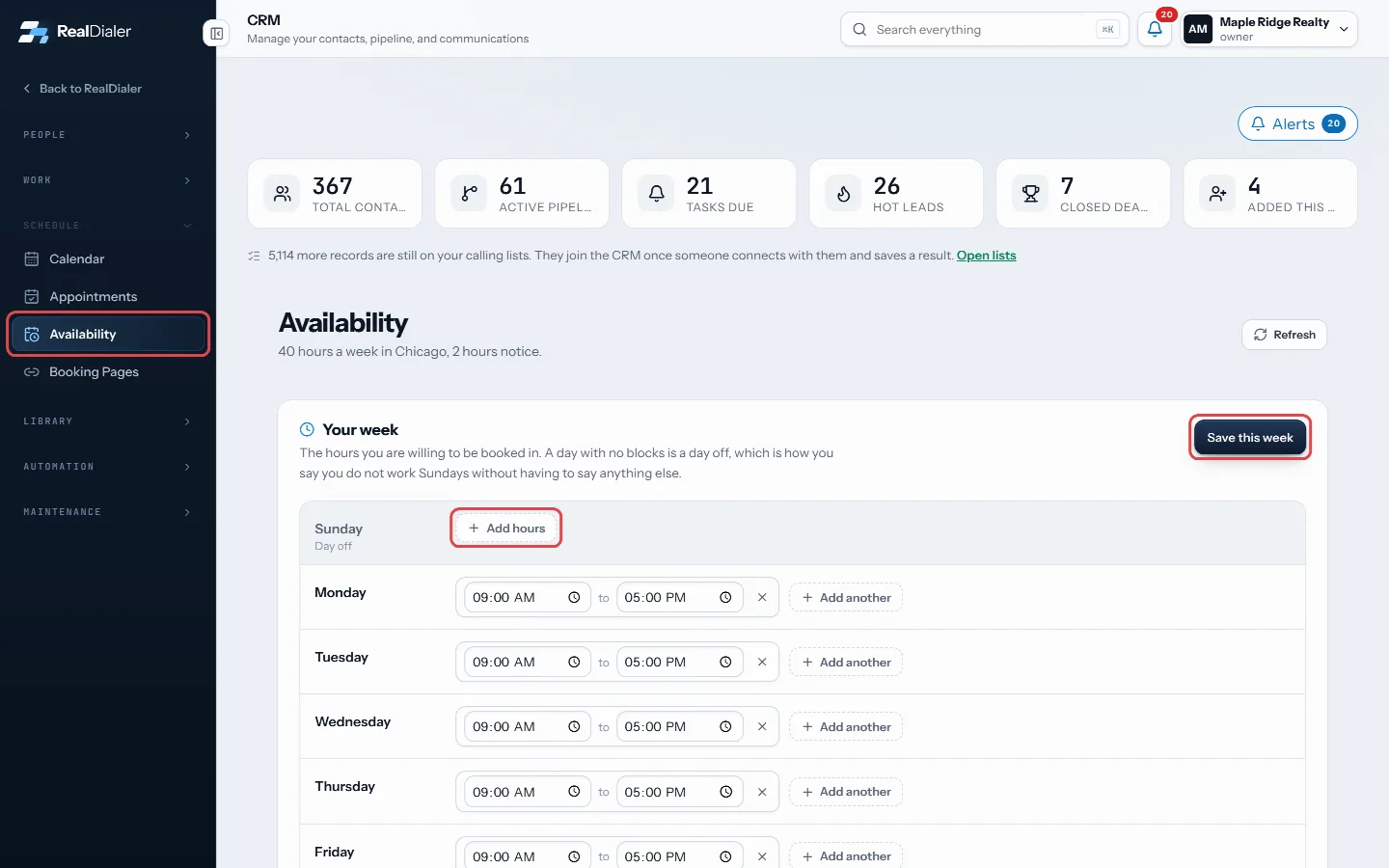
Add hours to each day under Your week, then Save this week - Under Booking rules, set your time zone, how long an appointment runs, room before and after it, the shortest notice you will take, how far ahead people can book and the most appointments in a day. Press Save rules.
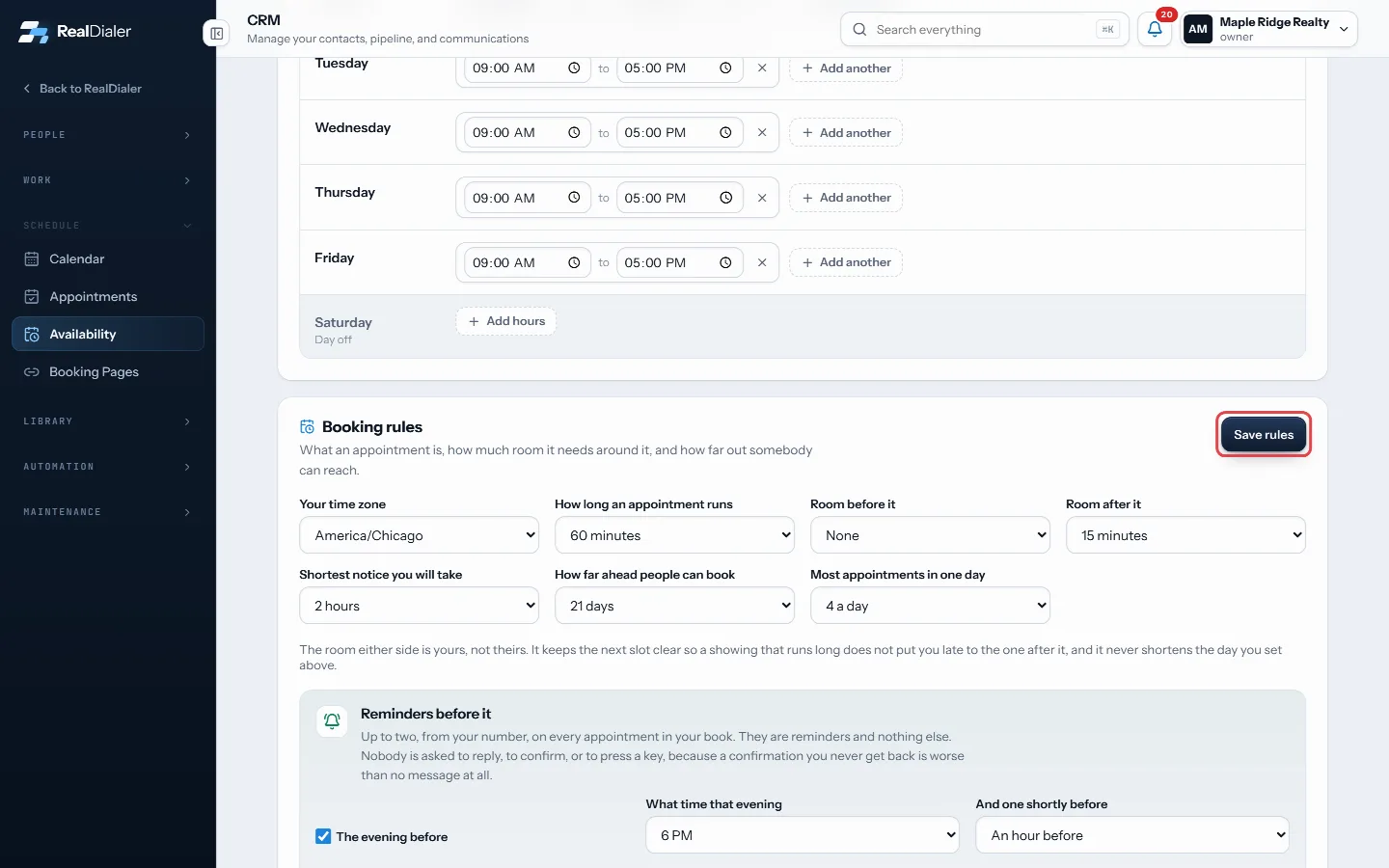
Booking rules: time zone, length, notice and limits - Set Reminders before it: one the evening before at a time you pick, and one shortly before.
- Turn on Let other people book time on this calendar if you want to send people your times.
- Under Days that are different, add vacation, a closing or a working Saturday, then press Add this date.
- The last panel shows your actual free time. Pick a slot to book it, fill in who is coming, and press Book it.
Good to know
- Your calendar and any connected calendars are taken out of your free time.
- Reminders are reminders only. Nobody is asked to reply or confirm.
- Reminders are worked out and saved, but not sent until texting is switched on for your account.
- Booking pages offer no times while letting others book is off.
- Changing your hours redoes every reminder still ahead.
Was this guide helpful?
Thanks. It helps us make these better.
Next in CRM
Stop calling a contact or add them to do-not-callThere are two ways to keep the dialer away from someone. Stop calling is a working decision you can undo. Add to do-not-call puts every number on the record on Tag contactsTags are short labels you put on contacts, such as Hot seller or Past client. You can filter the contacts table by tag, build smart lists on them, and use them Text a contact from a callClick to text lets you send one text by hand to the person on your screen. You read the message, press Send, and nothing goes out on its own. Texts come from yo
Still stuck? Write to support@realdialer.com, or open Support from inside RealDialer.