What it is
A lead intake URL is a private address you paste into your website form, a portal or anything else that sends you leads. A lead posted to it becomes a contact in under a second, lands on the person you choose, can start a sequence, can drop into a calling list, and emails that person.
Where to find it
CRM > Lead Intake
Steps
- Press New intake URL.
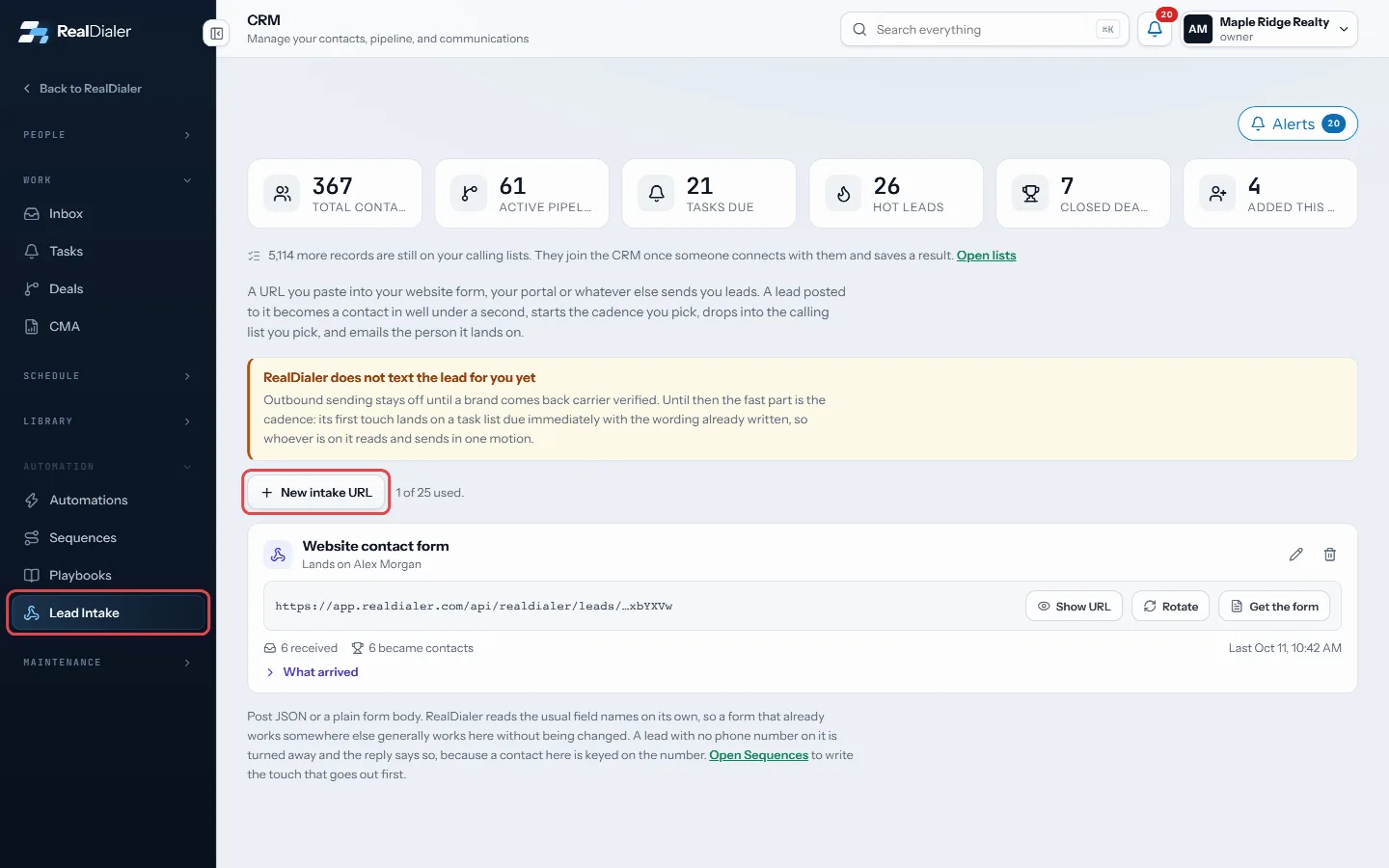
In CRM > Lead Intake, press New intake URL - Name it, such as Website contact form.
- Choose Who these land on.
- Optionally pick a Cadence to start, a Calling list, a lead source under File them under, a contact type and a temperature.
- Leave Email the person it lands on and Accepting leads ticked.
- Press Create it. On the new card, press Show URL, then Copy URL, and paste it into your form’s settings.
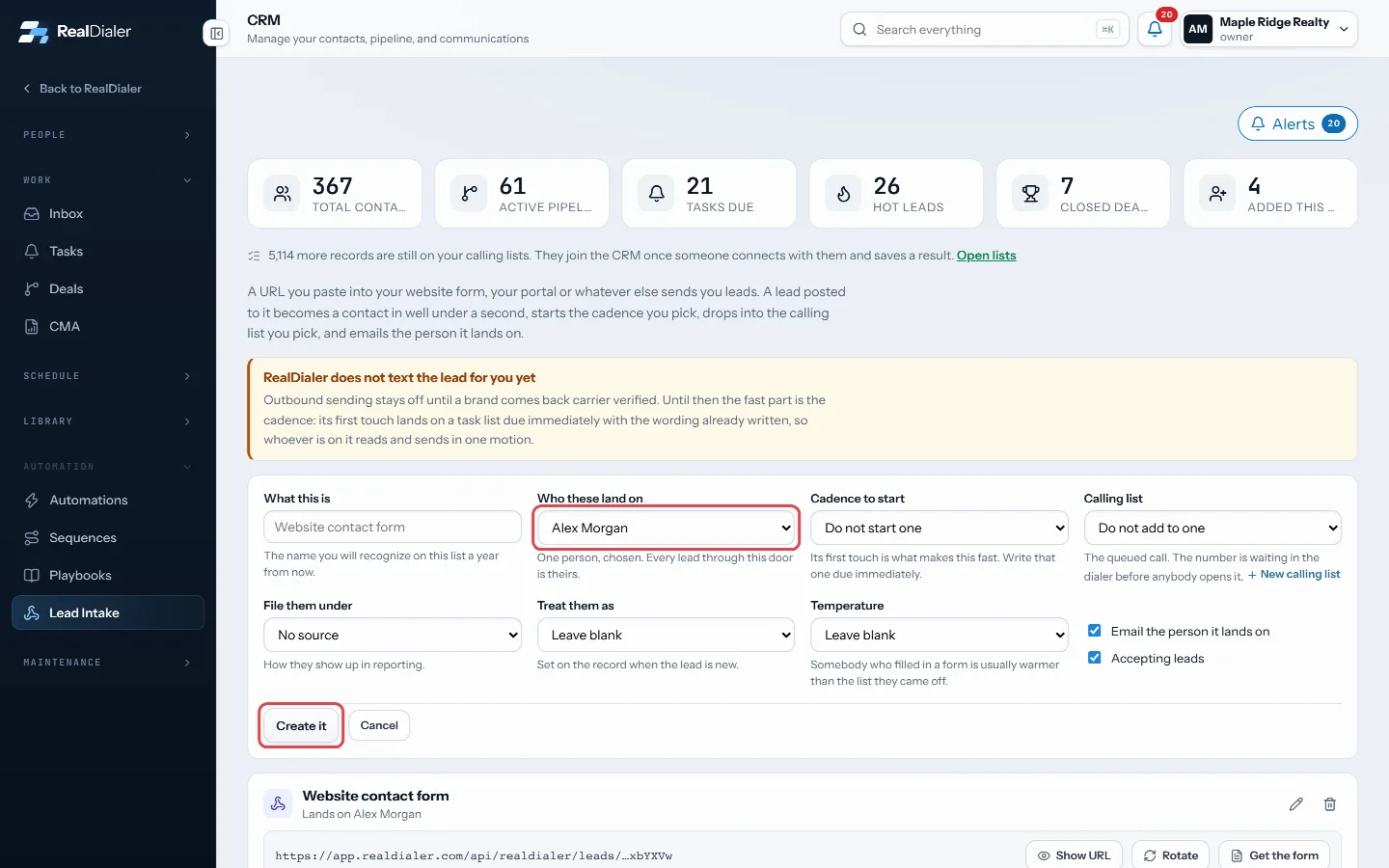
Name it, choose who it lands on, then Create it - Press What arrived on the card to see each lead that came in and what happened to it.
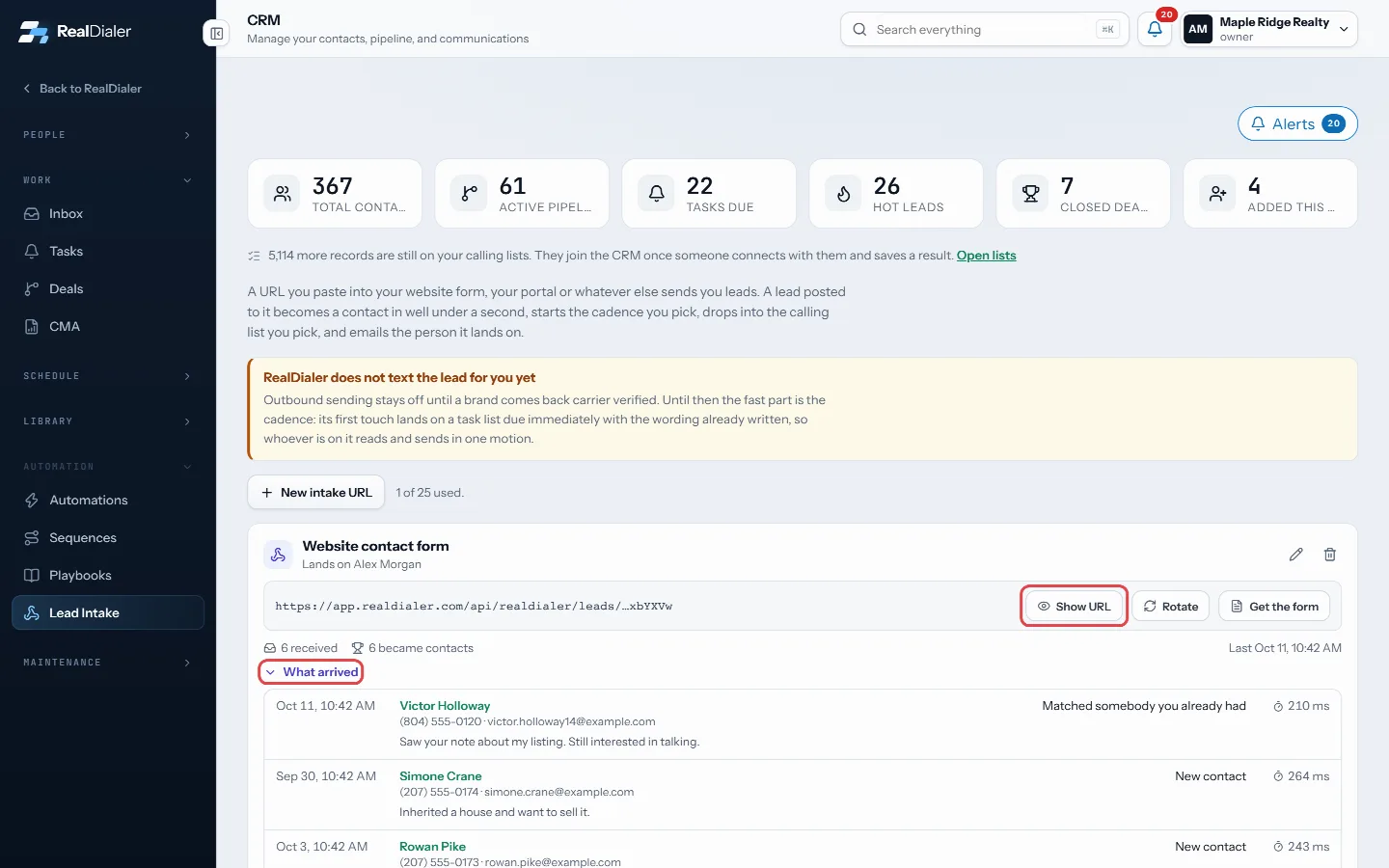
Show URL to copy it; What arrived lists each lead
Other ways in
- No form yet? Press Get the form on the card for a form you paste on your website or link to from an ad. See “Put a lead form on your website”.
- Google Ads lead forms and Facebook lead ads can send to this URL too. See “Send Google Ads and Facebook leads to RealDialer”.
Good to know
- RealDialer does not text the lead for you yet. The fast part is the cadence: its first touch lands as a task due right away.
- A lead with no phone number is turned away.
- The same lead sent twice within ten minutes is counted once. A lead that matches an existing contact is matched, not duplicated.
- Rotate gives a new URL and the old one stops working at once.
- Post JSON or a plain form body. The usual field names are read on their own.
- What arrived shows each lead’s source. Leads from the lead form also show the ad they came from and the consent they gave.
- An account can have up to 25 intake URLs.
Was this guide helpful?
Thanks. It helps us make these better.
Next in CRM
Set up automationsAn automation watches for one thing to happen and then does up to 12 things about it, with nobody clicking. For example, tag every new seller, assign whoever coSet your availability and booking rulesAvailability holds the hours you are willing to be booked in and the rules around them. Your booking pages and the free slots RealDialer offers are worked out fStop calling a contact or add them to do-not-callThere are two ways to keep the dialer away from someone. Stop calling is a working decision you can undo. Add to do-not-call puts every number on the record on
Still stuck? Write to support@realdialer.com, or open Support from inside RealDialer.