What it is
A contact can have several phone numbers. The Numbers on file card lists them in dial order with the state of each one, such as Not tried yet, Tried 3 times or Right number.
Where to find it
Open a contact > Numbers on file card on the left.
Steps
- Open the contact and find Numbers on file.
- Hover a number to see its tools.
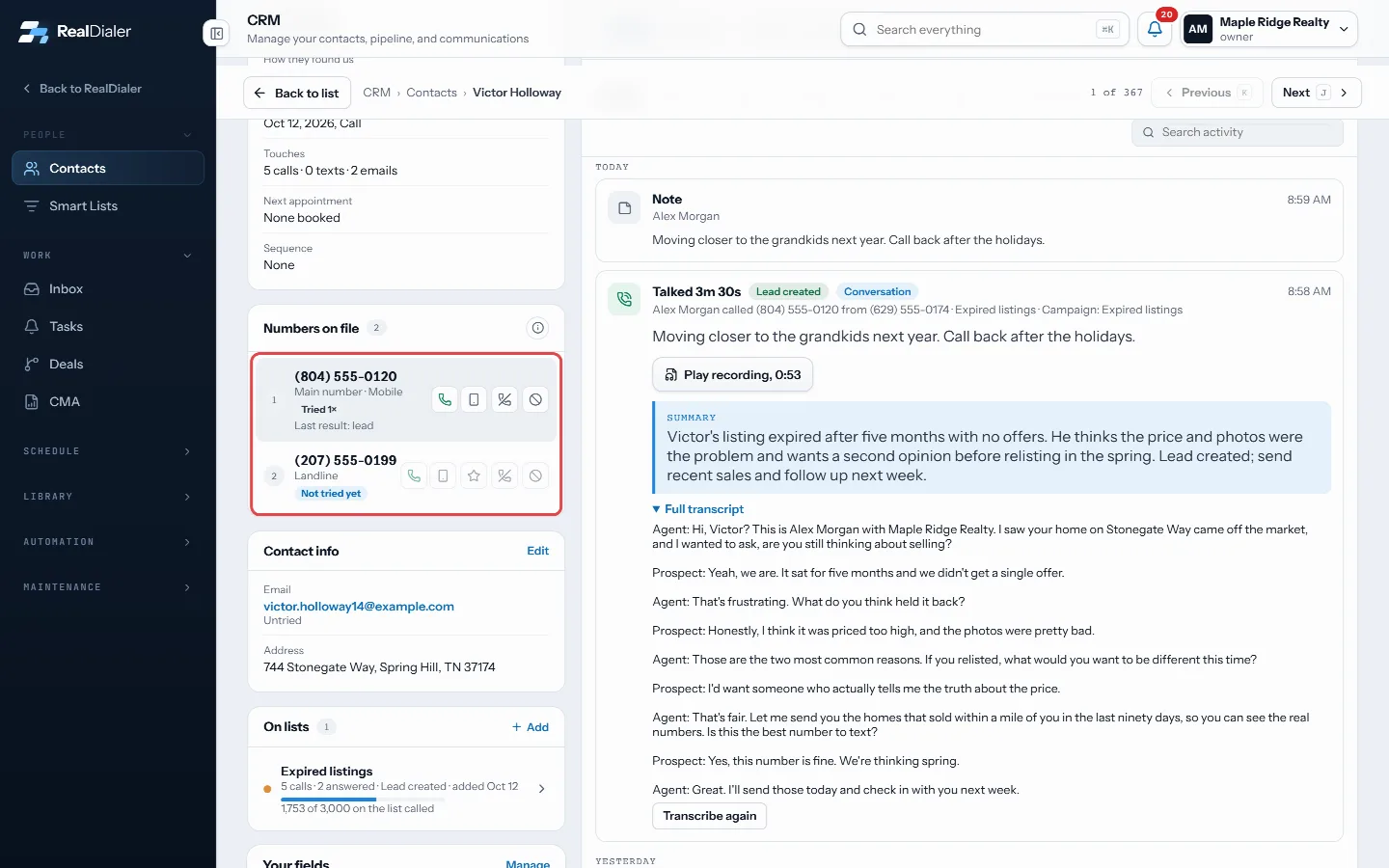
Numbers on file lists each number in dial order - Press the phone icon to call that number with RealDialer.
- Press the star to make it the main number. The main number is what the record shows and what one tap calling uses.
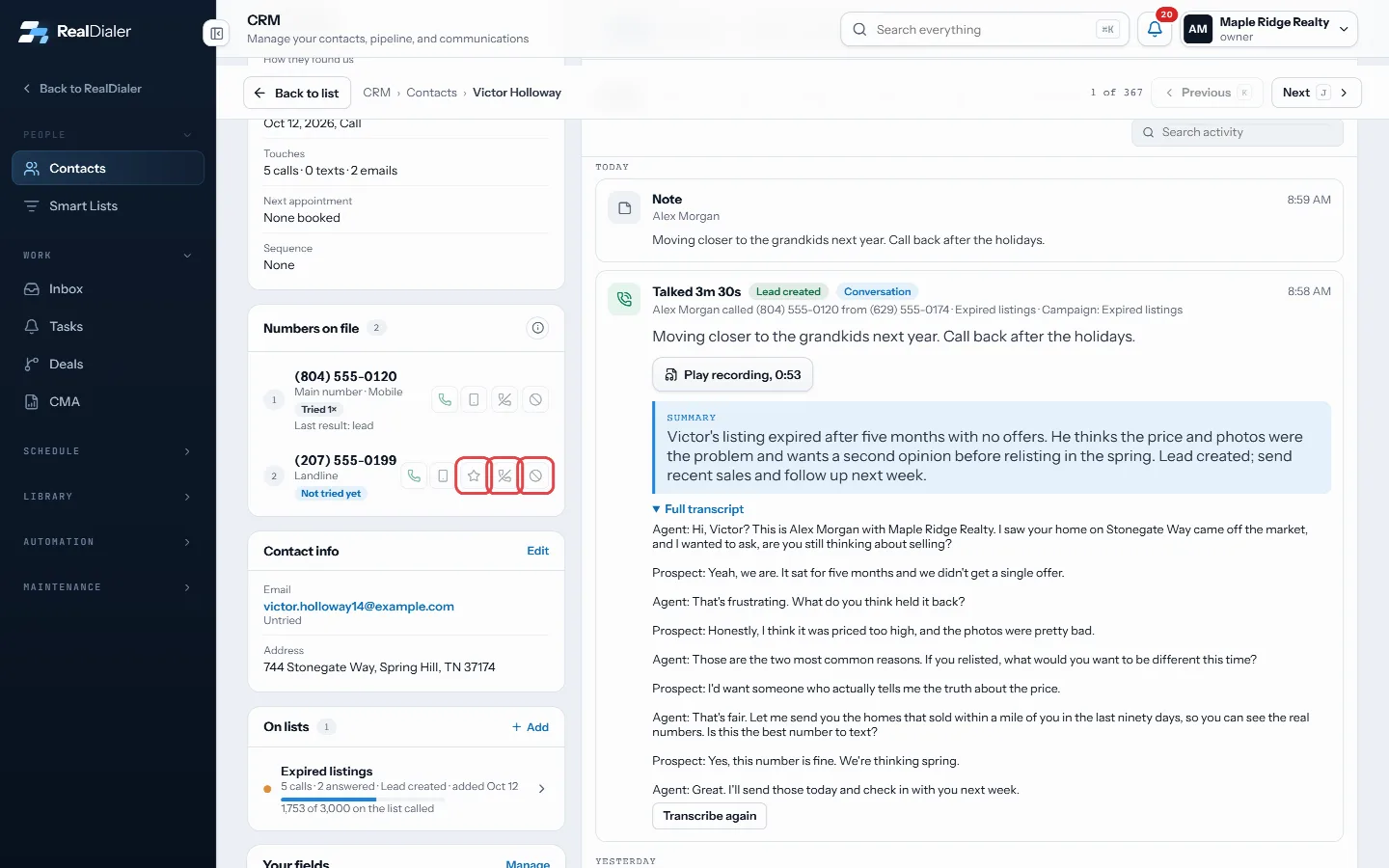
The star makes a number the main one; the crossed phone is Do not redial; the ban icon adds it to do-not-call - Press the crossed phone for Do not redial. It stays on file and the dialer stops trying it. Press the arrow to dial it again.
- Once a right number is confirmed, you can hide the other numbers so they stop being offered.
- Press the ban icon to add a number to your account do-not-call list.
Good to know
- Nothing here is ever deleted.
- The dialer still spreads its attempts across every number it is allowed to try.
- When every number is dead or blocked, the card says No number left to call and the contact goes to your Bad Numbers list.
- To add another number, email or address, use the Property tab.
Was this guide helpful?
Thanks. It helps us make these better.
Next in CRM
Manage lead sourcesLead sources are the one list of where your contacts came from, such as Zillow, past clients or doorknocking. Keeping one list means two spellings of one originMerge duplicate contactsThe Duplicates room lists records that share an email address or a name. Nothing merges on its own. You pick which record survives, see what would move, and youProperty details and pulling owner recordsThe Property tab shows who owns the home and what is known about it: property and mailing addresses, phone numbers, emails, beds, baths, square feet, year built
Still stuck? Write to support@realdialer.com, or open Support from inside RealDialer.