What it is
You can add someone to the CRM yourself, without waiting for a call, for example a referral or a person you met at an open house.
Where to find it
CRM > Contacts > Add contact
Steps
- Go to CRM > Contacts and press Add contact.
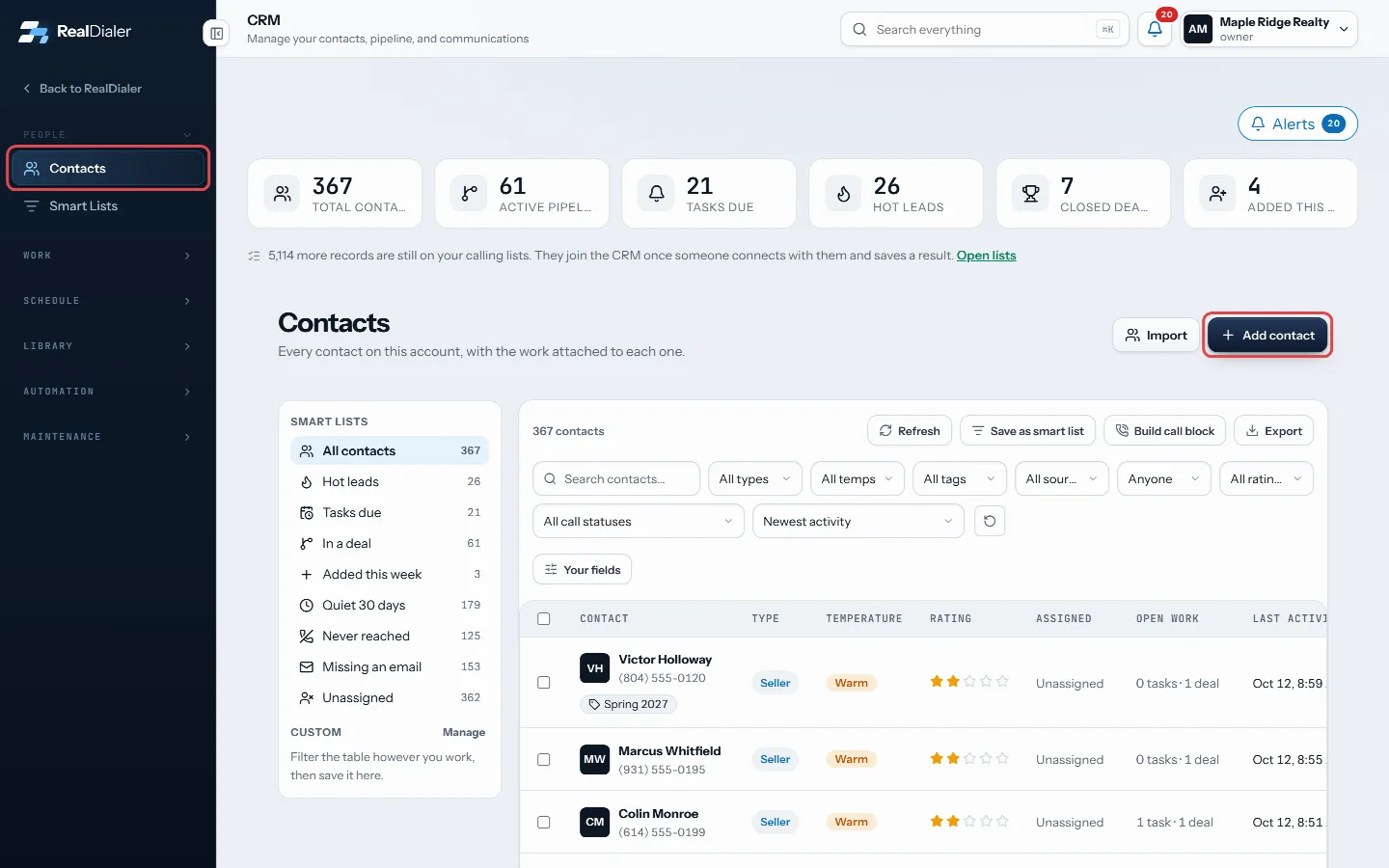
In CRM > Contacts, press Add contact - Enter a first or last name and a phone number. Both are needed before you can save.
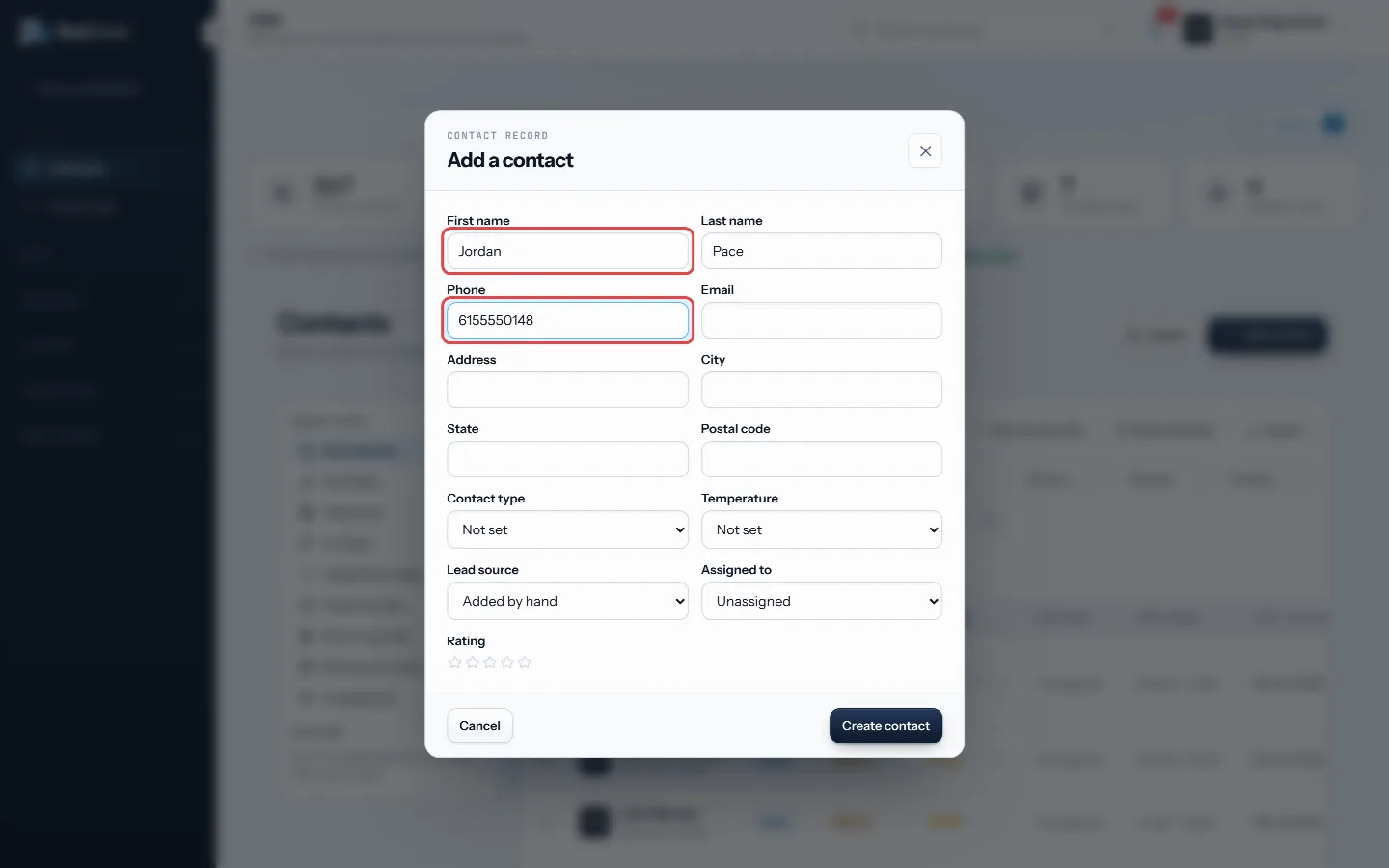
A name and a phone number are needed - Fill in anything else you know: email, address, city, state, postal code.
- Pick a Contact type (seller, buyer, investor, renter, agent, vendor or other) and a Temperature (hot, warm or cold).
- Choose a Lead source, or leave it as Added by hand.
- Set a star Rating if you use one.
- Owners and managers can choose who it is Assigned to.
- Press Create contact. The new record opens.
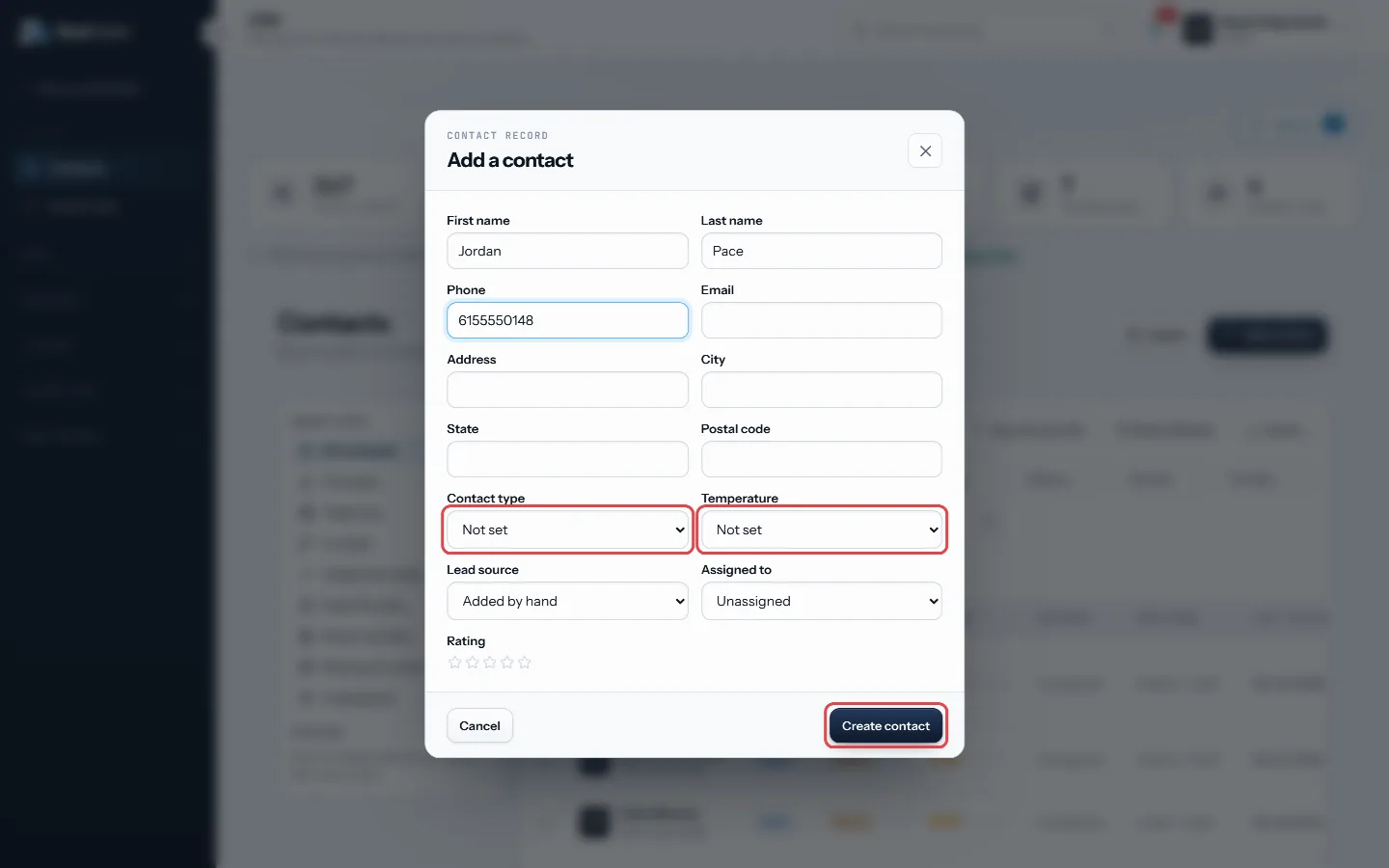
Pick a type and temperature, then press Create contact
Good to know
- Contacts an agent creates are always assigned to that agent.
- One phone number can only be on one record. If the number is already on a contact, you will be told.
- To add a second phone number, an extra email or a mailing address later, use the Property tab on the record.
- To bring in many people at once, use Import. Each file becomes a calling list.
Was this guide helpful?
Thanks. It helps us make these better.
Next in CRM
Add your own contact fieldsFields are the questions your account asks about every person, such as budget, move date or loan type. Because they are typed, you can filter on them and build Add, pin and edit notesNotes are what you learned about a person, kept on their record and on their timeline. Anyone who can see the contact can read the notes on it.Attach a file to a contactEach contact has a Files tab for documents about that person: agreements, disclosures, offers, photos and more. Each file gets a label so you can find it later.
Still stuck? Write to support@realdialer.com, or open Support from inside RealDialer.