What it is
Playbooks are ready made cadences you install whole: New Lead, New Appointment, Expired and cancelled, For sale by owner, and Sphere and past clients. Each one installs a sequence, and some also bring the automations that start it.
Where to find it
CRM > Playbooks
Steps
- Read a playbook’s card: what it is for, how many touches over how long, and what it does not do.
- Press Read all touches to see every step and rule.
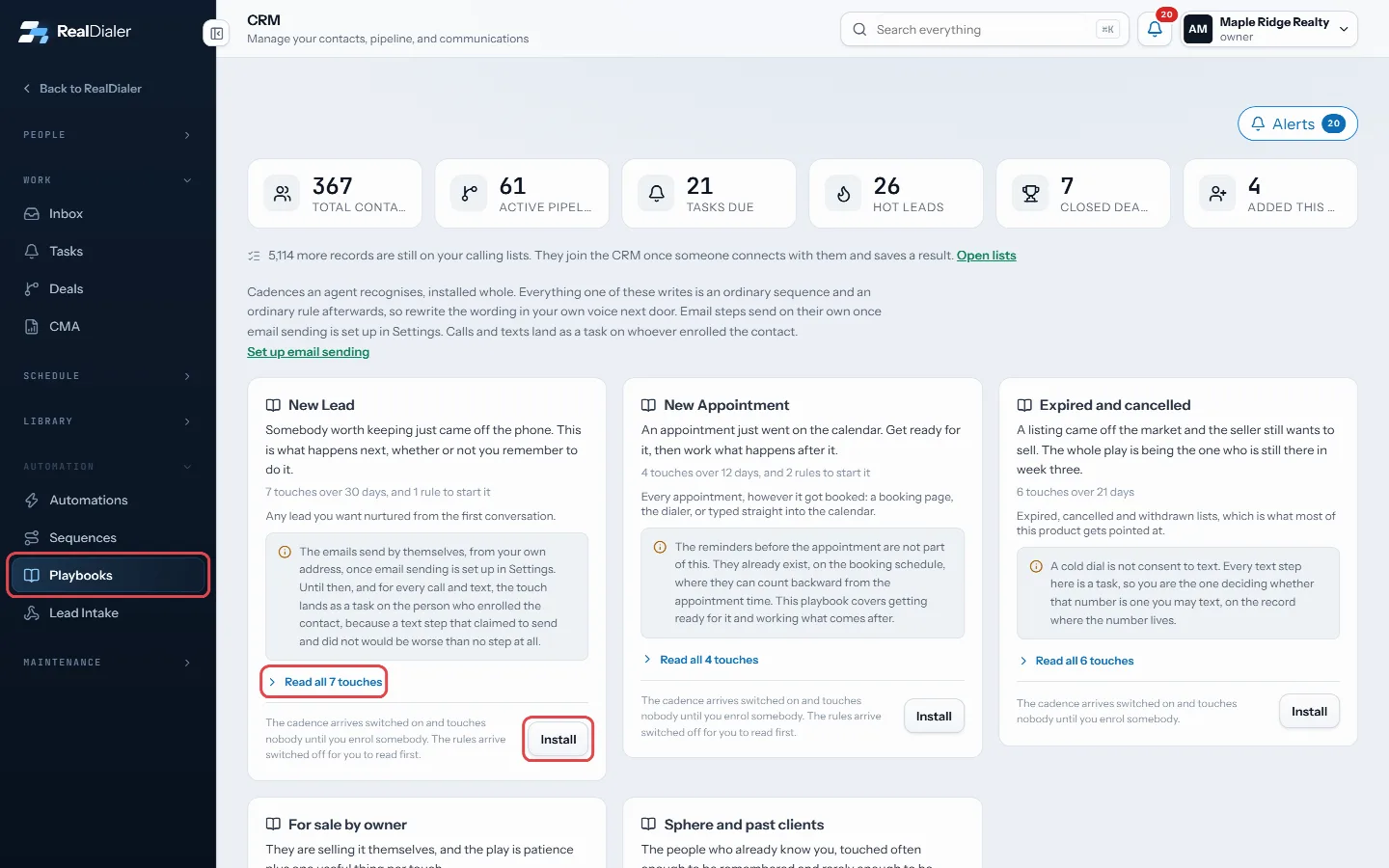
Read all touches, then Install - Press Install.
- Press Open in Sequences to rewrite the wording in your own voice.
- To use it, put contacts into the sequence, or switch on the automations it brought.
Good to know
- The sequence arrives switched on but touches nobody until you put somebody in.
- Any automations arrive switched off so you can read them first.
- Once installed, it is an ordinary sequence and ordinary rules. To remove it, delete the sequence in Sequences.
- Email steps send on their own once email sending is set up. Calls and texts land as tasks on whoever enrolled the contact.
- Only owners and managers can install playbooks.
Was this guide helpful?
Thanks. It helps us make these better.
Next in CRM
Keep shared files in the libraryThe Files room is a shelf for documents your account sends over and over, like the buyer guide, the listing packet or a common disclosure. A sequence step can pManage a contact’s phone numbersA contact can have several phone numbers. The Numbers on file card lists them in dial order with the state of each one, such as Not tried yet, Tried 3 times or Manage lead sourcesLead sources are the one list of where your contacts came from, such as Zillow, past clients or doorknocking. Keeping one list means two spellings of one origin
Still stuck? Write to support@realdialer.com, or open Support from inside RealDialer.