What it is
If you run lead form ads, where people fill in the form inside Google or Facebook instead of on your website, those leads can come straight into RealDialer through an intake URL. If your ads send people to your own landing page instead, use the lead form (“Put a lead form on your website”).
Where to find it
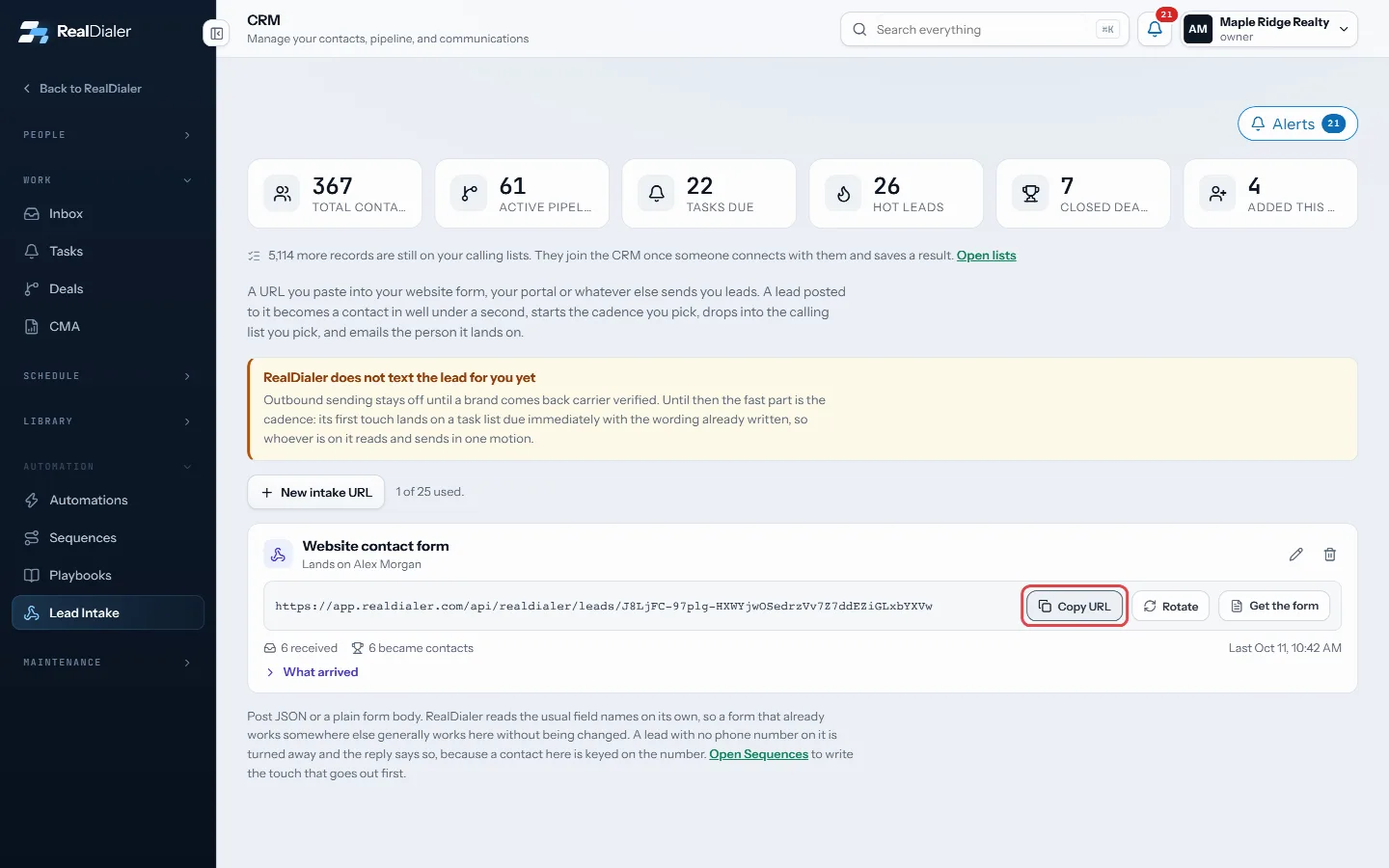
CRM > Lead Intake. Make an intake URL for each ad source, for example one named Google Ads and one named Facebook.
Steps
Google Ads lead forms
- On the intake card, press Show URL, then Copy URL.
- In Google Ads, open the lead form asset and find the webhook section under lead delivery.
- Paste the URL as the webhook URL.
- Type a key of your choosing into Google’s key box.
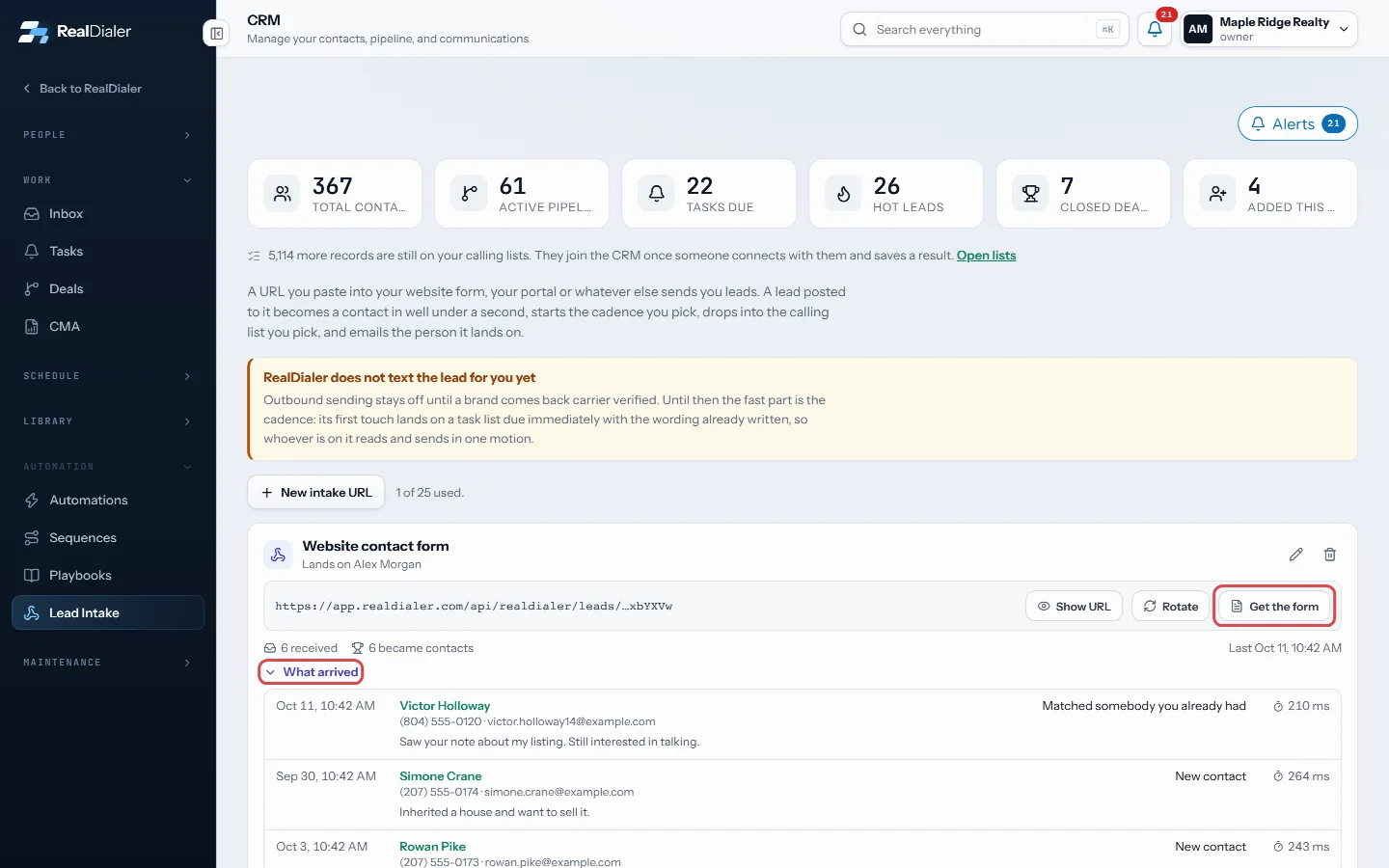
- Back in RealDialer, press Get the form on the same card, type the same key under Google Ads lead forms, and press Save key.
- In Google, press Send test data. Open What arrived on the card: a test lead shows up there and is not made a contact.
Facebook lead ads, through Zapier
- In Zapier, make a Zap with Facebook Lead Ads and New Lead as the trigger, and pick your page and form.
- Add a Webhooks by Zapier step with POST.
- Paste your intake URL as the URL and choose Form or JSON as the payload type.
- Map the fields: first_name, last_name, phone, email, and anything else you want as message.
- Test the step, then open What arrived on the card to see the lead.
Good to know
- Each Google lead keeps its campaign and click id, so you can see which ad it came from.
- With a key saved, anything posted without that key is refused. Leave it blank to accept any Google post.
- A Google lead without a phone number is recorded under What arrived as turned away. Make phone a required question on your Google form.
- Leads from both arrive the same way as any other: contact, cadence, calling list and an email to the person they land on.
Was this guide helpful?
Thanks. It helps us make these better.
Next in CRM
Send website leads in with a lead intake URLA lead intake URL is a private address you paste into your website form, a portal or anything else that sends you leads. A lead posted to it becomes a contact iSet up automationsAn automation watches for one thing to happen and then does up to 12 things about it, with nobody clicking. For example, tag every new seller, assign whoever coSet your availability and booking rulesAvailability holds the hours you are willing to be booked in and the rules around them. Your booking pages and the free slots RealDialer offers are worked out f
Still stuck? Write to support@realdialer.com, or open Support from inside RealDialer.