What it is
There are two ways to keep the dialer away from someone. Stop calling is a working decision you can undo. Add to do-not-call puts every number on the record on your account do-not-call list.
Where to find it
Open a contact > Calling card on the left.
Steps
- Open the contact and find the Calling card.
- Press Stop calling, then Stop calling again to confirm. The dialer skips them, and a notice appears at the top of the record.
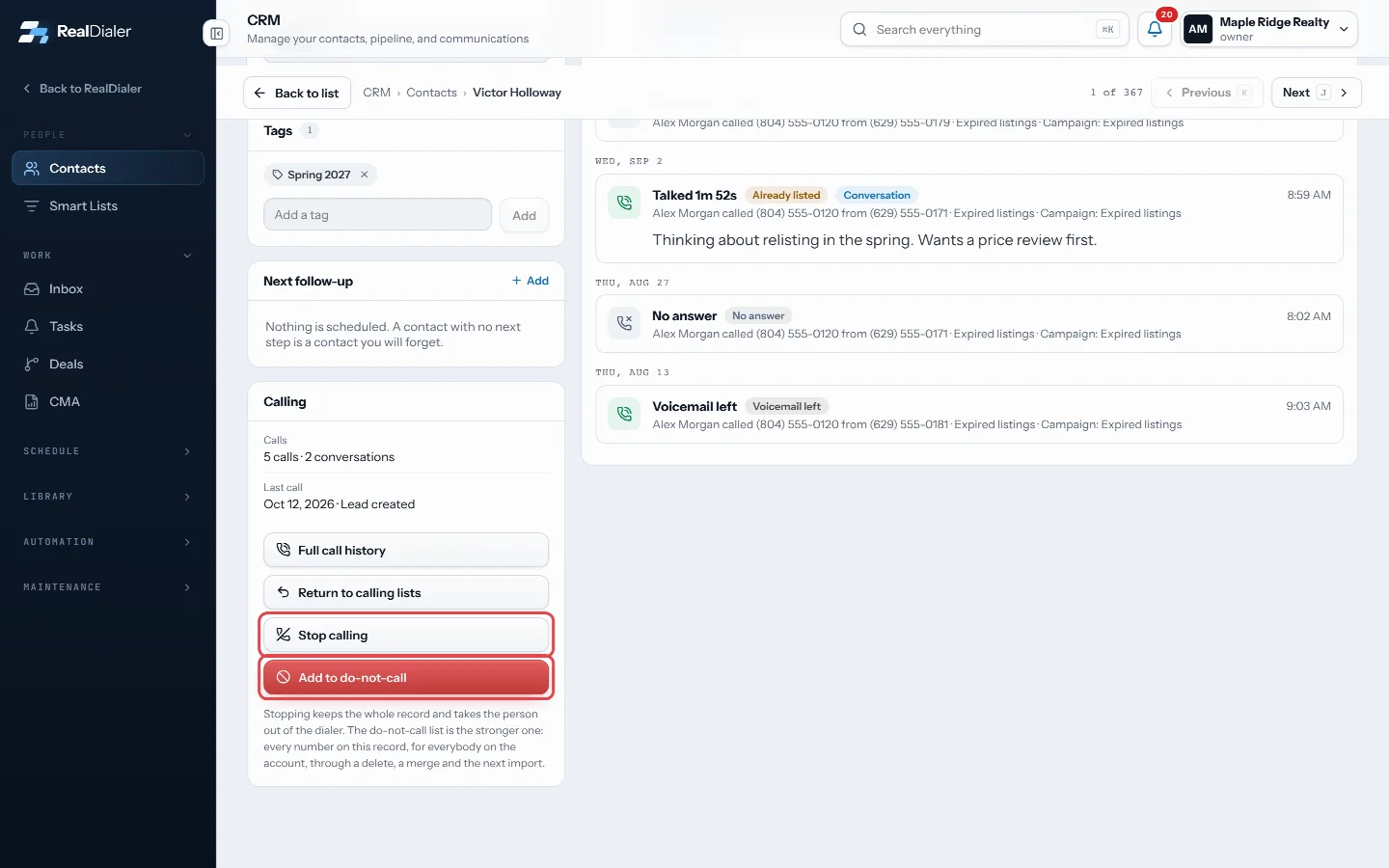
The Calling card: Stop calling, or Add to do-not-call - To undo, press Put back in rotation in that notice.
- For the stronger option, press Add to do-not-call.
- Tick They asked to stop being called if the person asked. Leave it unticked if it is your own decision.
- Press Add to do-not-call.
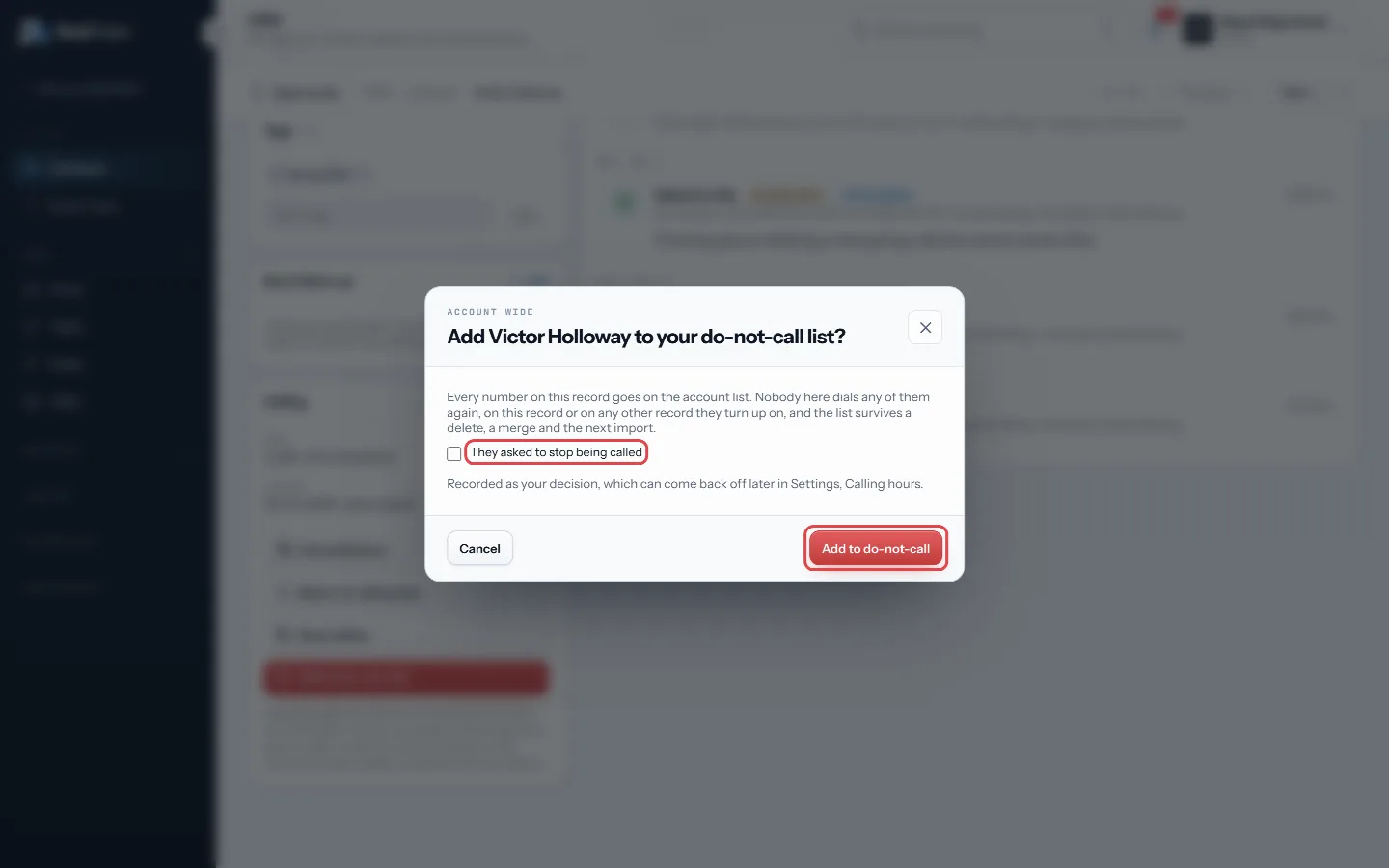
Tick They asked if they did, then Add to do-not-call
Good to know
- Stopping keeps the record, numbers, notes, tasks and call history.
- The do-not-call list covers every number on the record, for everyone on the account, and survives a delete, a merge and the next import.
- An entry made as your decision can come back off later in Settings, Calling hours. An entry made because the person asked stays on the list.
- You can also add a single number to do-not-call from the Numbers on file card.
Was this guide helpful?
Thanks. It helps us make these better.
Next in CRM
Tag contactsTags are short labels you put on contacts, such as Hot seller or Past client. You can filter the contacts table by tag, build smart lists on them, and use them Text a contact from a callClick to text lets you send one text by hand to the person on your screen. You read the message, press Send, and nothing goes out on its own. Texts come from yoTrack appointment outcomes and kept rateAppointments is a ledger of every appointment that got set and what came of it. At the top it counts Set, Kept, Settled, Kept rate, No shows and Waiting on you.
Still stuck? Write to support@realdialer.com, or open Support from inside RealDialer.