What it is
Notes are what you learned about a person, kept on their record and on their timeline. Anyone who can see the contact can read the notes on it.
Where to find it
Open a contact > Activity tab (quick note box) or the Notes tab.
Steps
- Open the contact.
- On the Activity tab, make sure Note is picked above the timeline, type your note and press Save note.
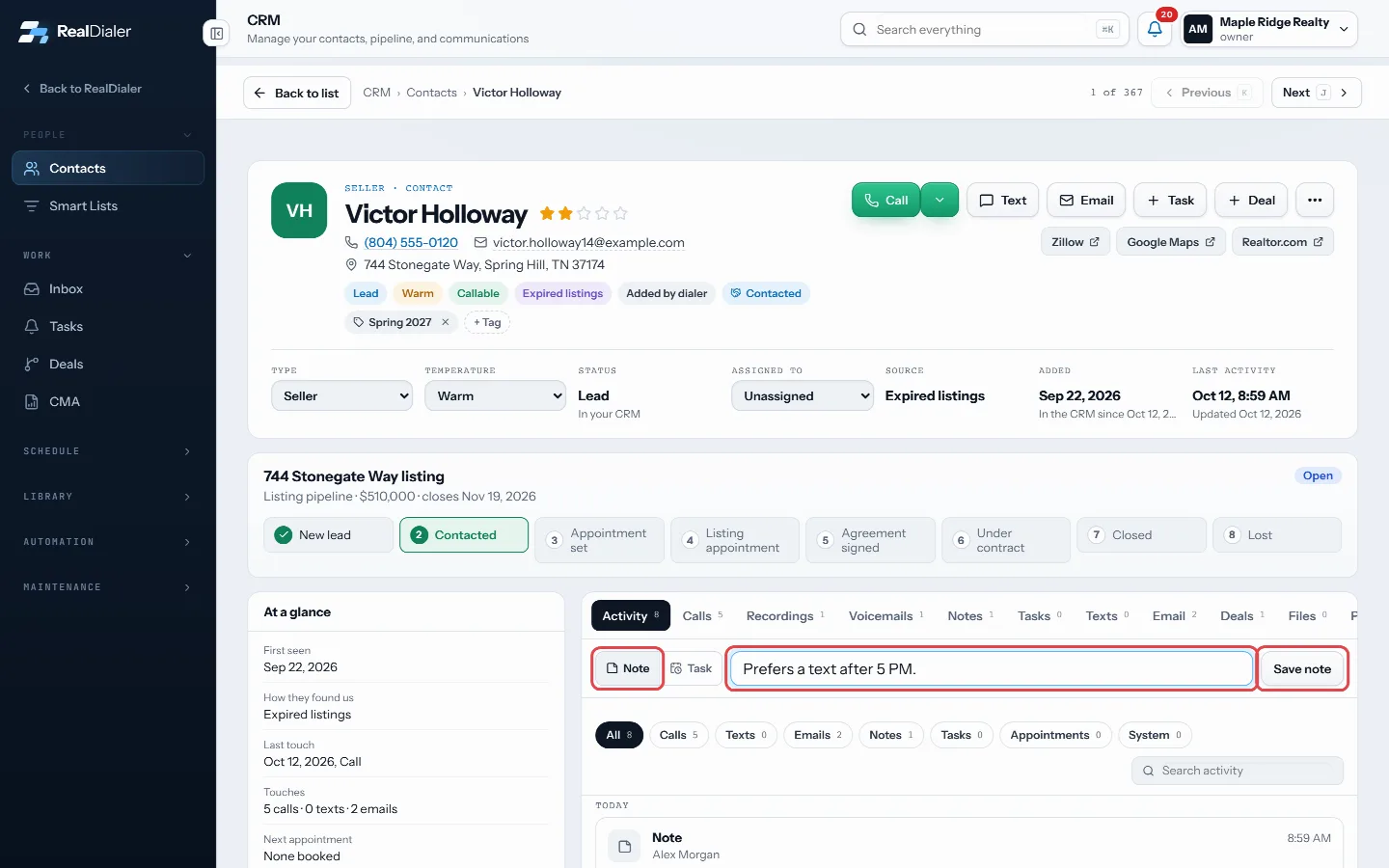
Pick Note, type it, press Save note - Or open the Notes tab, write in the box and press Save note.
- On the Notes tab, use the pin icon to pin a note to the top, the page icon to edit it, and the bin icon to delete it.
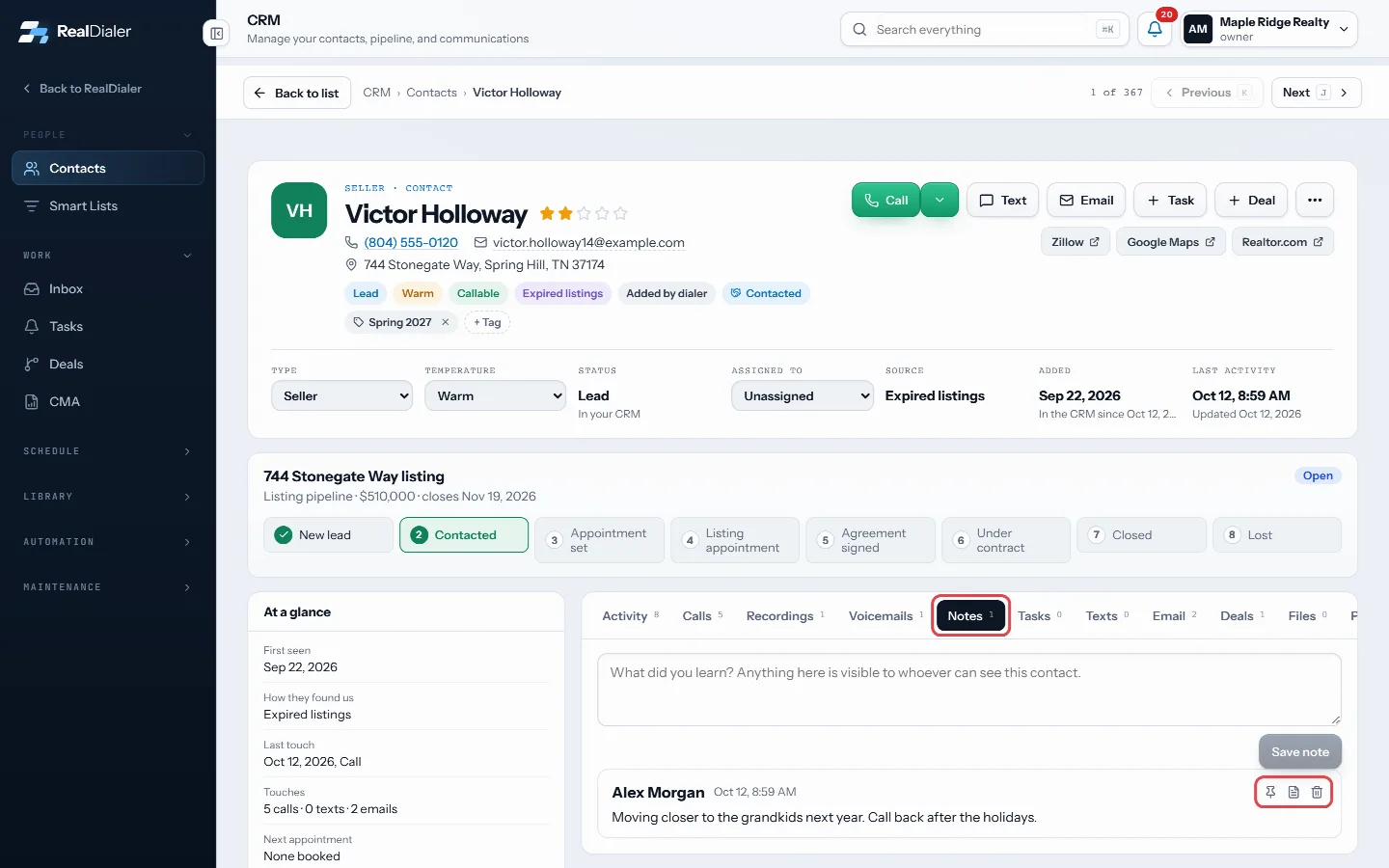
On the Notes tab: pin, edit or delete a note - When editing, change the text and press Save note.
Good to know
- Notes typed during a call are saved on the contact record too.
- A deleted note goes to the Recycle Bin for 30 days, where you can restore it.
- Edited notes show the word edited next to the time.
- Notes are searchable from the top bar search.
Was this guide helpful?
Thanks. It helps us make these better.
Next in CRM
Attach a file to a contactEach contact has a Files tab for documents about that person: agreements, disclosures, offers, photos and more. Each file gets a label so you can find it later.Build a call block from your contactsBuild call block turns the people in a smart list, or the contacts table as filtered right now, into a calling list your dialer can work. You can hand it straigBuild a CMA reportThe CMA room builds a comparative market analysis from the sales you keep on file. You get a supported value range, a price per square foot, the sales it used,
Still stuck? Write to support@realdialer.com, or open Support from inside RealDialer.