What it is
The calendar shows callbacks the dialer booked, appointments you set and your open tasks with a due time, on one grid. Callbacks saved on a call land here on their own.
Where to find it
CRM > Calendar
Steps
- Pick a view: Day, Week, Month or Agenda (the next two weeks).
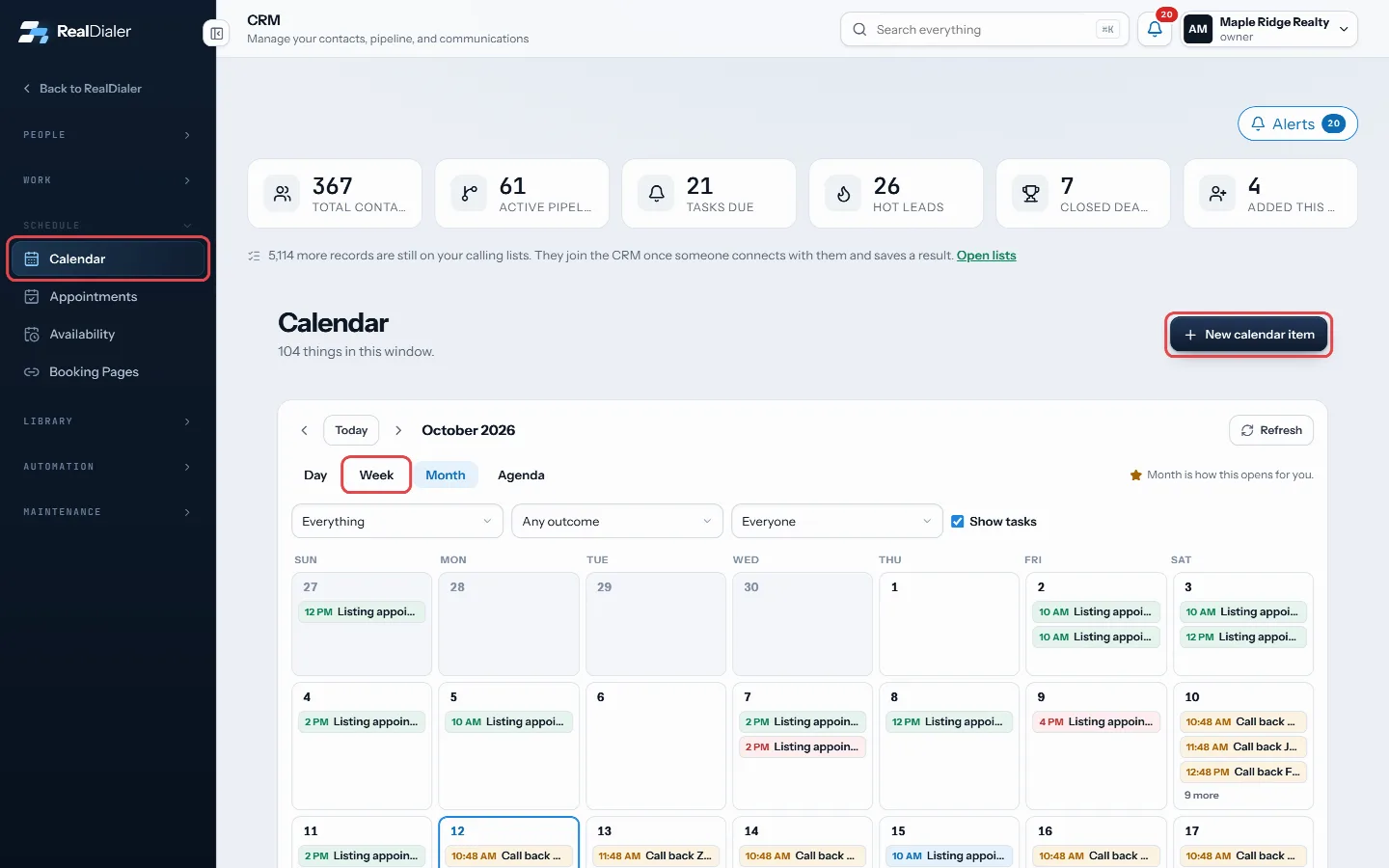
Pick a view, then press New calendar item to add something - Use the arrows to move back or forward, and Today to come back.
- To keep a view as your default, press Open on week from now on (or whichever view you are on).
- Press New calendar item to add something. In Month view, the plus on a day adds to that day.
- Enter what it is, pick a type (Callback, Appointment or Task), set the start and optional end, time zone, place, phone and notes, and pick a contact if there is one.
- Press Add to calendar.
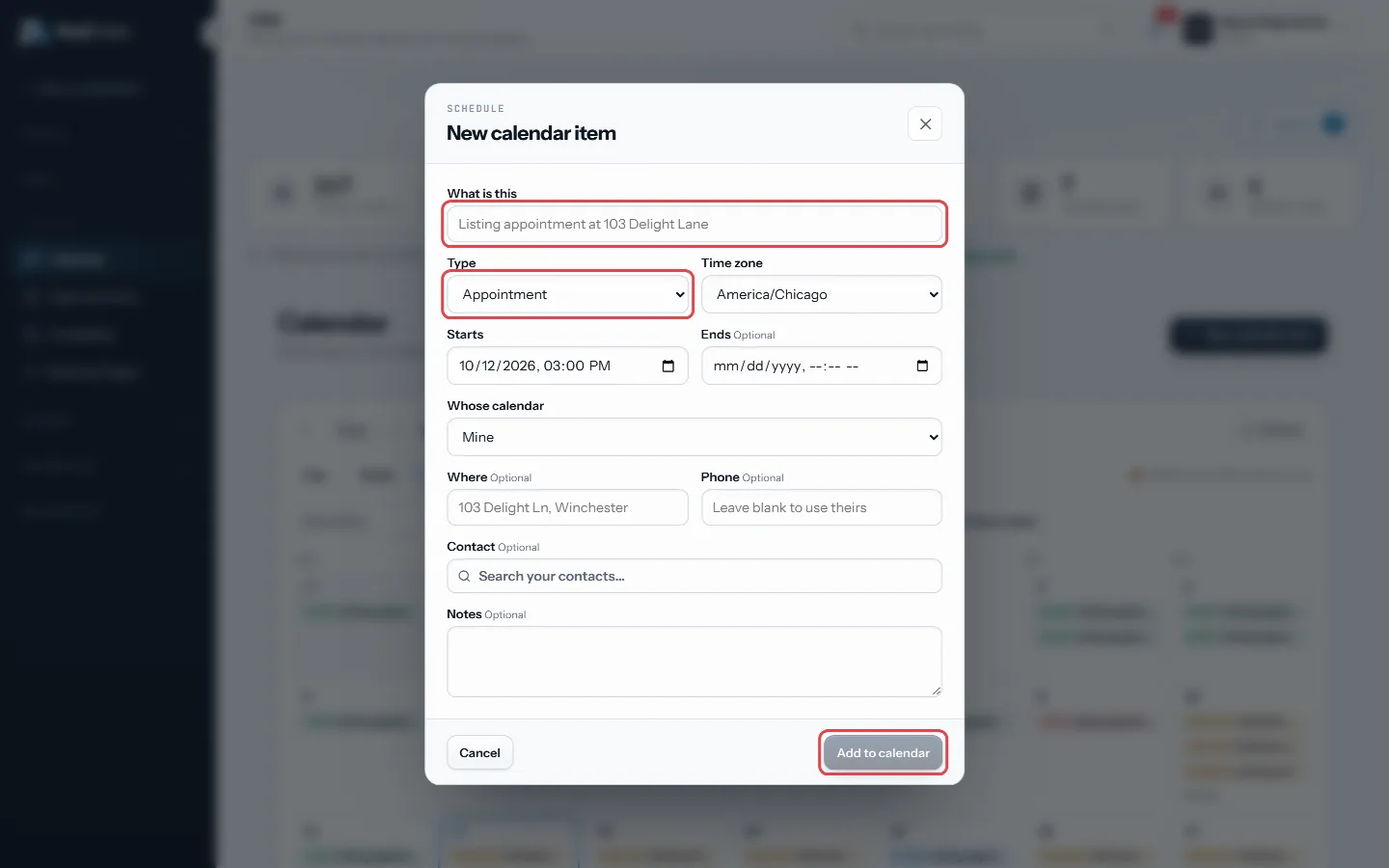
Say what it is, pick a type and time, then Add to calendar - Click any item to edit it or set its outcome, such as Held, No show, Rescheduled, Completed or Cancelled.
Good to know
- Times show in your own clock, and each item keeps the zone it was booked in.
- Open tasks with a due time show with a dashed edge and a check box. Click one to edit the task. Untick Show tasks to hide them.
- A Call, Follow up or Call back task with a due time is a callback, so it shows as the callback. Moving or finishing either one moves or finishes the other.
- Use the filters to show one type, one outcome, or, for owners and managers, one person’s calendar.
- Click a date number in Month view to open that day.
- Appointment reminders show inside an appointment when you open it.
- Connected calendars are set up in Settings, Calendars.
Was this guide helpful?
Thanks. It helps us make these better.
Next in CRM
Write email and text templatesTemplates are the wording you reuse, with details like the contact's first name filled in for you by merge fields. Sequences, click to text and booking reminderAdd a contact by handYou can add someone to the CRM yourself, without waiting for a call, for example a referral or a person you met at an open house.Add your own contact fieldsFields are the questions your account asks about every person, such as budget, move date or loan type. Because they are typed, you can filter on them and build
Still stuck? Write to support@realdialer.com, or open Support from inside RealDialer.