What it is
Lead sources are the one list of where your contacts came from, such as Zillow, past clients or doorknocking. Keeping one list means two spellings of one origin stop being two answers, so reports can total them.
Where to find it
CRM > Lead Sources
Steps
- Press Add a source.
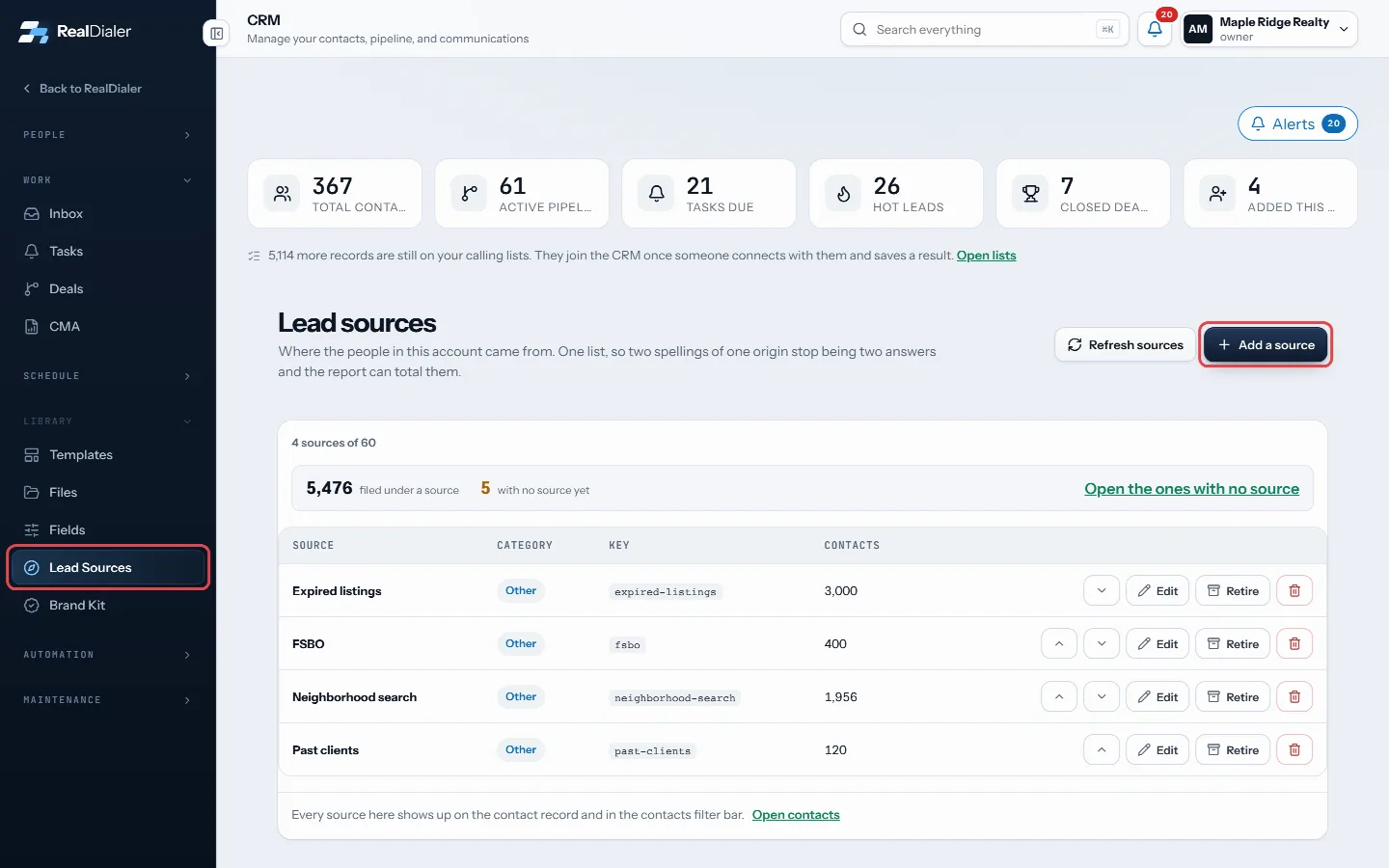
In CRM > Lead Sources, press Add a source - Enter a Name, such as Zillow.
- Pick a Category: Prospecting, Marketing, Referral, Partner or Other.
- Press Add source.
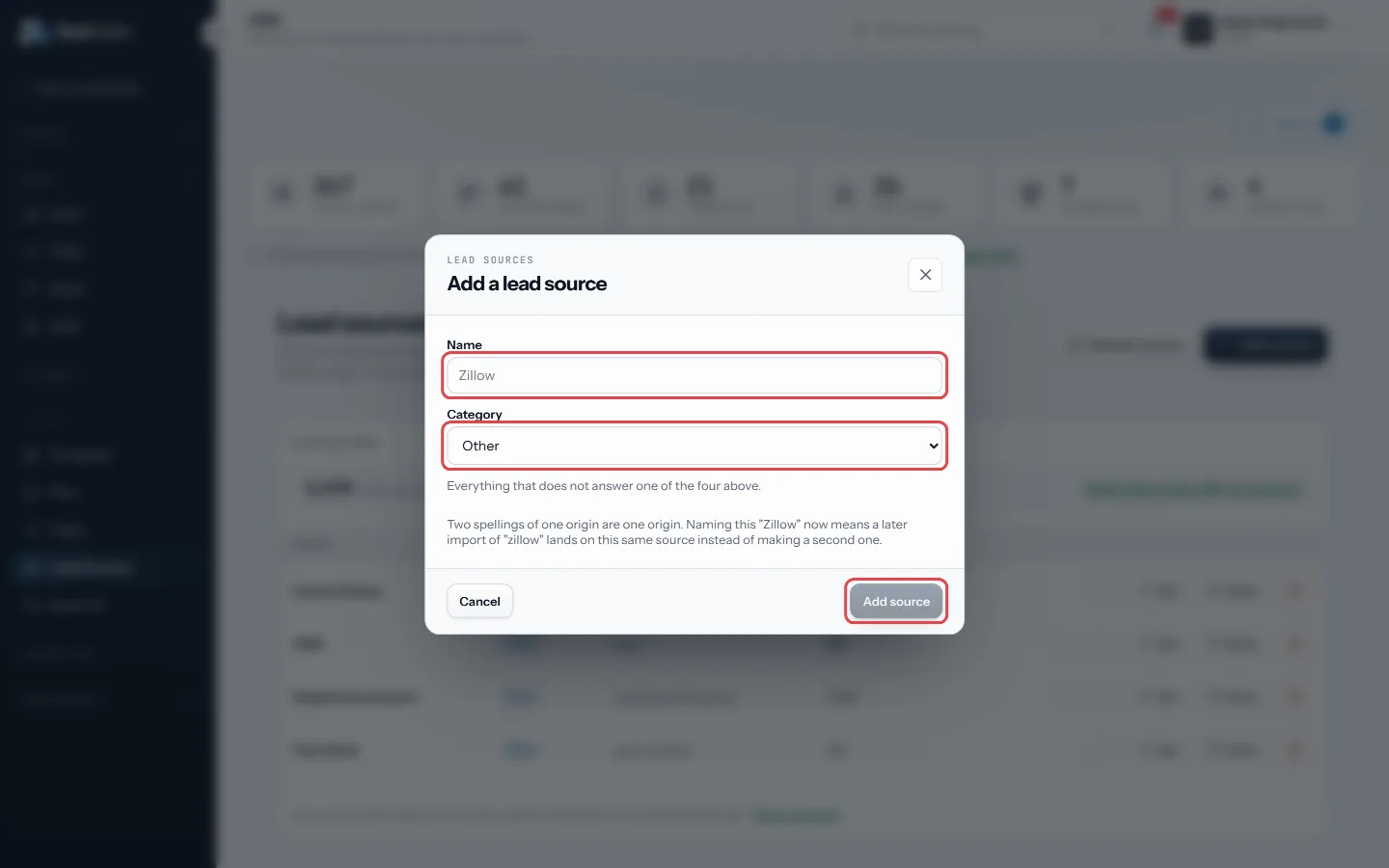
Name it, pick a category, then Add source - Use the arrows to reorder, Edit to rename, and Retire to stop offering it.
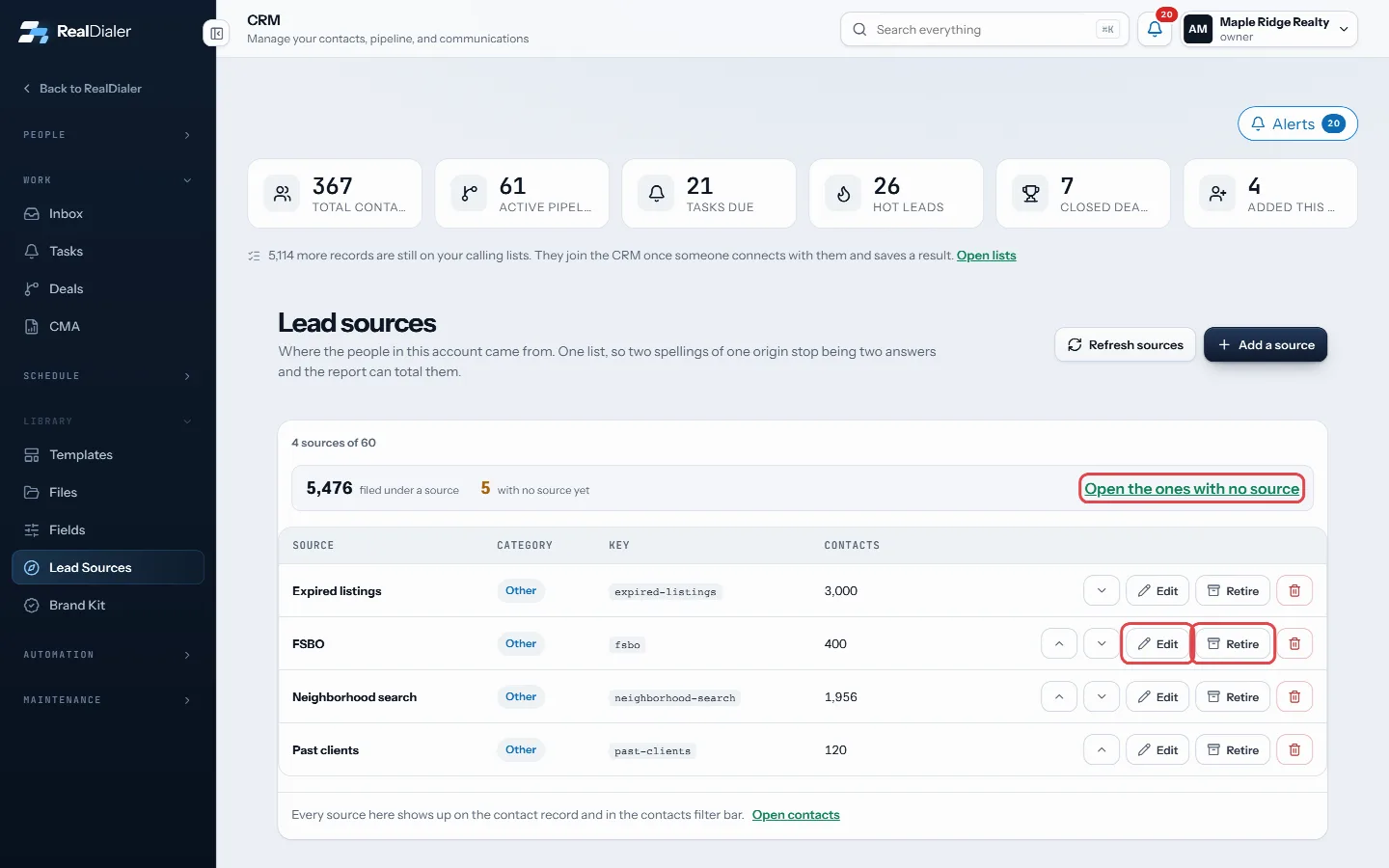
Edit, Retire, or open the contacts with no source - Press Open the ones with no source to see contacts that still need one.
Good to know
- The top of the page shows how many contacts are filed under a source and how many have none.
- Renaming changes the wording everywhere, and keeps every contact filed where it was.
- Naming a source Zillow now means a later import of zillow lands on the same source.
- Retiring is reversible and keeps every contact and number as it is. Deleting leaves those contacts with no source.
- Only owners and managers write this list. Anyone can file a contact under a source.
Was this guide helpful?
Thanks. It helps us make these better.
Next in CRM
Merge duplicate contactsThe Duplicates room lists records that share an email address or a name. Nothing merges on its own. You pick which record survives, see what would move, and youProperty details and pulling owner recordsThe Property tab shows who owns the home and what is known about it: property and mailing addresses, phone numbers, emails, beds, baths, square feet, year builtPut a lead form on your websiteA ready made lead form you can put on your own website or landing page, or link to straight from an ad. Every lead it takes goes into RealDialer the same way as
Still stuck? Write to support@realdialer.com, or open Support from inside RealDialer.