What it is
Each person in RealDialer has one record page with everything about them: numbers, contact info, lists they are on, your fields, tags, the next follow-up, calling status, and a full history of calls, notes and messages.
Where to find it
CRM > Contacts > click a contact. Search in the top bar also opens records.
Steps
- At the top you see the name, rating, main number, email, address and tags, with buttons for Call, Text, Email, Task and Deal.
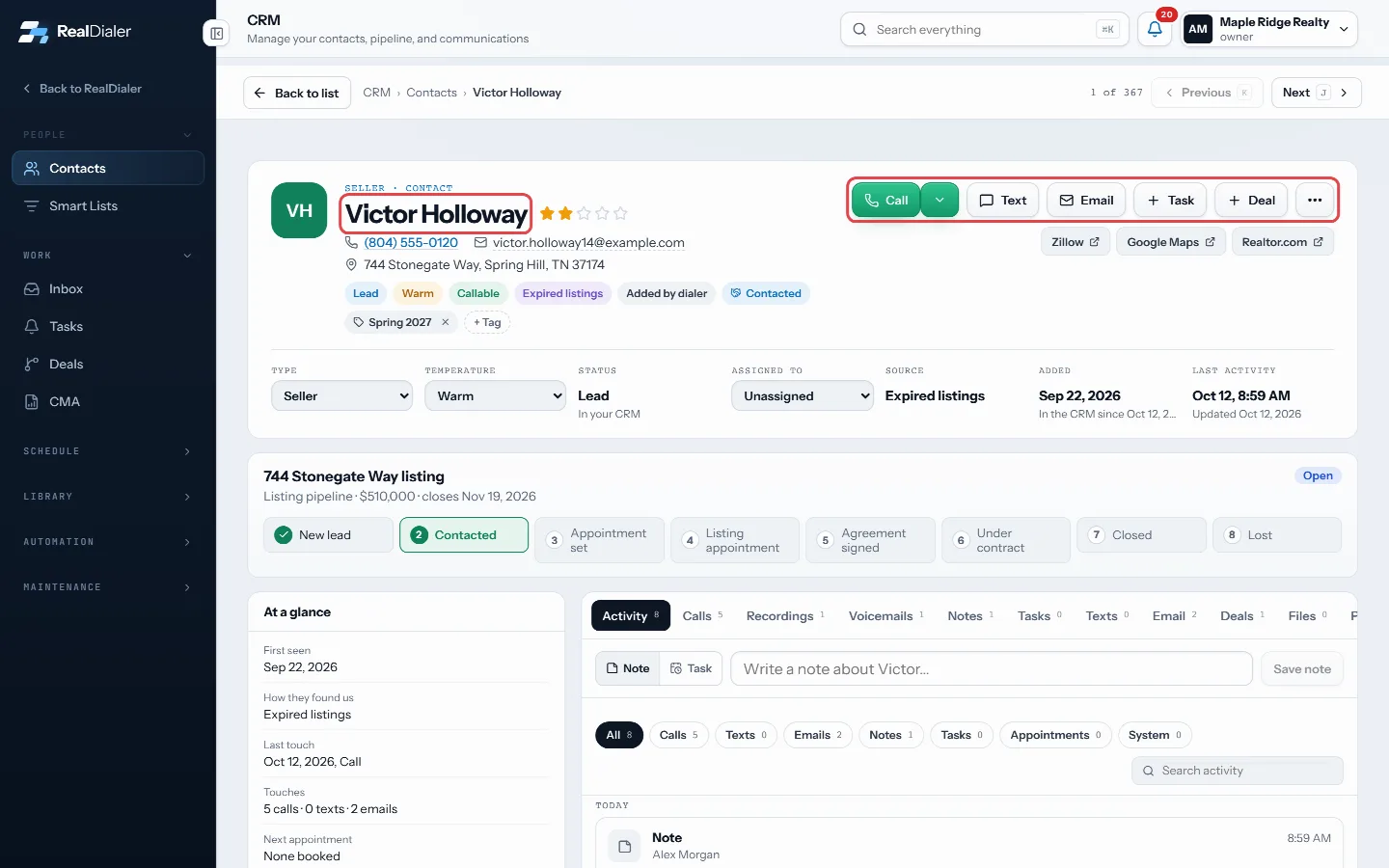
The header: name, rating, number, email, address, tags and the action buttons - The left column holds cards: At a glance, Numbers on file, Contact info, On lists, Your fields, Tags, Next follow-up and Calling.
- The main area has tabs: Activity, Calls, Recordings, Voicemails, Notes, Tasks, Texts, Email, Deals, Files and Property.
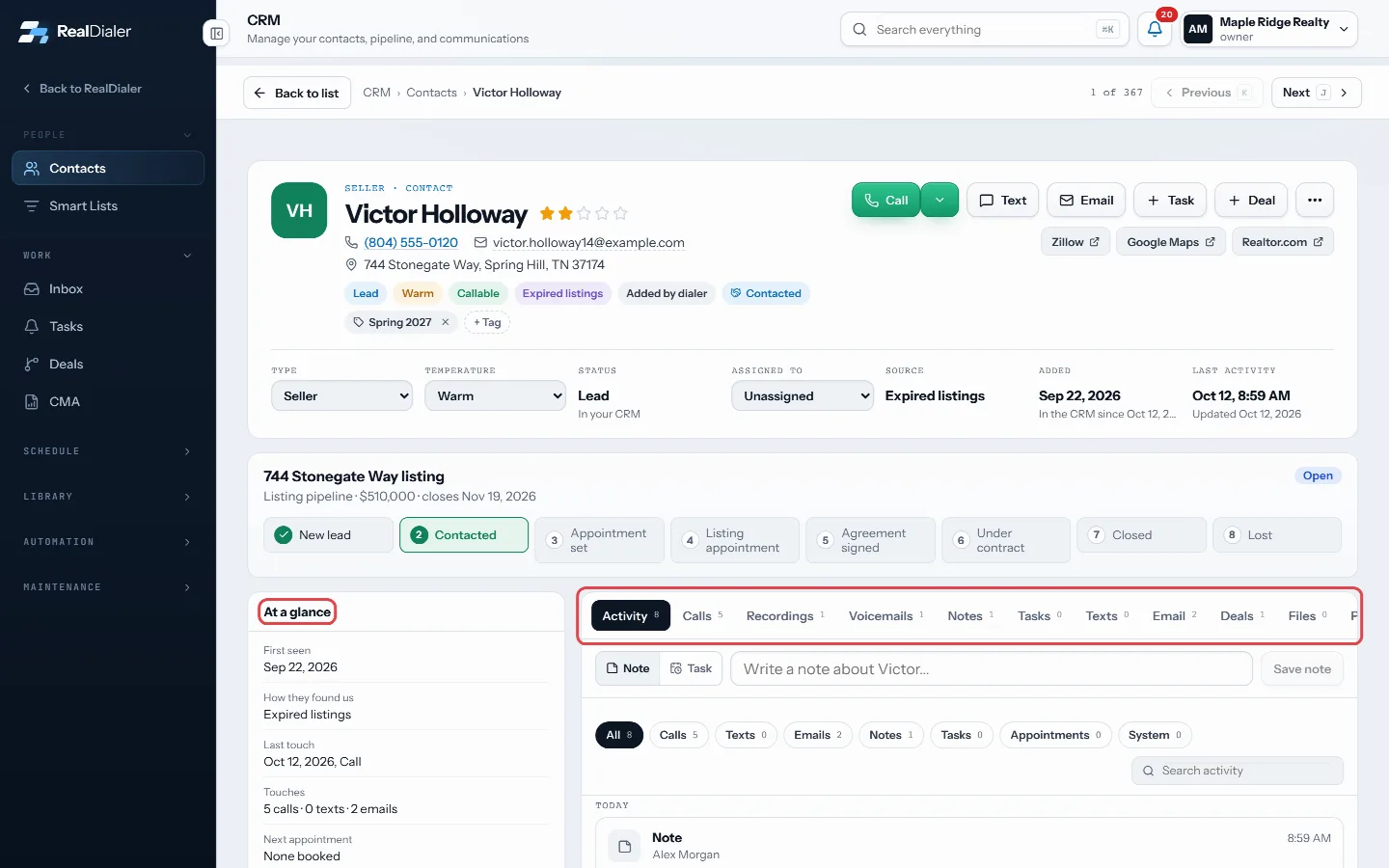
Cards on the left, tabs in the main area - On the Activity tab, choose Note or Task above the timeline to add one fast.
- If you opened the record from a list, use Previous and Next in the top bar, or press K and J, to move through the list.
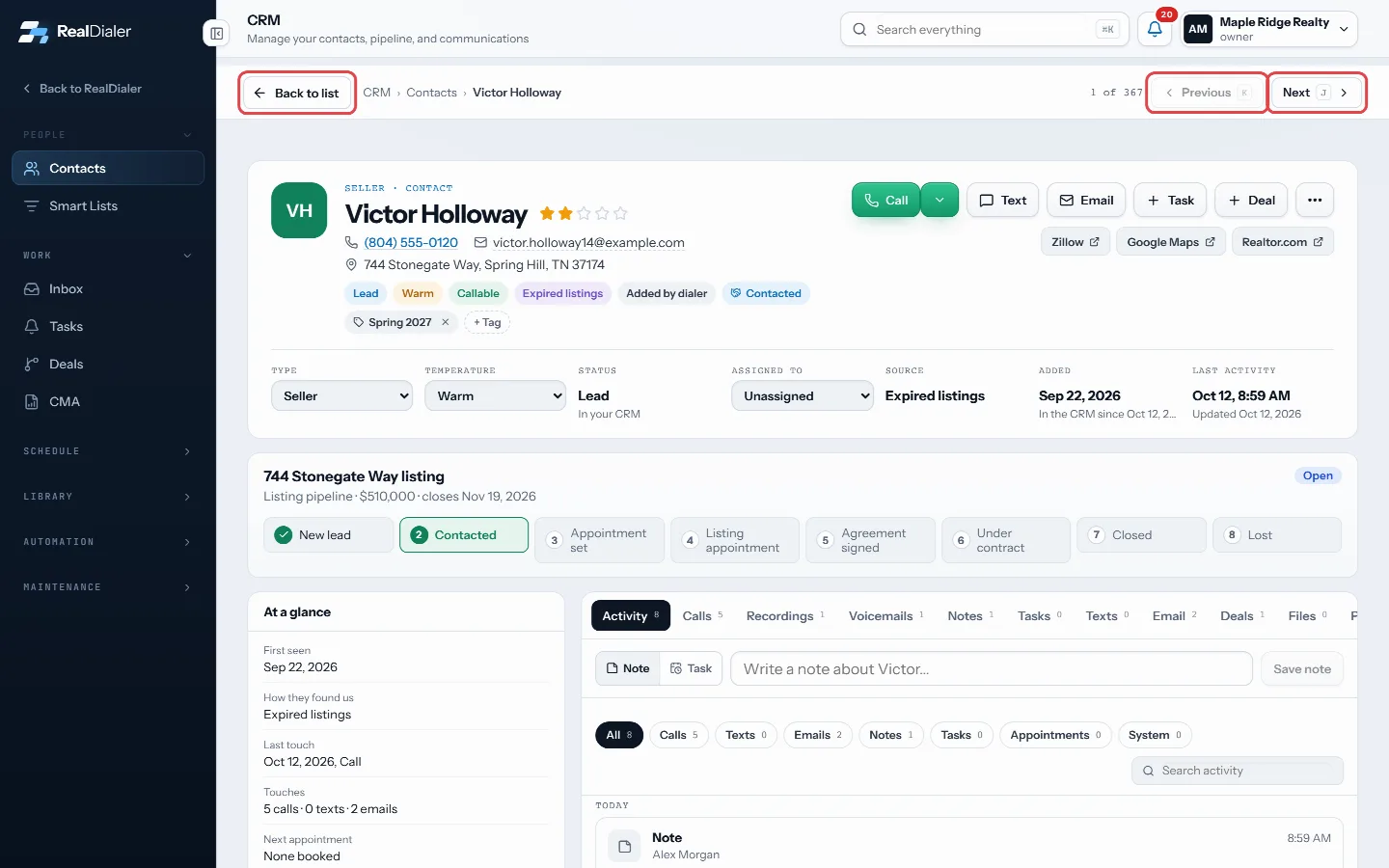
Move through the list with Previous and Next, or go Back to list - Press Back to list or Back to contacts to return.
Good to know
- The More actions menu has Edit contact, Add to a list, Add to the CRM, Full call history, Property and owner details, Find duplicates to merge and Delete contact.
- When a deal is open, its stage track shows under the header. Click a stage to move it.
- Zillow, Google Maps and Realtor.com links appear when the record has an address.
- Call transcripts and summaries are only readable by the agent who placed the call.
Was this guide helpful?
Thanks. It helps us make these better.
Next in CRM
Use the CRM calendarThe calendar shows callbacks the dialer booked, appointments you set and your open tasks with a due time, on one grid. Callbacks saved on a call land here on thWrite email and text templatesTemplates are the wording you reuse, with details like the contact's first name filled in for you by merge fields. Sequences, click to text and booking reminderAdd a contact by handYou can add someone to the CRM yourself, without waiting for a call, for example a referral or a person you met at an open house.
Still stuck? Write to support@realdialer.com, or open Support from inside RealDialer.