What it is
Templates are the wording you reuse, with details like the contact’s first name filled in for you by merge fields. Sequences, click to text and booking reminders can use them.
Where to find it
CRM > Templates
Steps
- Press Email template or Text template.
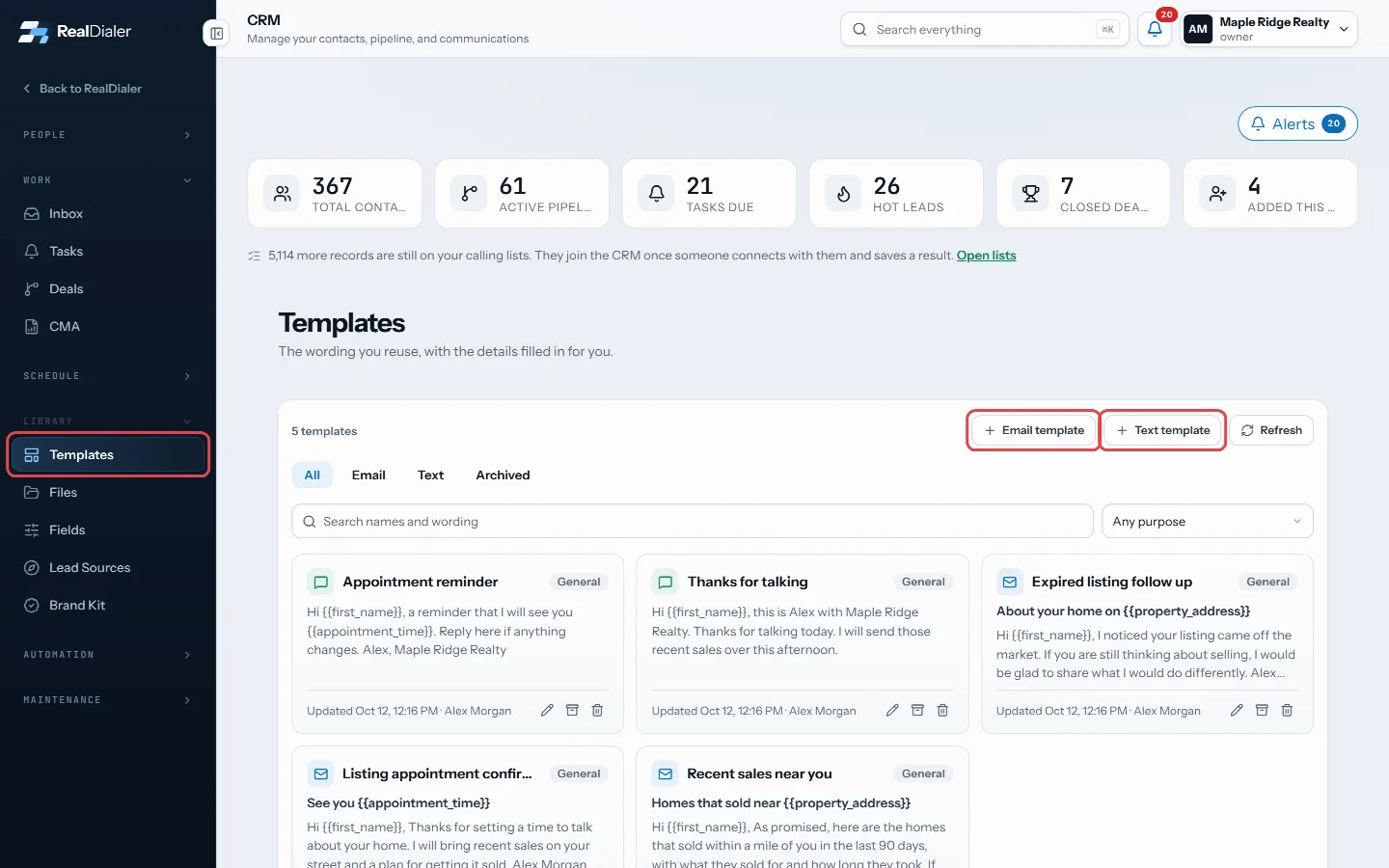
Press Email template or Text template - Give it a name and pick what it is Used for.
- For email, write a Subject.
- Write the Message. Click a merge field below the box, such as First name or Your first name, to drop it where the cursor is.
- Add a fallback with a pipe, like {{contact.first_name|there}}, so a blank record still reads well.
- Pick a contact under Preview to see the message filled in for them.
- Press Save template.
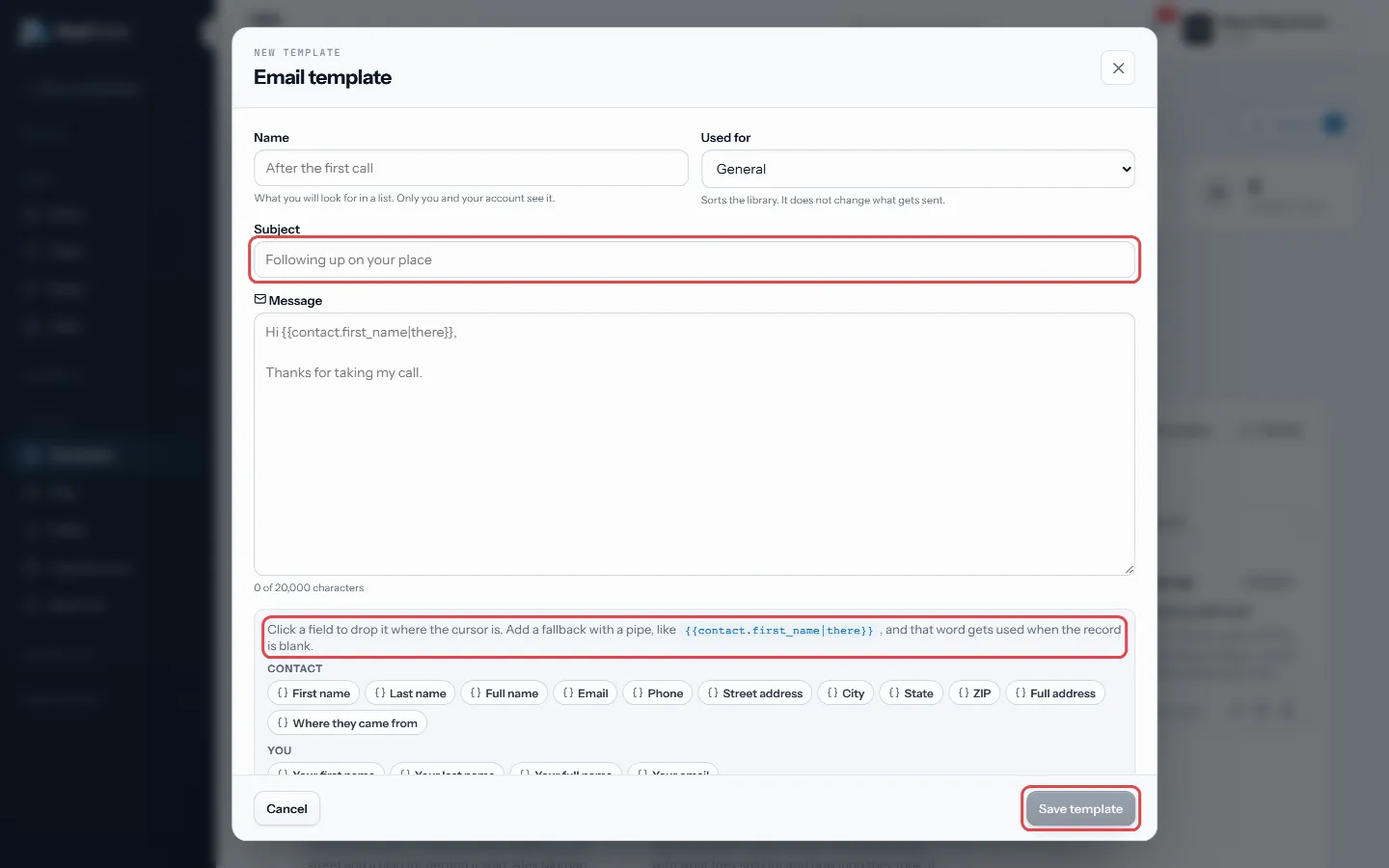
Write the subject and message, add merge fields, then Save template
Good to know
- A text template holds up to 160 characters, which is one text.
- The preview warns about blank fields, unknown fields and fields that are written wrong.
- Use the chips All, Email, Text and Archived, plus the search box, to find templates.
- Everyone on the account can read templates. Only the person who wrote one, or an account owner, can change it.
- Archive keeps a template out of the way without deleting it. Deleting does not change anything already sent.
- Brand Kit fields, like your licence number, are in the merge field list too.
Was this guide helpful?
Thanks. It helps us make these better.
Next in CRM
Add a contact by handYou can add someone to the CRM yourself, without waiting for a call, for example a referral or a person you met at an open house.Add your own contact fieldsFields are the questions your account asks about every person, such as budget, move date or loan type. Because they are typed, you can filter on them and build Add, pin and edit notesNotes are what you learned about a person, kept on their record and on their timeline. Anyone who can see the contact can read the notes on it.
Still stuck? Write to support@realdialer.com, or open Support from inside RealDialer.