What it is
The Files room is a shelf for documents your account sends over and over, like the buyer guide, the listing packet or a common disclosure. A sequence step can point at one of these, and whoever does the touch opens it from the task.
Where to find it
CRM > Files
Steps
- Press Add a file and choose the document.
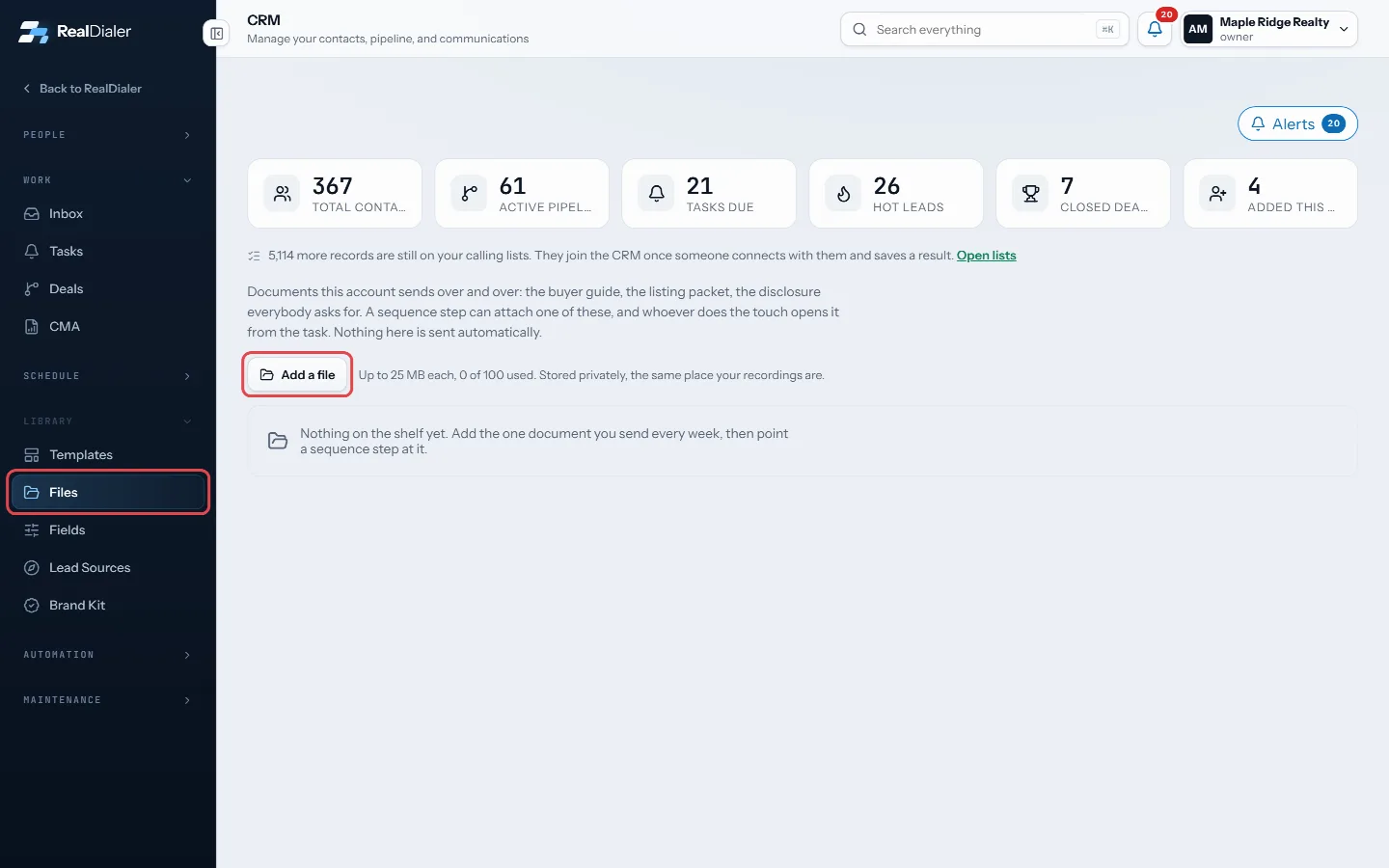
In CRM > Files, press Add a file - Rename it to whatever a sequence should call it, using the pencil.
- In CRM > Sequences, open a touch and pick the file under Send a file with it.
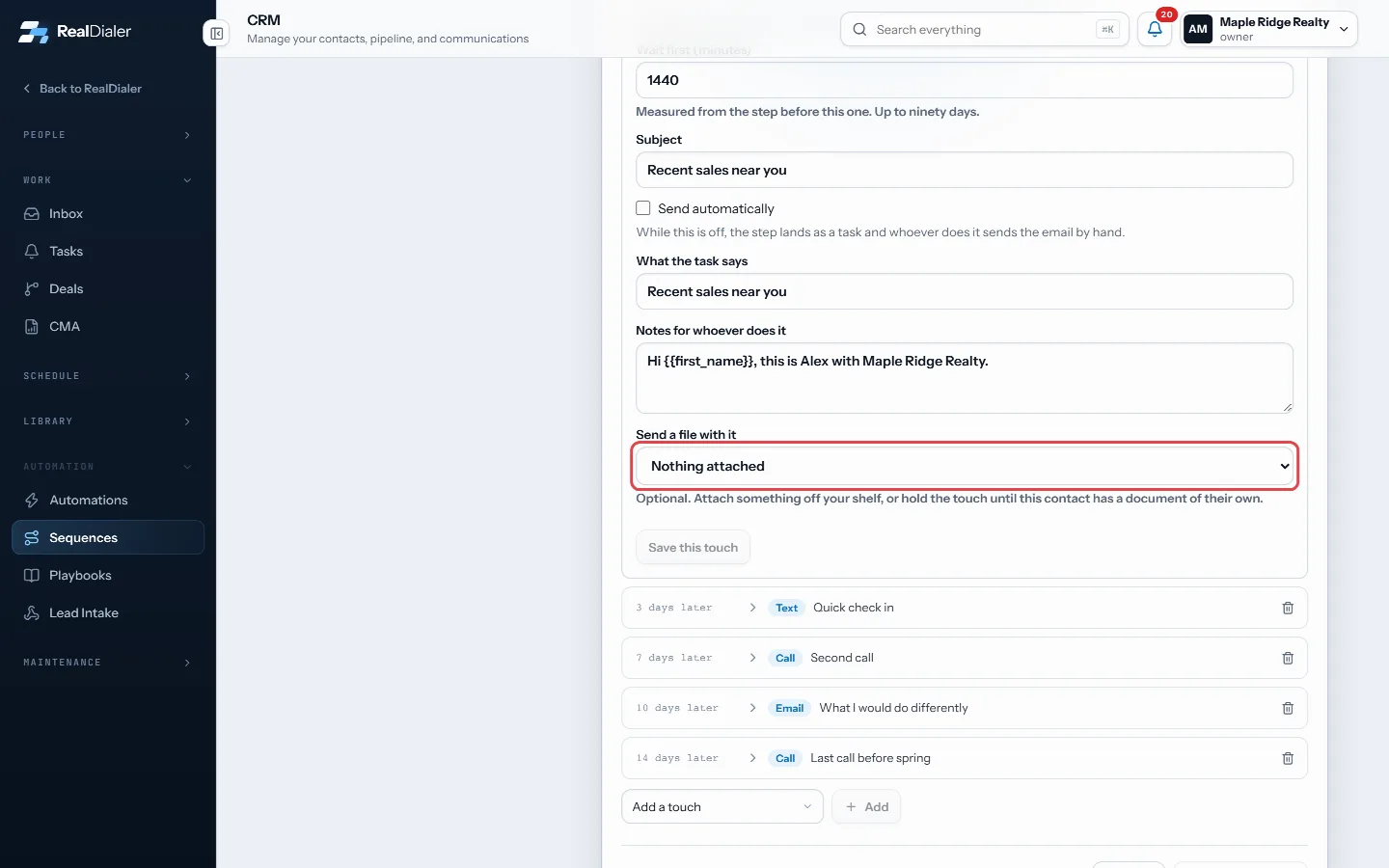
In a sequence touch, pick the file under Send a file with it - Use the download icon on a row to open a file.
Good to know
- Nothing on the shelf is sent automatically. A step that carries a file lands as a task.
- Files can be up to 25 MB each, and the shelf holds up to 100 files. The page shows how many you have used.
- Files are stored privately, the same place your recordings are.
- Only owners and managers can change the library.
- Files about one person belong on their contact record instead. See Attach a file to a contact.
Was this guide helpful?
Thanks. It helps us make these better.
Next in CRM
Manage a contact’s phone numbersA contact can have several phone numbers. The Numbers on file card lists them in dial order with the state of each one, such as Not tried yet, Tried 3 times or Manage lead sourcesLead sources are the one list of where your contacts came from, such as Zillow, past clients or doorknocking. Keeping one list means two spellings of one originMerge duplicate contactsThe Duplicates room lists records that share an email address or a name. Nothing merges on its own. You pick which record survives, see what would move, and you
Still stuck? Write to support@realdialer.com, or open Support from inside RealDialer.