What it is
You can call one person straight from the CRM. RealDialer dials that one number for you, keeps a small call bar on the page, and saves the result to their timeline when you hang up.
Where to find it
The Call button on a contact record, the phone icon next to each number in Numbers on file, and the phone icon on each row in CRM > Contacts.
Steps
- Open the contact, or find them in CRM > Contacts.
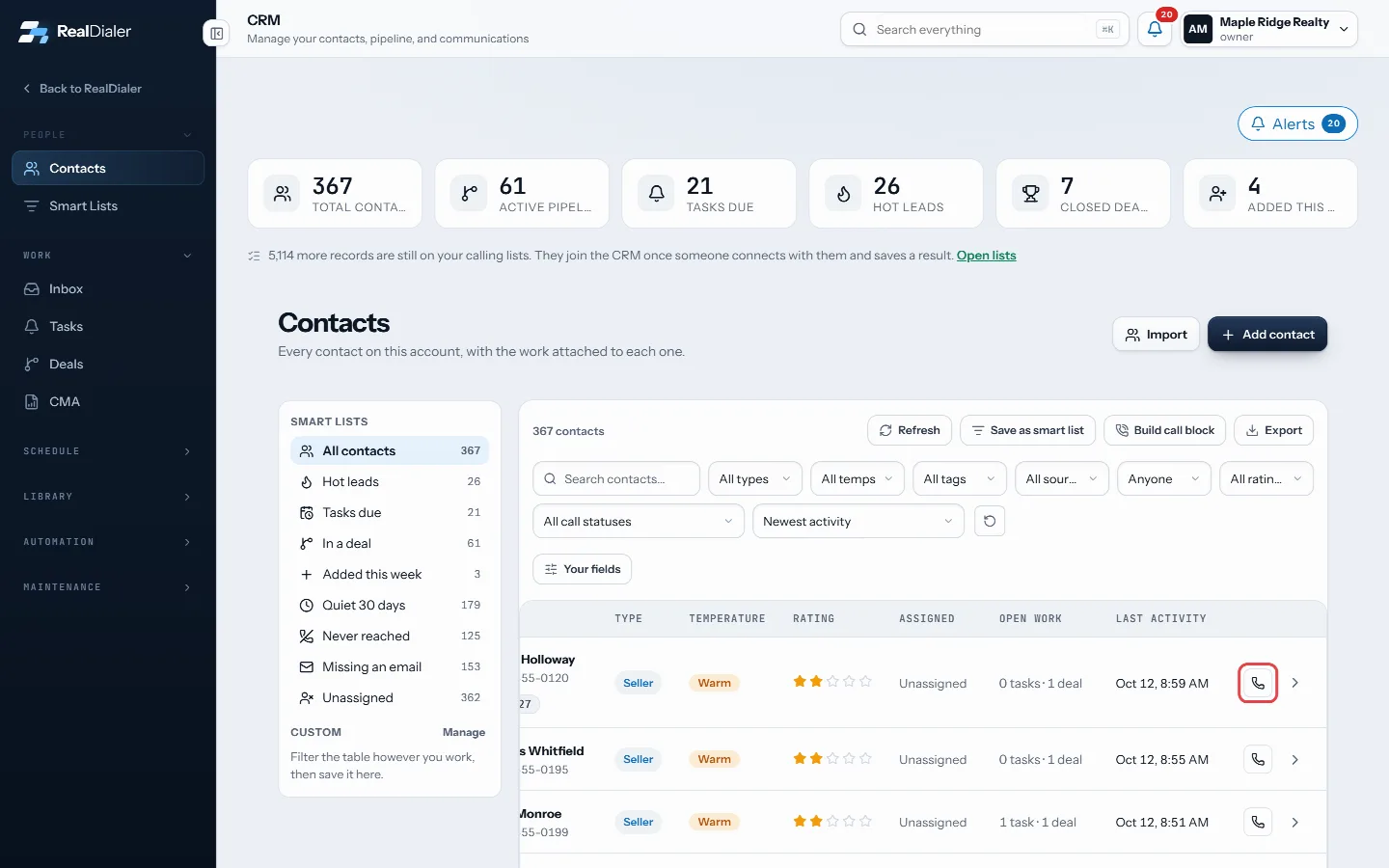
The phone icon on a row calls that person - Press Call, or the phone icon next to a number.
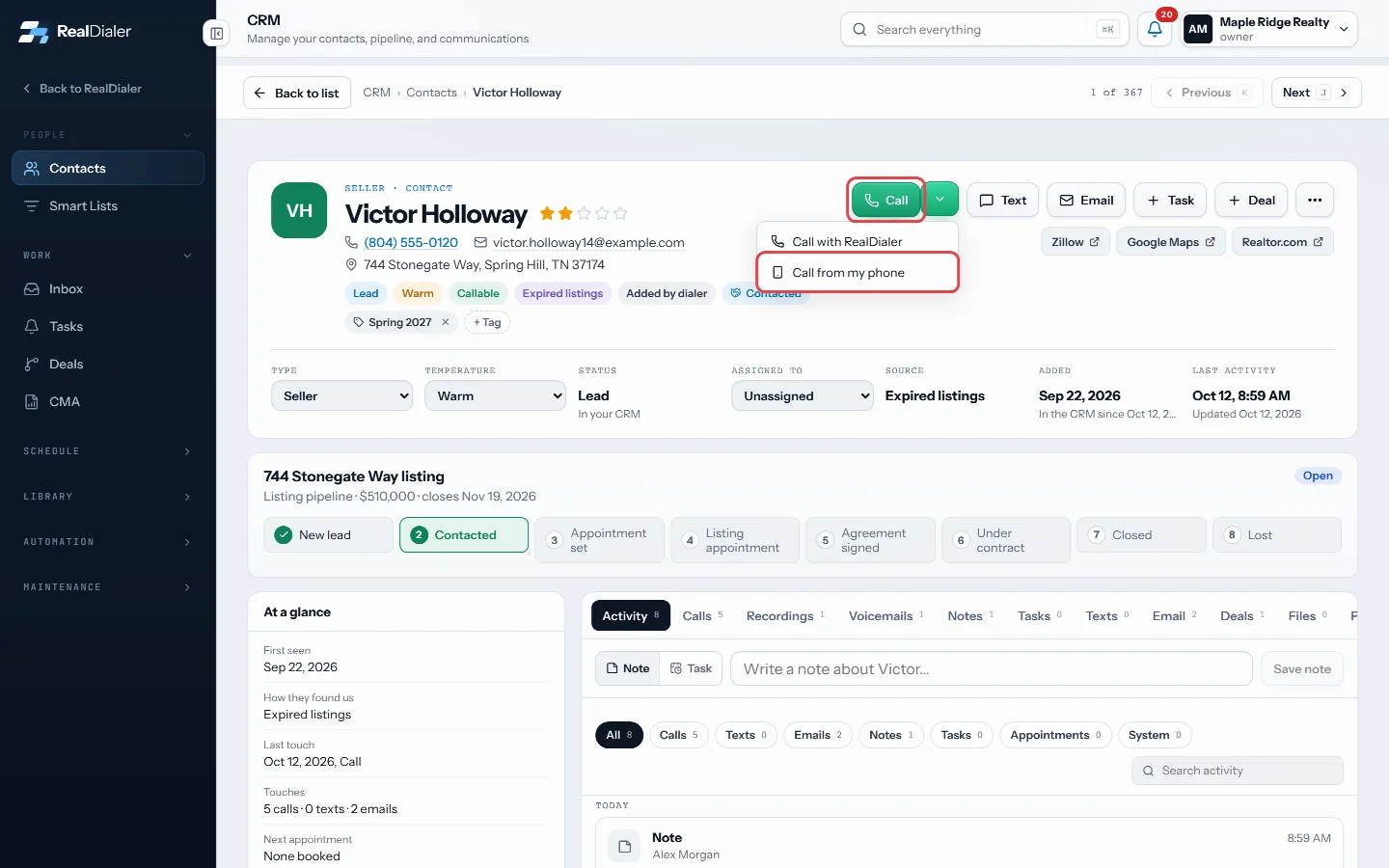
Press Call; the arrow offers Call from my phone - Your audio joins the call the same way it does in a call block.
- Use the call bar to see the clock, mute, take notes or hang up.
- When the call ends, pick the result in the popup. It is saved on the contact’s timeline.
Good to know
- The arrow next to Call offers Call from my phone, which uses your own phone instead.
- Every dialer rule still applies: do-not-call, the registry, calling hours and state rules, and your daily and weekly caps. If a number cannot be called, the button says why.
- The Call button is greyed out when every number is blocked or there is no number on file.
- You cannot start a direct call while a call block or another call is open.
- When your seat has no numbers or voice is not ready, only Call from my phone is offered, with a note saying why.
Was this guide helpful?
Thanks. It helps us make these better.
Next in CRM
Change many contacts at once and exportTick contacts in the table and a bar appears with actions that change all of them together: Add tag, Remove tag, Assign, Temperature, Type, Rating and Delete. ECheck your notifications and alertsThe bell in the top bar shows what happened while you were busy: missed calls, voicemails and replies. The number on the bell is how many are unread. The same lCreate a booking pageA booking page is a link you send people so they can pick a time out of your real calendar and book themselves.
Still stuck? Write to support@realdialer.com, or open Support from inside RealDialer.