What it is
Deals shows your opportunities on a board, one column per stage, with the count and total value in each. Each card shows the contact, the value, the next task and how many days it has been in that stage.
Where to find it
CRM > Deals
Steps
- The first time, press Create my pipeline. RealDialer sets up a listing pipeline: New lead, Contacted, Appointment set, Listing appointment, Agreement signed, Under contract, Closed and Lost.
- Press New deal, find the contact, and add a name, value and expected close date. Pick a starting stage if you want.
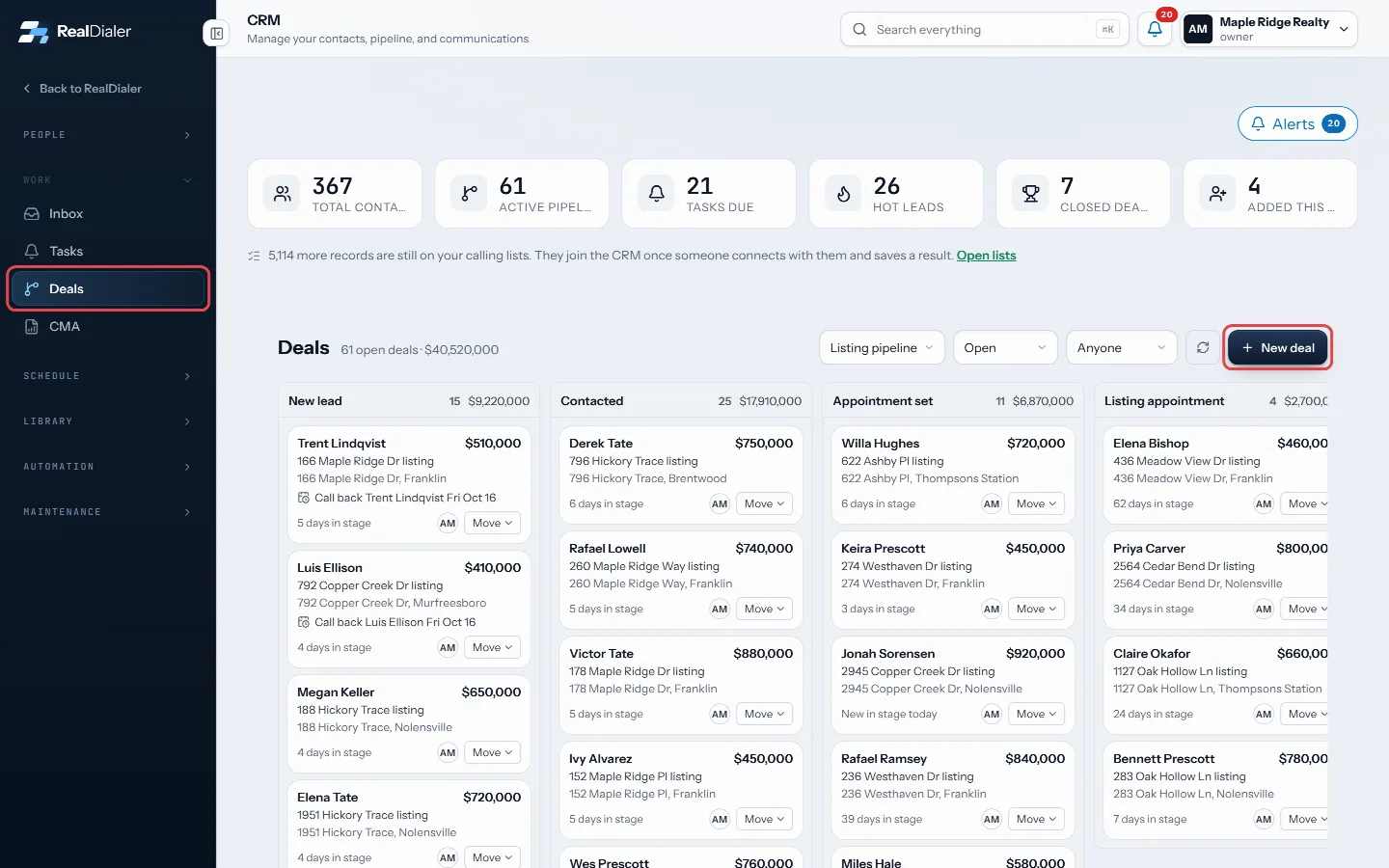
In CRM > Deals, press New deal - Press Create deal.
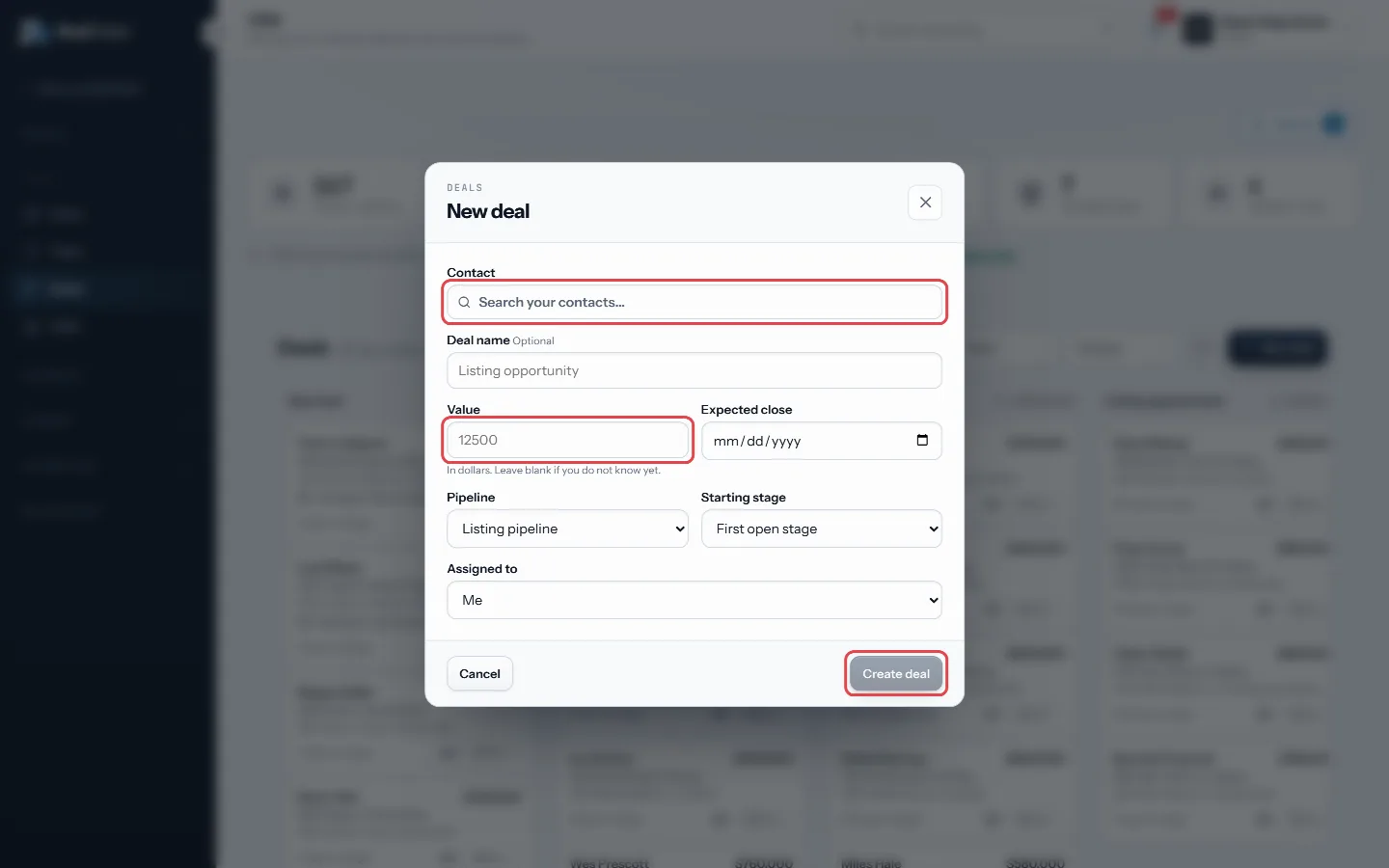
Find the contact, add a value, then Create deal - To change a stage, drag the card to another column, or press Move on the card and pick a stage.
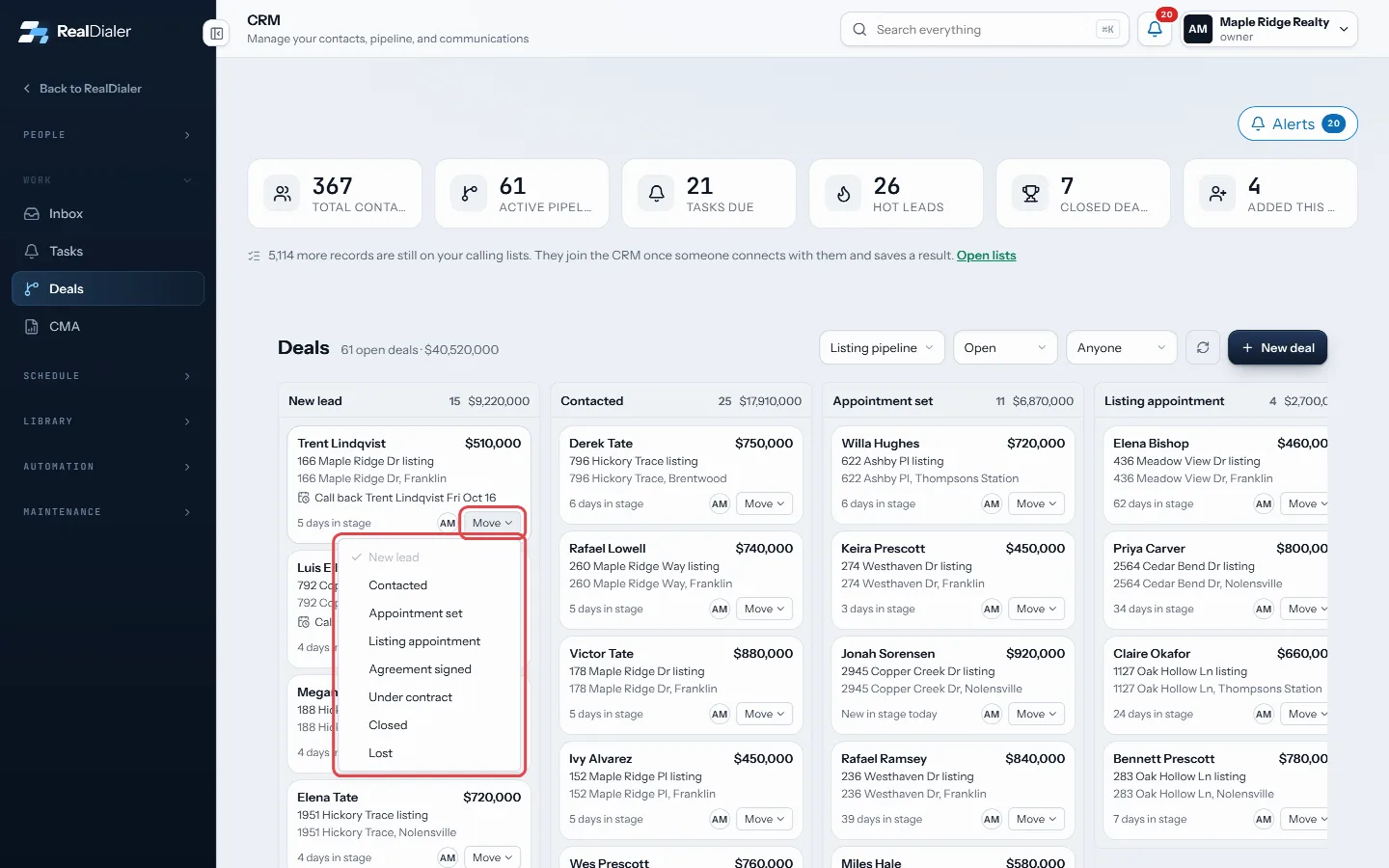
Press Move on a card and pick a stage - Use the filters at the top to switch pipeline, show open, won or lost deals, or see one person’s deals.
- Click a card to open the contact.
Good to know
- You can also open a deal from a contact record with the Deal button or the Deals tab.
- On a contact record, an open deal shows a stage track you can click to move it.
- The board shows the first 100 deals. Narrow by owner or status to see the rest.
- Deleted deals go to the Recycle Bin for 30 days.
- Automations can start when a deal is created, moves stage, is won or is lost.
Was this guide helpful?
Thanks. It helps us make these better.
Next in CRM
Use and save smart listsA smart list is a saved question, not a saved copy. It re-runs against your CRM every time you open it, so it is always current. RealDialer comes with built in Use the contact record pageEach person in RealDialer has one record page with everything about them: numbers, contact info, lists they are on, your fields, tags, the next follow-up, calliUse the CRM calendarThe calendar shows callbacks the dialer booked, appointments you set and your open tasks with a due time, on one grid. Callbacks saved on a call land here on th
Still stuck? Write to support@realdialer.com, or open Support from inside RealDialer.