What it is
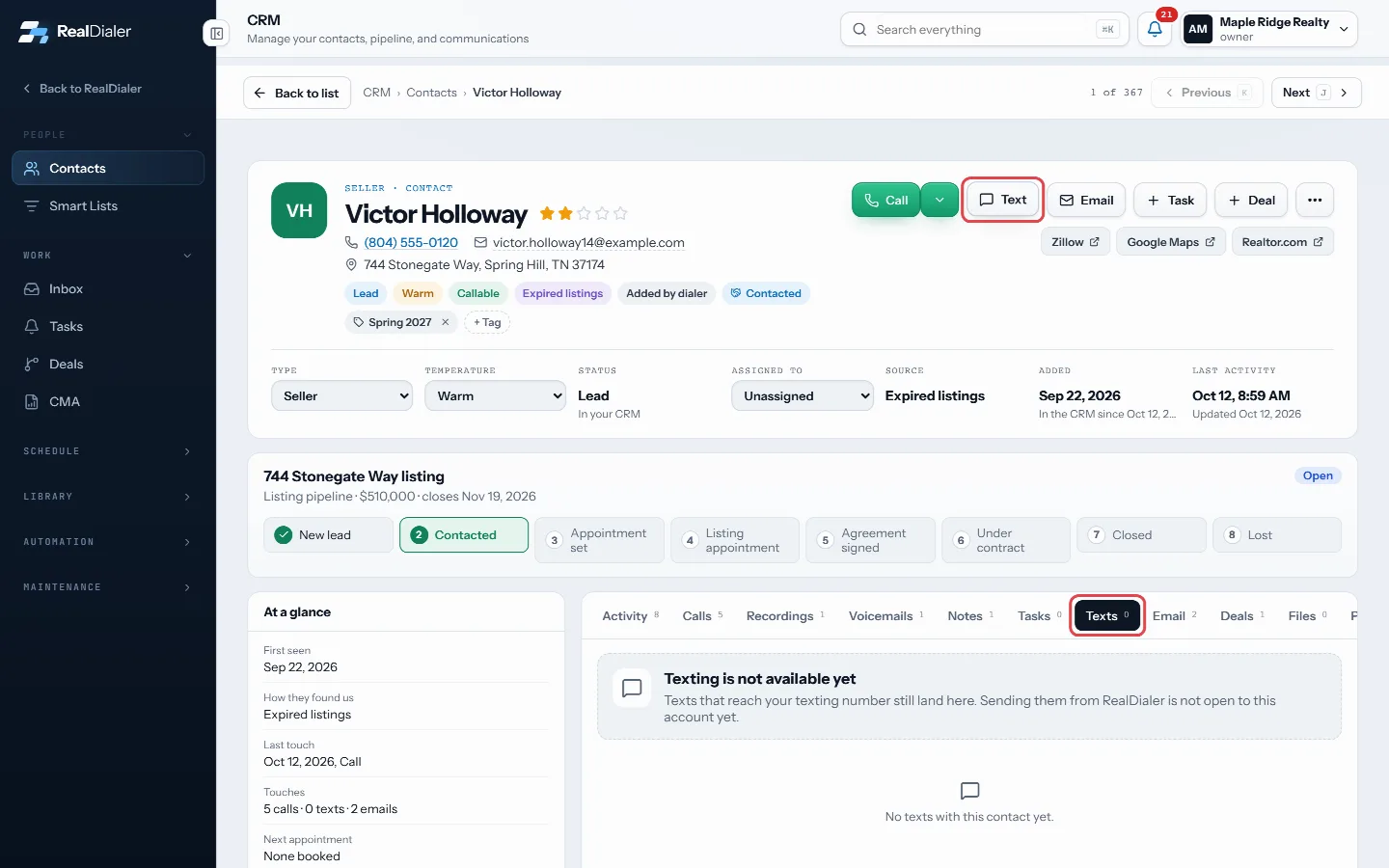
Click to text lets you send one text by hand to the person on your screen. You read the message, press Send, and nothing goes out on its own. Texts come from your account’s texting number, not your calling numbers.
Texting is a paid upgrade that is not open to every account yet. If it is not switched on for you, pressing Send shows Texting is not available on this account yet.
Where to find it
The Text button next to the contact record on the live call screen and on the preview screen. Contacts in the People to text card each have their own Text button.
Steps
- On a call or in preview, press Text.
- If you have saved text templates, pick one from the menu. The details fill in for this contact.
- Read the message and change it if you need to.
- Press Send. You will see Sent, and the text appears in the CRM Inbox with their replies.
Good to know
- One text is one message of up to 160 plain characters. Curly quotes and dashes are cleaned up, and emoji are not allowed.
- Numbers on your do-not-call list, the national registry and litigator matches are refused.
- If texting needs setting up, the error has a Set up texting link.
- No templates yet? Use Save a text template to write one in CRM > Templates.
- On a contact record, the Text button opens the Texts tab, which shows the texts you have sent and received.
Was this guide helpful?
Thanks. It helps us make these better.
Next in CRM
Track appointment outcomes and kept rateAppointments is a ledger of every appointment that got set and what came of it. At the top it counts Set, Kept, Settled, Kept rate, No shows and Waiting on you.Track deals on the pipeline boardDeals shows your opportunities on a board, one column per stage, with the count and total value in each. Each card shows the contact, the value, the next task aUse and save smart listsA smart list is a saved question, not a saved copy. It re-runs against your CRM every time you open it, so it is always current. RealDialer comes with built in
Still stuck? Write to support@realdialer.com, or open Support from inside RealDialer.