What it is
The Brand Kit holds the facts every message carries: your name, licence number, brokerage, office address, direct phone and email, website, disclosure line, sign off, brand and accent colours, headshot and logo. Your booking page, template signatures and CMA reports read it.
Where to find it
CRM > Brand Kit
Steps
- Pick Yours to fill in your own kit, or Brokerage for the account kit.
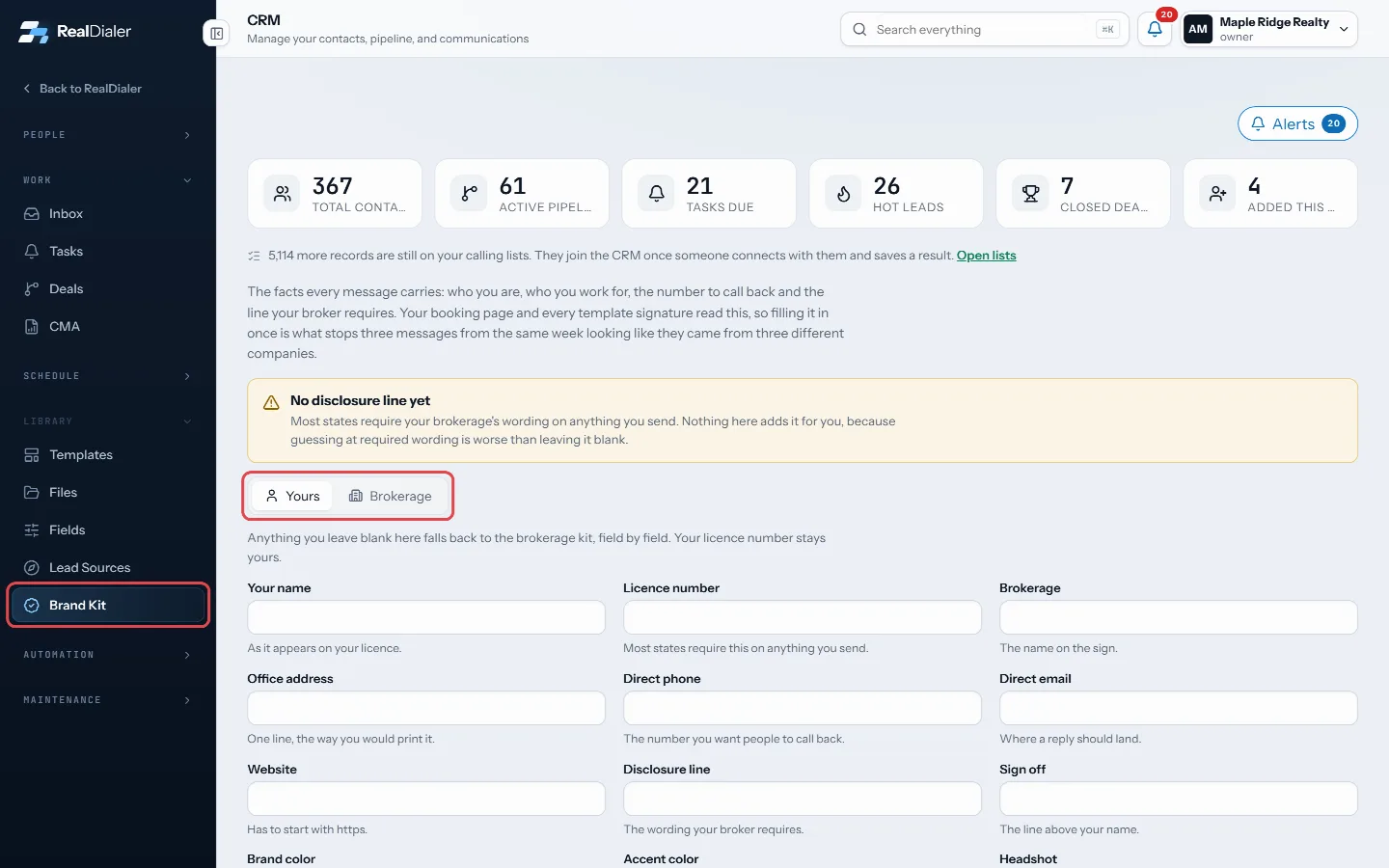
Pick Yours or Brokerage - Fill in the fields. Headshot and logo need a full https address to an image.
- Press Save. Undo changes puts back what was saved.
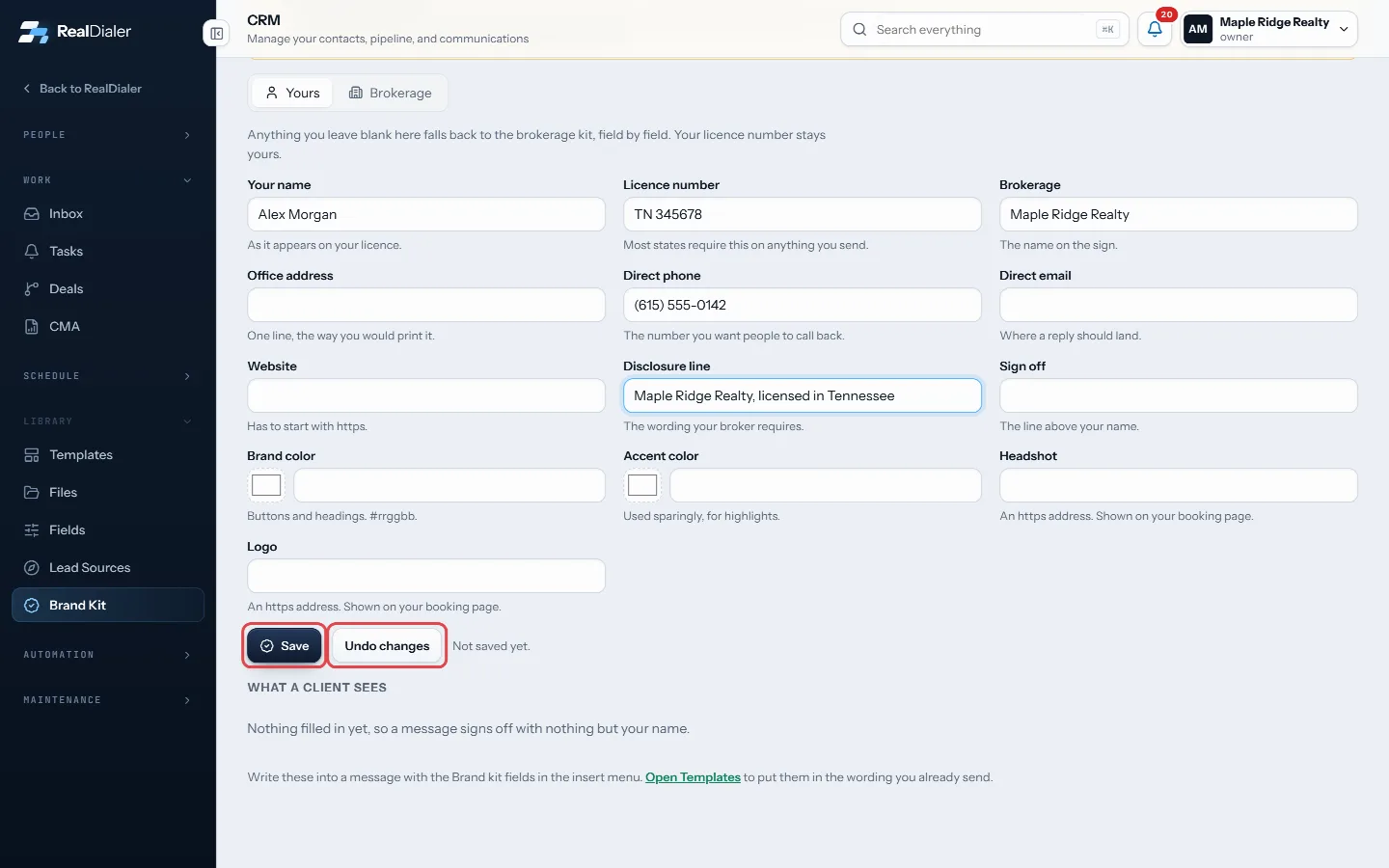
Fill in the fields, then press Save. Undo changes puts back what was saved - Check the preview at the bottom to see how a signature reads.
- In CRM > Templates, insert Brand kit fields from the merge field list.
Good to know
- Anything you leave blank in Yours falls back to the brokerage kit, field by field. Your licence number stays yours.
- Only owners and managers can change the Brokerage kit.
- If there is no disclosure line, a warning shows. Most states require your brokerage’s wording, and RealDialer does not add it for you.
Was this guide helpful?
Thanks. It helps us make these better.
Next in CRM
Find and filter your contactsThe Contacts room is a table of everyone in your CRM, with their type, temperature, rating, owner, open work and last activity. A row of filters narrows it downGet around the CRMThe CRM is where the people you talk to live after a call: their record, notes, tasks, deals, appointments and messages. It comes with every plan.How contacts get into the CRMYour calling lists and your CRM are two different places. A list is everyone you plan to dial. The CRM is the people you have actually connected with, plus anyo
Still stuck? Write to support@realdialer.com, or open Support from inside RealDialer.