What it is
Tick contacts in the table and a bar appears with actions that change all of them together: Add tag, Remove tag, Assign, Temperature, Type, Rating and Delete. Export downloads the contacts you are looking at as a CSV file.
Where to find it
CRM > Contacts. Tick the boxes on the left of the table.
Steps
- Filter the table, or open a smart list, so it shows the people you want.
- Tick the box on each row, or tick the box in the header to select the whole page.
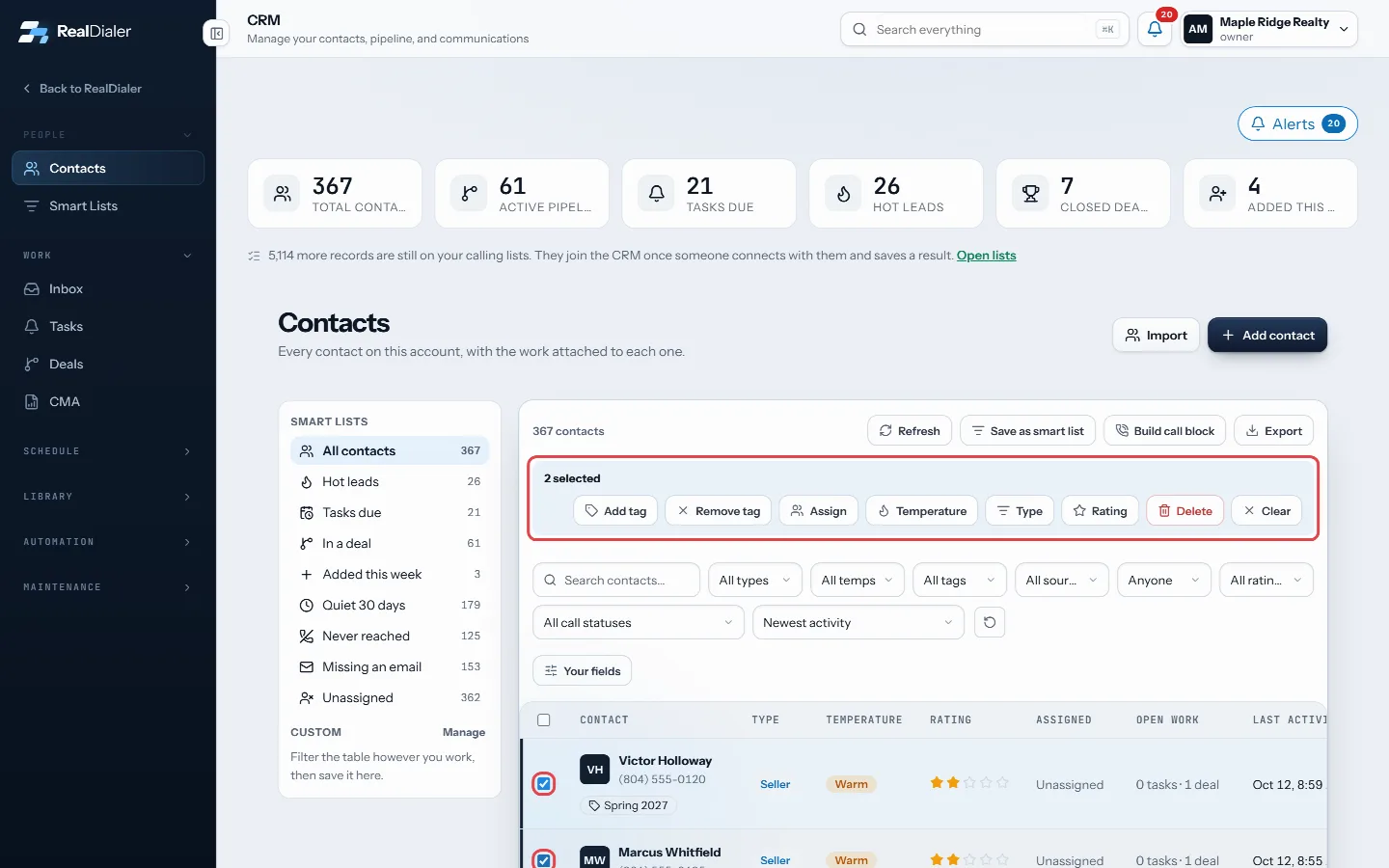
Tick rows and the bulk bar appears - To go past one page, press Select all in the bar to pick every contact in this view.
- Press an action, such as Add tag or Assign.
- The dialog counts the contacts first and lists the first few names. Pick the value, then press the button, for example Tag 42.
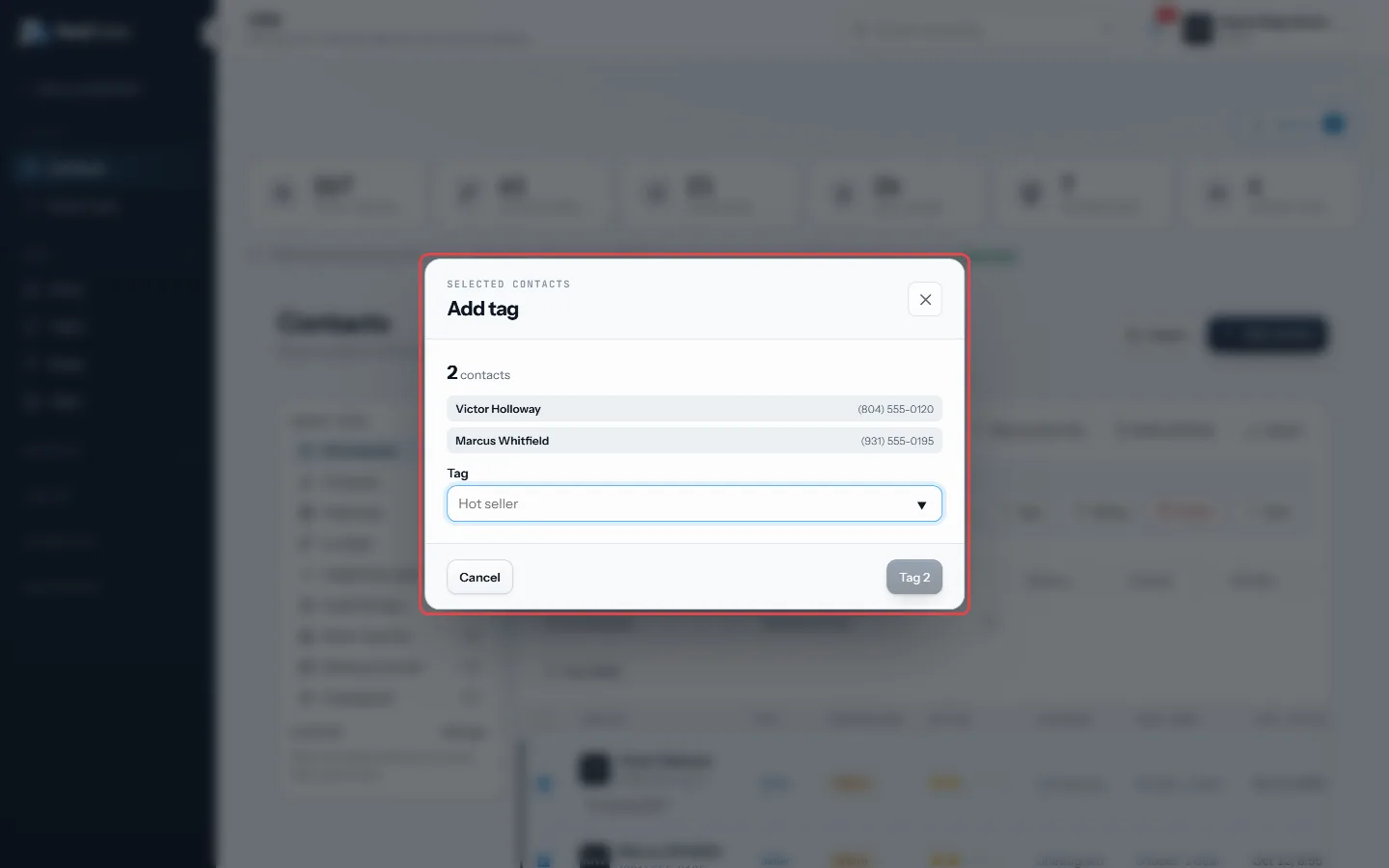
The dialog counts the contacts; pick the tag, then press Tag 2 - Press Clear to drop the selection.
- To download a CSV, press Export above the table. It exports your ticked rows, or the whole view when nothing is ticked.
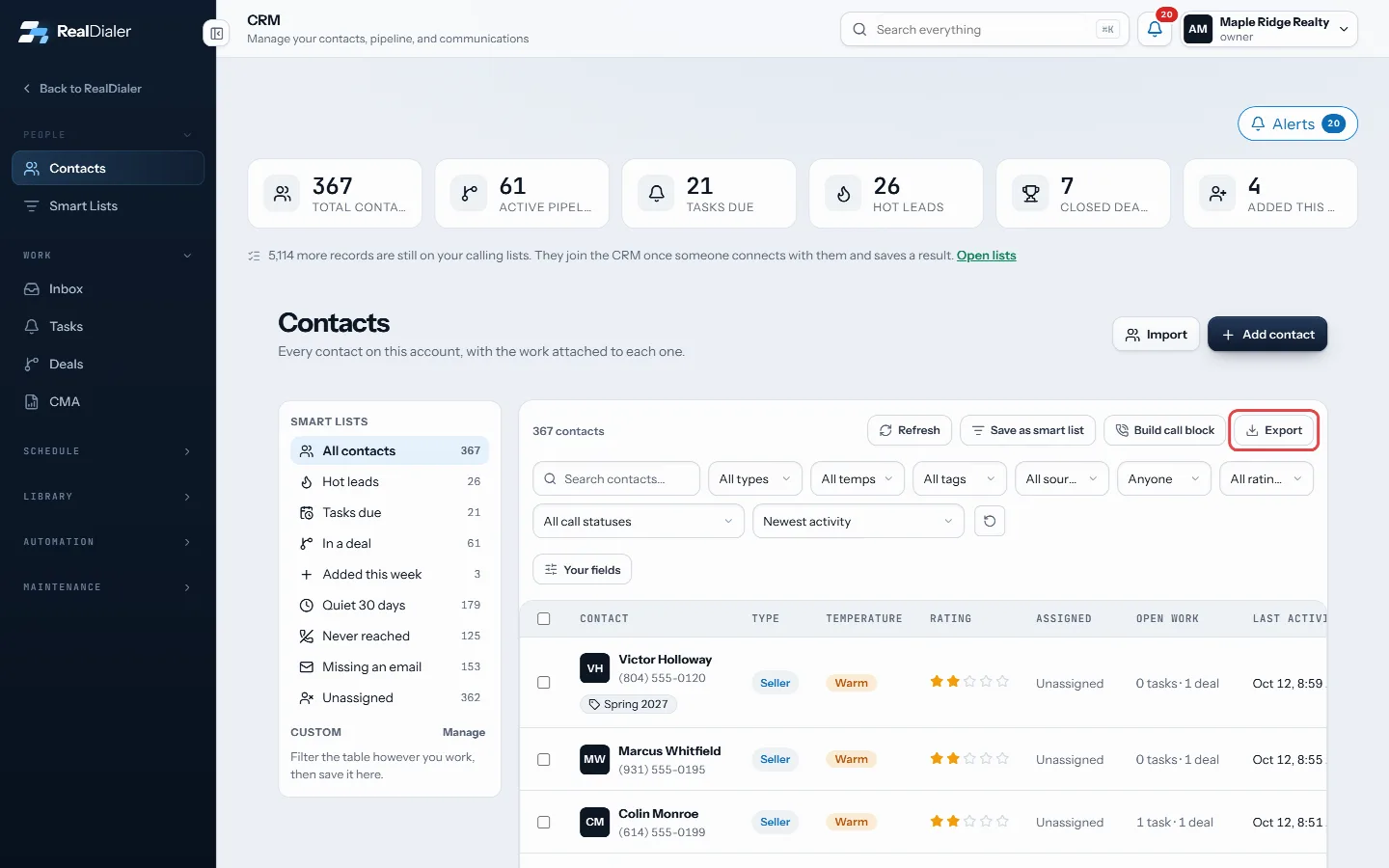
Export downloads the view, or your ticked rows, as a CSV
Good to know
- One bulk action runs on up to 500 contacts at a time. Narrow the view if it holds more.
- Delete moves contacts to the Recycle Bin for 30 days, with their tasks, deals and notes.
- Contacts you are not allowed to change are left out, and the dialog says how many.
- Only owners and managers can assign to someone else or unassign.
- An export holds up to 10,000 rows.
Was this guide helpful?
Thanks. It helps us make these better.
Next in CRM
Check your notifications and alertsThe bell in the top bar shows what happened while you were busy: missed calls, voicemails and replies. The number on the bell is how many are unread. The same lCreate a booking pageA booking page is a link you send people so they can pick a time out of your real calendar and book themselves.Create and work your tasksTasks are everything you said you would do: call back, send the comps, drop off a packet. Each task can be tied to a contact, has a type, a priority, a due time
Still stuck? Write to support@realdialer.com, or open Support from inside RealDialer.