What it is
The contact record keeps one dated timeline of everything that happened with a person: calls and their results, voicemails they left, texts and emails, notes, finished tasks, lists they were added to, deals, tags, appointments and merges.
Where to find it
Open a contact > Activity tab. The Calls, Recordings and Voicemails tabs show just that kind of event.
Steps
- Open the contact and stay on Activity to see the full timeline, newest first, grouped by day.
- Each call shows who called, which number, the caller ID used, the result and any notes from the call.
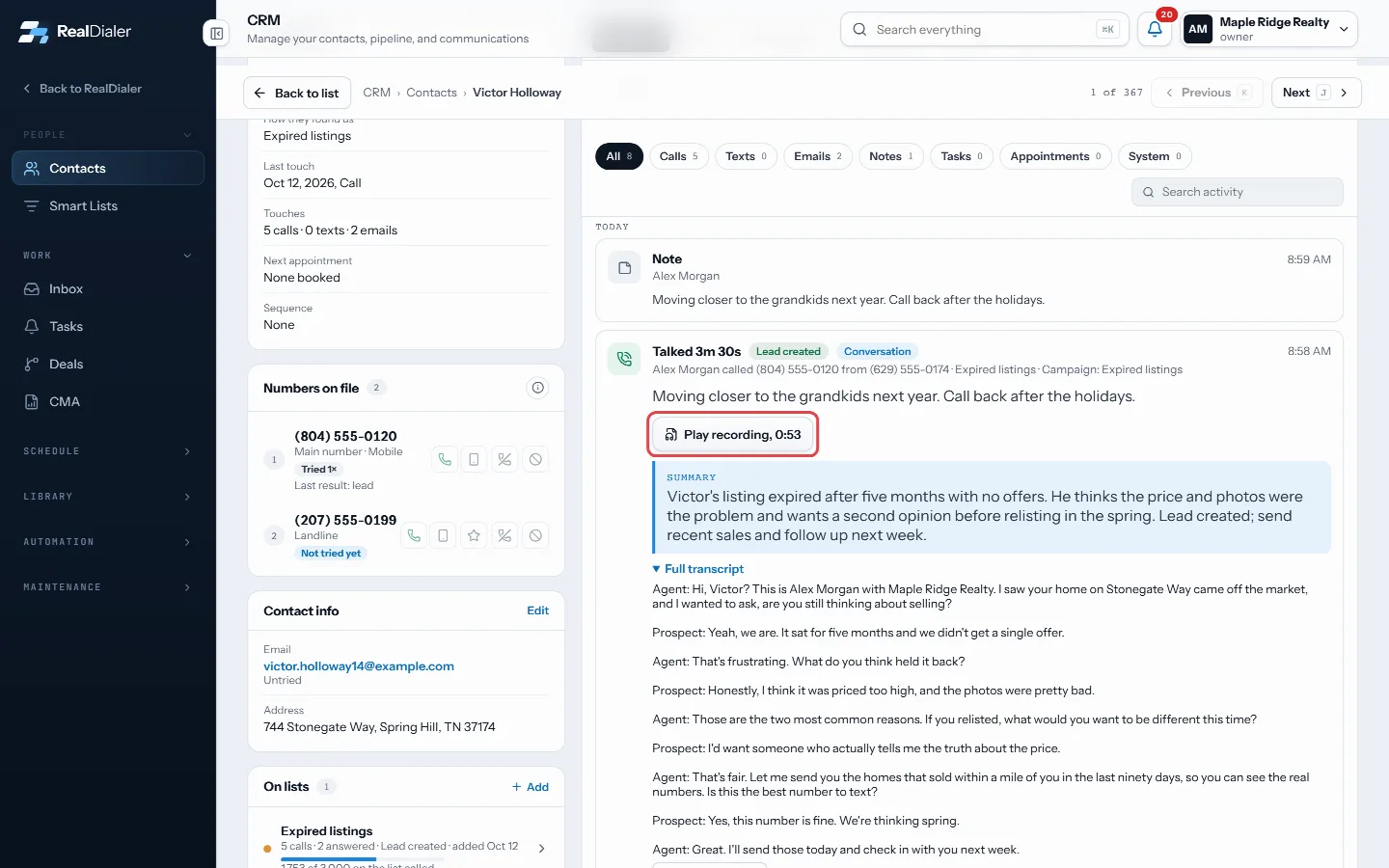
Each call on the Activity timeline shows who called, the result, notes and the recording - Recorded calls show a player. If a summary or transcript exists, it shows under the call.
- Press Load more calls or Load earlier activity at the bottom to go further back.
- Open the Calls tab for a call list, Recordings for recorded calls only, and Voicemails for messages they left and voicemails you left for them.
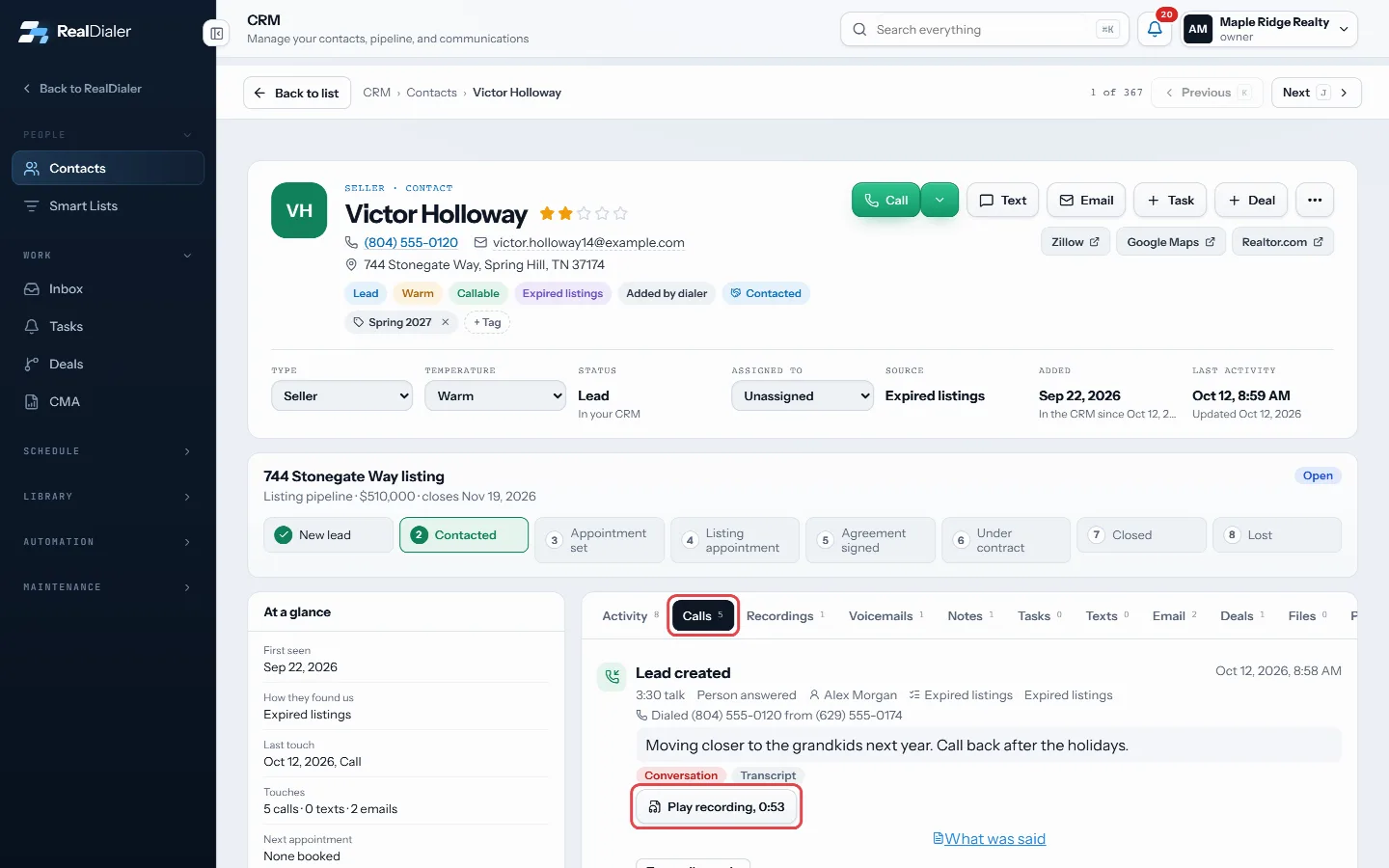
Calls, Recordings and Voicemails show one kind of event - For a full list of every call in one view, open More actions and choose Full call history.
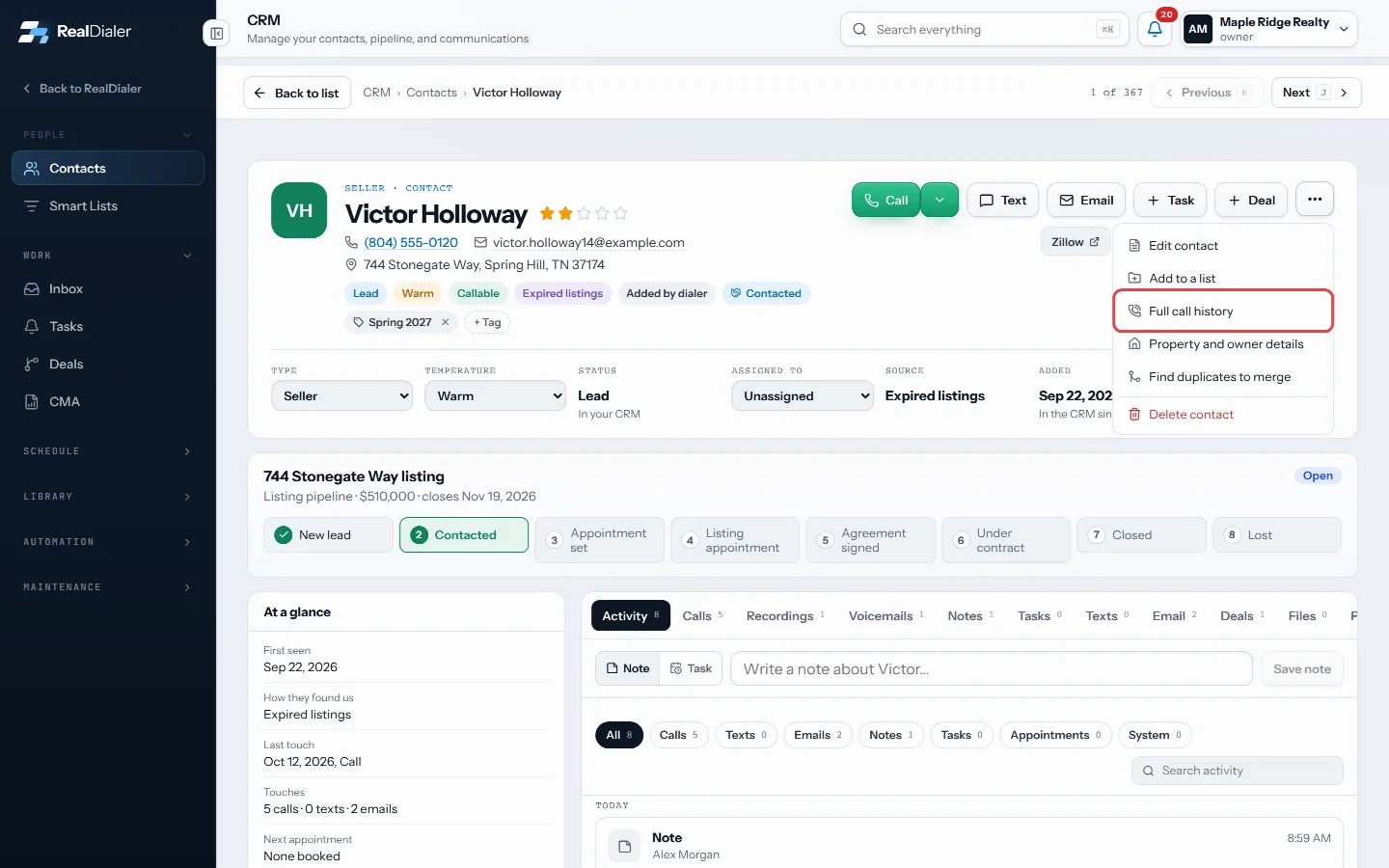
More actions > Full call history
Good to know
- Summaries and transcripts are private to the agent who placed the call. Others see that one was saved.
- How long recordings are kept depends on your plan, or two years with the Call Recording upgrade.
- Press Play voicemail to listen to a message they left.
Was this guide helpful?
Thanks. It helps us make these better.
Next in CRM
See and send email to a contactThe Email tab on a contact shows every email your sequences sent to them and any they sent back. To write one email yourself, you send it from your own email apSend a lead to the CRM or CloseDaily from a callSend this lead moves the person you are talking to into your RealDialer CRM, and can also send them to CloseDaily if your account has it connected. When you addSend Google Ads and Facebook leads to RealDialerIf you run lead form ads, where people fill in the form inside Google or Facebook instead of on your website, those leads can come straight into RealDialer thro
Still stuck? Write to support@realdialer.com, or open Support from inside RealDialer.