What it is
The Duplicates room lists records that share an email address or a name. Nothing merges on its own. You pick which record survives, see what would move, and you can undo it for 30 days.
Where to find it
CRM > Duplicates. A contact’s More actions menu also has Find duplicates to merge.
Steps
- Go to CRM > Duplicates.
- In a group, pick the record to keep in the Keep column.
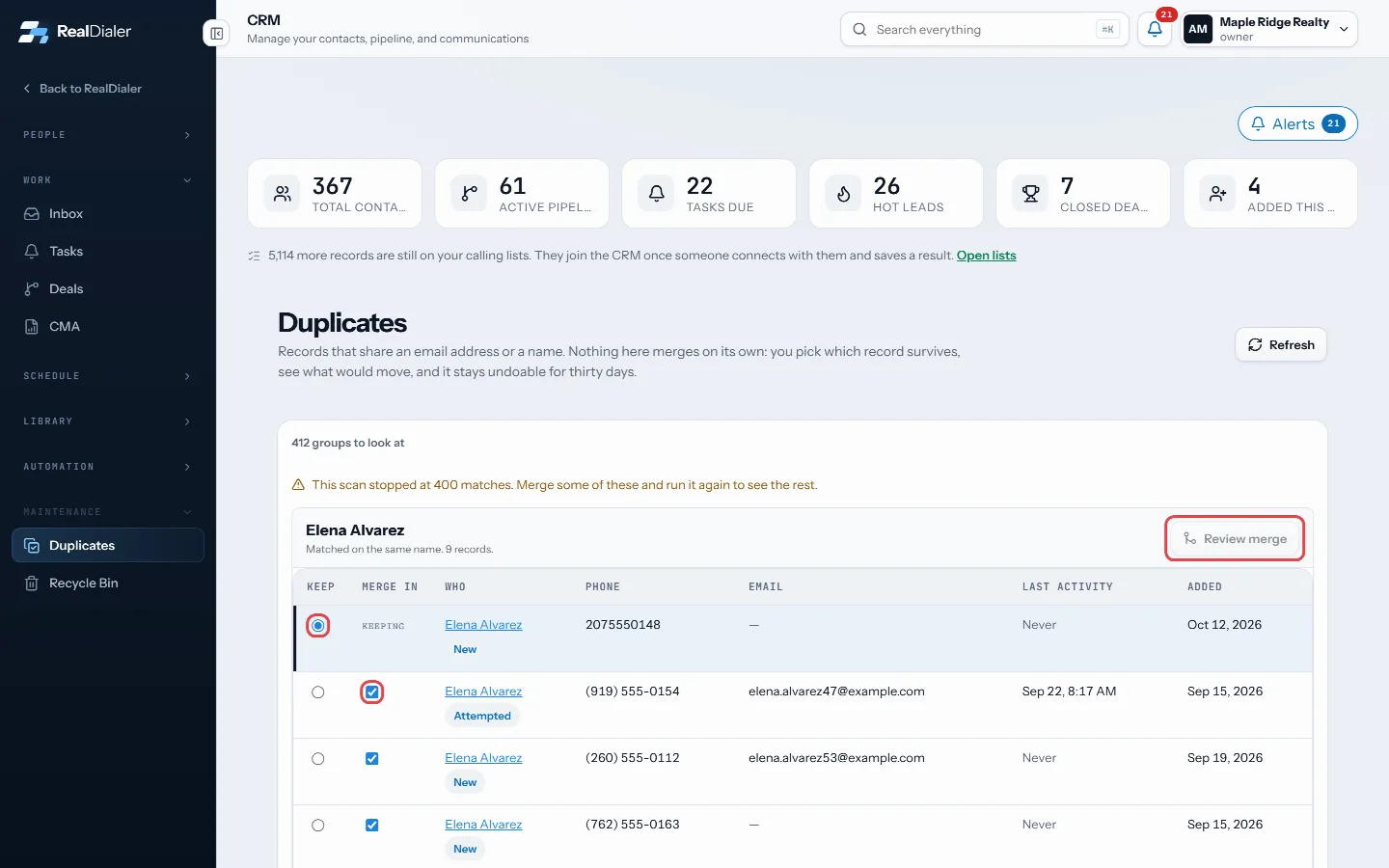
Pick Keep, untick any to leave out, then Review merge - Untick any record under Merge in that should stay separate.
- Press Review merge.
- Read what moves: calls, notes, tasks, deals, texts, files and more, plus blank fields that get filled.
- Press Merge and keep to finish.
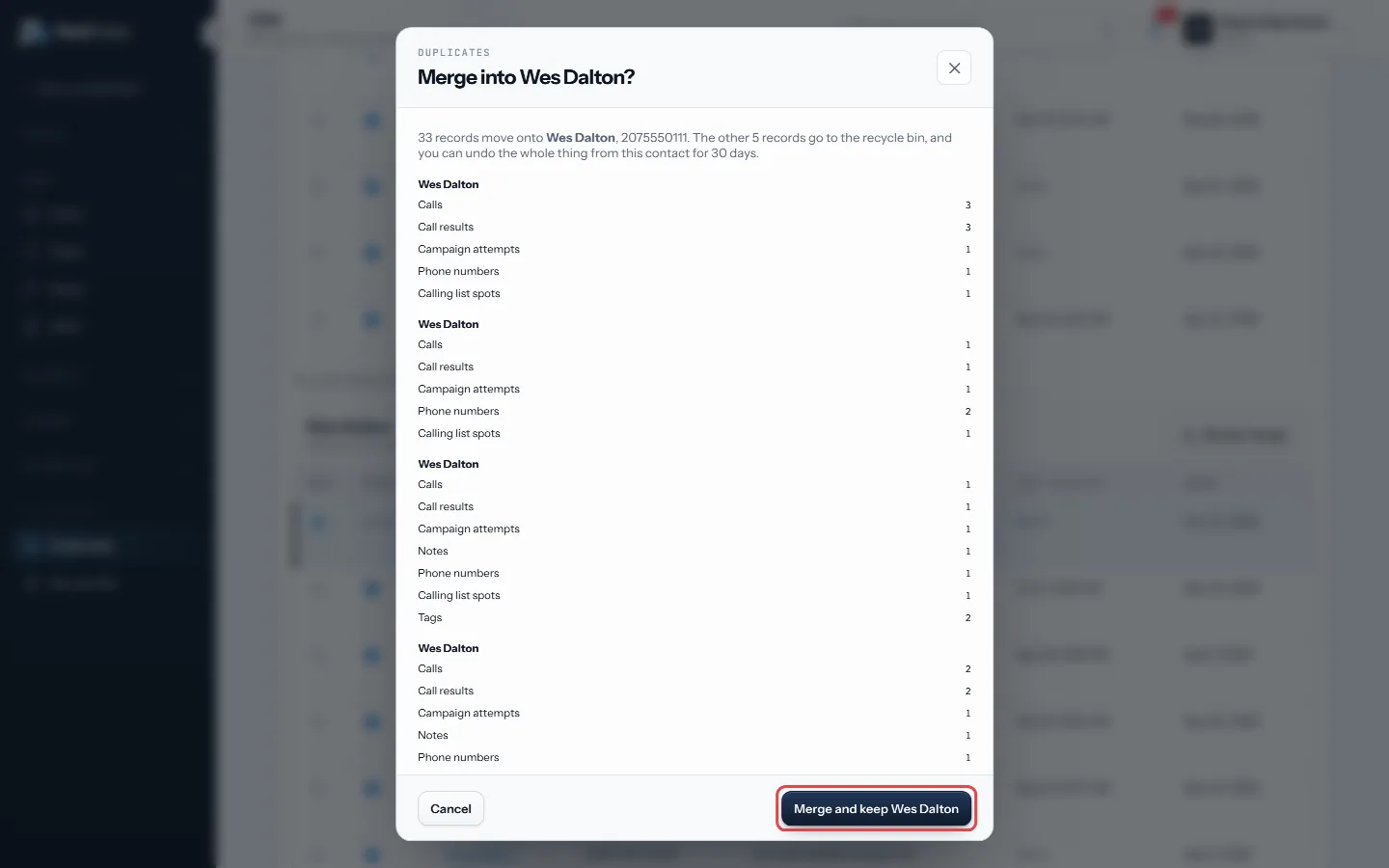
Read what moves, then Merge and keep - To undo, open the record you kept, find the Merged in card, and press Undo.
Good to know
- You can merge up to 5 records into one at a time.
- The other records go to the Recycle Bin. After 30 days the merge is permanent.
- Only empty fields are filled. Nothing already on the record you keep is overwritten.
- A do not call or do not redial mark on any record carries over and stays, even if you undo.
- The same phone number can never be on two records, so that kind of duplicate cannot happen.
Was this guide helpful?
Thanks. It helps us make these better.
Next in CRM
Property details and pulling owner recordsThe Property tab shows who owns the home and what is known about it: property and mailing addresses, phone numbers, emails, beds, baths, square feet, year builtPut a lead form on your websiteA ready made lead form you can put on your own website or landing page, or link to straight from an ad. Every lead it takes goes into RealDialer the same way asPut your lead form on WordPress with the pluginA small WordPress plugin that shows your RealDialer lead form on any page with a shortcode or a block. It shows the form you designed in RealDialer, so a change
Still stuck? Write to support@realdialer.com, or open Support from inside RealDialer.