What it is
Your calling lists and your CRM are two different places. A list is everyone you plan to dial. The CRM is the people you have actually connected with, plus anyone you add on purpose.
Where to find it
CRM > Contacts. The note under the numbers at the top says how many records are still only on your calling lists.
Steps
- On a call, save a result after you connect with someone. The record joins the CRM on its own.
- During a call or in the wrap up, press Add to RealDialer CRM in the Send this lead card to move them in yourself.
- From any contact record that is still on lists only, open the More actions menu and choose Add to the CRM, or press Add to the CRM in the Calling card.
- To add someone new by hand, go to CRM > Contacts and press Add contact.
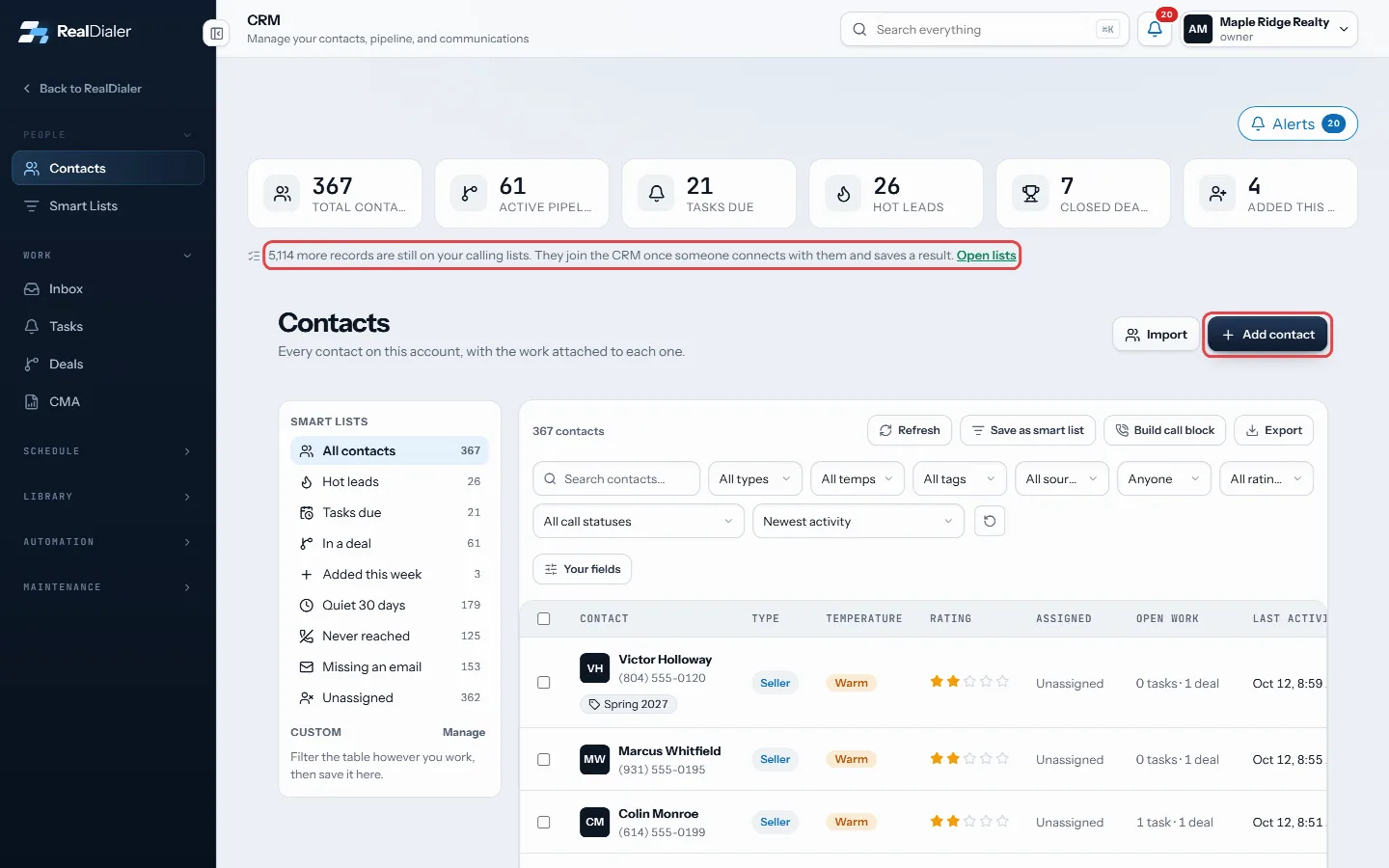
The note counts records still only on your lists; Add contact adds someone by hand - To take someone back out, press Return to calling lists in the Calling card on their record.
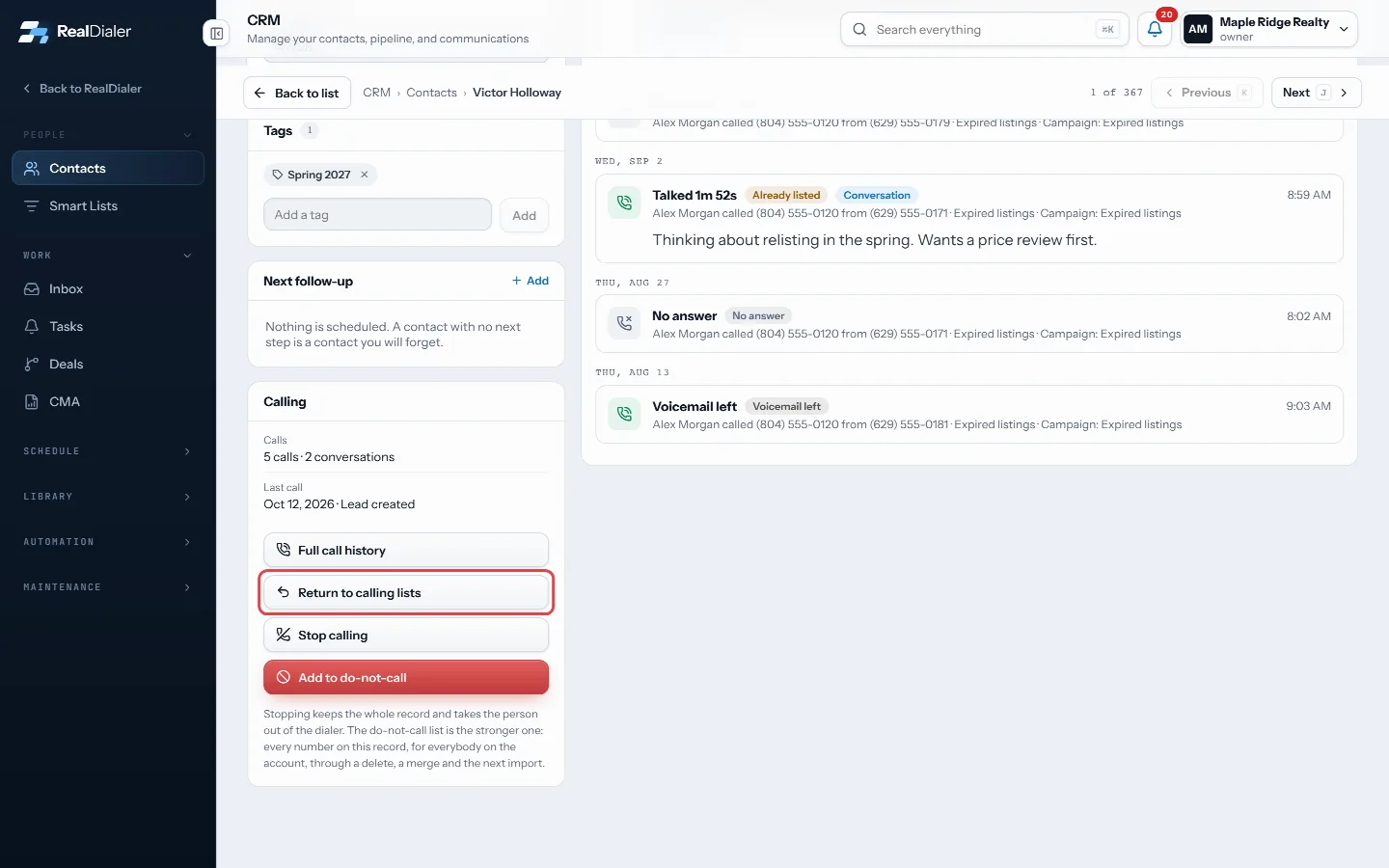
Return to calling lists in the Calling card takes someone back out
Good to know
- Adding to the CRM brings every call, note and task on the record with it.
- Returning to calling lists keeps every call, note, task and deal. Nothing is deleted.
- The Import button on Contacts opens the contact import. Each file you import becomes a calling list, and those people join the CRM the same way as anyone else.
- A record that says Not in the CRM yet on its page is on your calling lists only.
- Agents only see contacts assigned to them, so a teammate’s contact will not show for you.
Was this guide helpful?
Thanks. It helps us make these better.
Next in CRM
Install a playbookPlaybooks are ready made cadences you install whole: New Lead, New Appointment, Expired and cancelled, For sale by owner, and Sphere and past clients. Each one Keep shared files in the libraryThe Files room is a shelf for documents your account sends over and over, like the buyer guide, the listing packet or a common disclosure. A sequence step can pManage a contact’s phone numbersA contact can have several phone numbers. The Numbers on file card lists them in dial order with the state of each one, such as Not tried yet, Tried 3 times or
Still stuck? Write to support@realdialer.com, or open Support from inside RealDialer.