What it is
The CRM is where the people you talk to live after a call: their record, notes, tasks, deals, appointments and messages. It comes with every plan.
Across the top you see six numbers: Total contacts, Active pipeline, Tasks due, Hot leads, Closed deals and Added this month. Under them is a note if more records are still sitting on your calling lists.
Where to find it
CRM in the left menu. The CRM menu then lists its rooms in groups.
Steps
- Click CRM in the left menu. It opens on Contacts.
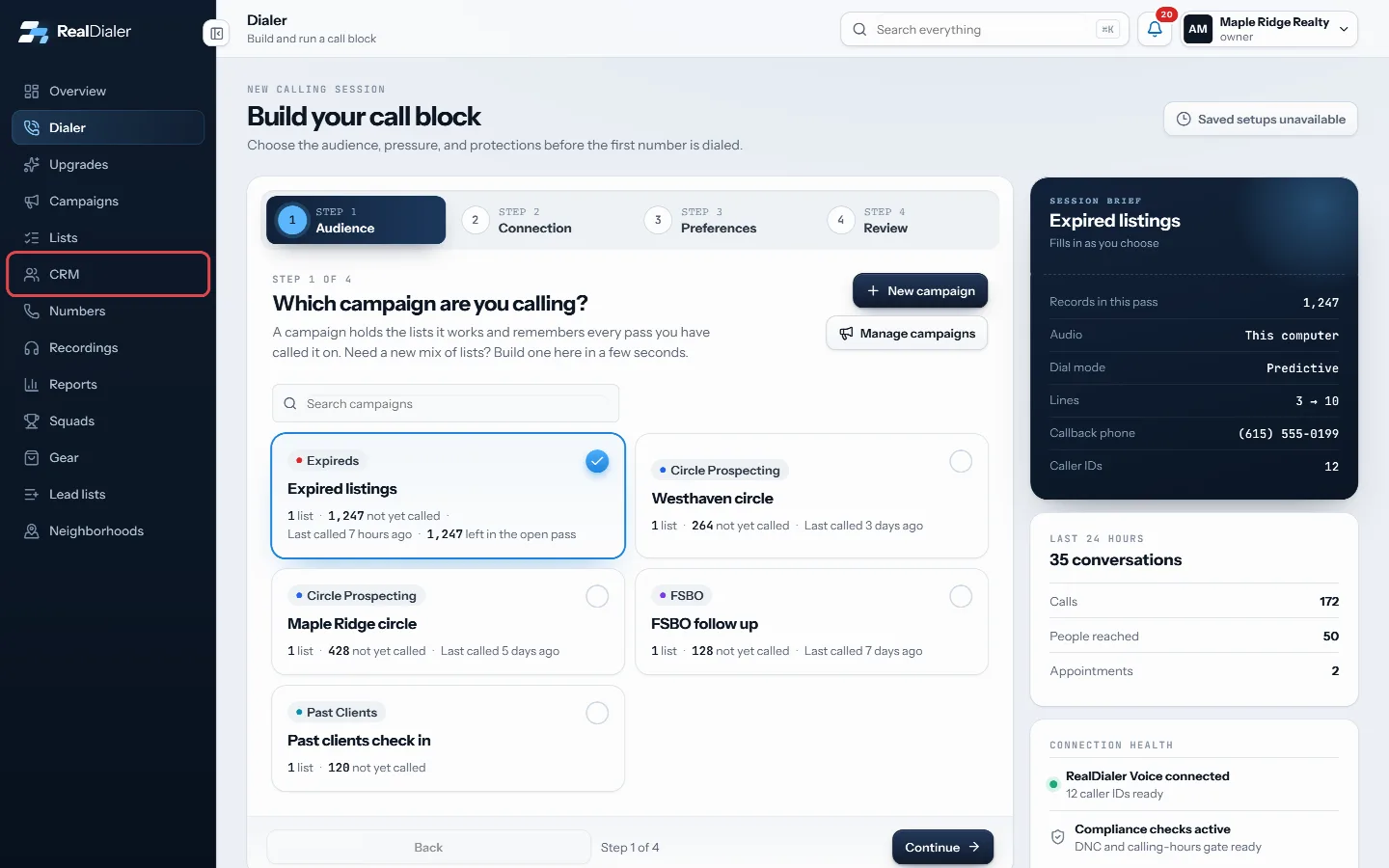
Click CRM in the left menu - Use the CRM menu to move between rooms. People holds Contacts and Smart Lists. Work holds Inbox, Tasks, Deals and CMA. Schedule holds Calendar, Appointments, Availability and Booking Pages. Library holds Templates, Files, Fields, Lead Sources and Brand Kit. Automation holds Automations, Sequences, Playbooks and Lead Intake. Maintenance holds Duplicates and Recycle Bin.
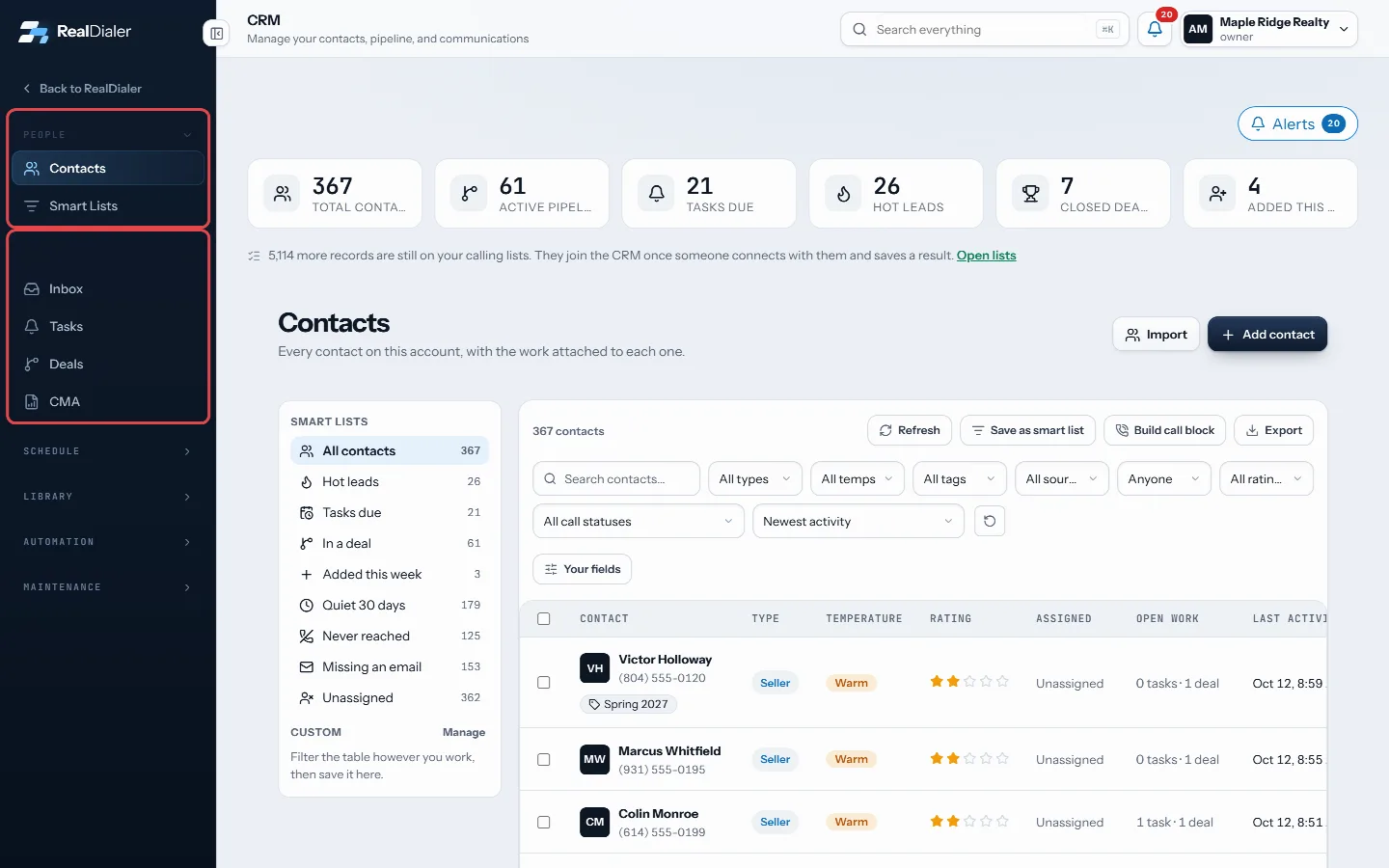
The CRM menu groups its rooms. Click a group name to open it - To leave the CRM, click RealDialer at the top of the CRM menu.
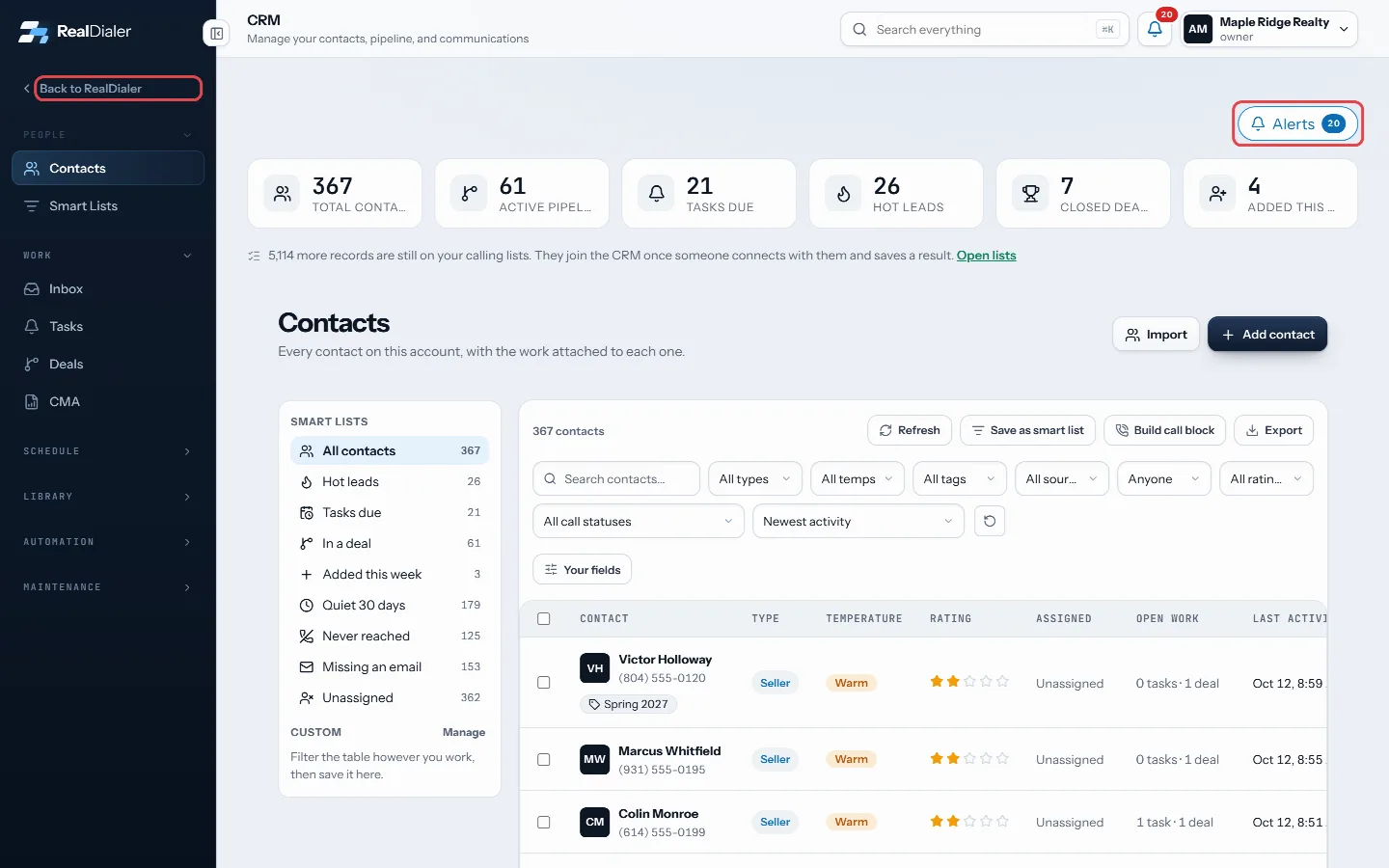
Back to RealDialer leaves the CRM; Alerts shows missed calls and replies
Good to know
- Owners and managers see every contact on the account. Agents see the contacts assigned to them, and anything an agent creates is assigned to them.
- On a phone or narrow window, the rooms show as tabs across the top instead of a menu.
- Some rooms are read only for agents. Building automations, sequences, playbooks, lead intake URLs, fields and lead sources is for owners and managers.
- The Alerts bell above the numbers shows missed calls, voicemails and replies.
Was this guide helpful?
Thanks. It helps us make these better.
Next in CRM
How contacts get into the CRMYour calling lists and your CRM are two different places. A list is everyone you plan to dial. The CRM is the people you have actually connected with, plus anyoInstall a playbookPlaybooks are ready made cadences you install whole: New Lead, New Appointment, Expired and cancelled, For sale by owner, and Sphere and past clients. Each one Keep shared files in the libraryThe Files room is a shelf for documents your account sends over and over, like the buyer guide, the listing packet or a common disclosure. A sequence step can p
Still stuck? Write to support@realdialer.com, or open Support from inside RealDialer.