What it is
Everything you delete in the CRM, whether a contact, deal, task or note, waits in the Recycle Bin for 30 days before it is gone for good. Contacts in the bin are not dialed and do not show anywhere else.
Where to find it
CRM > Recycle Bin
Steps
- To delete a contact, open it, choose More actions > Delete contact, then press Move to recycle bin.
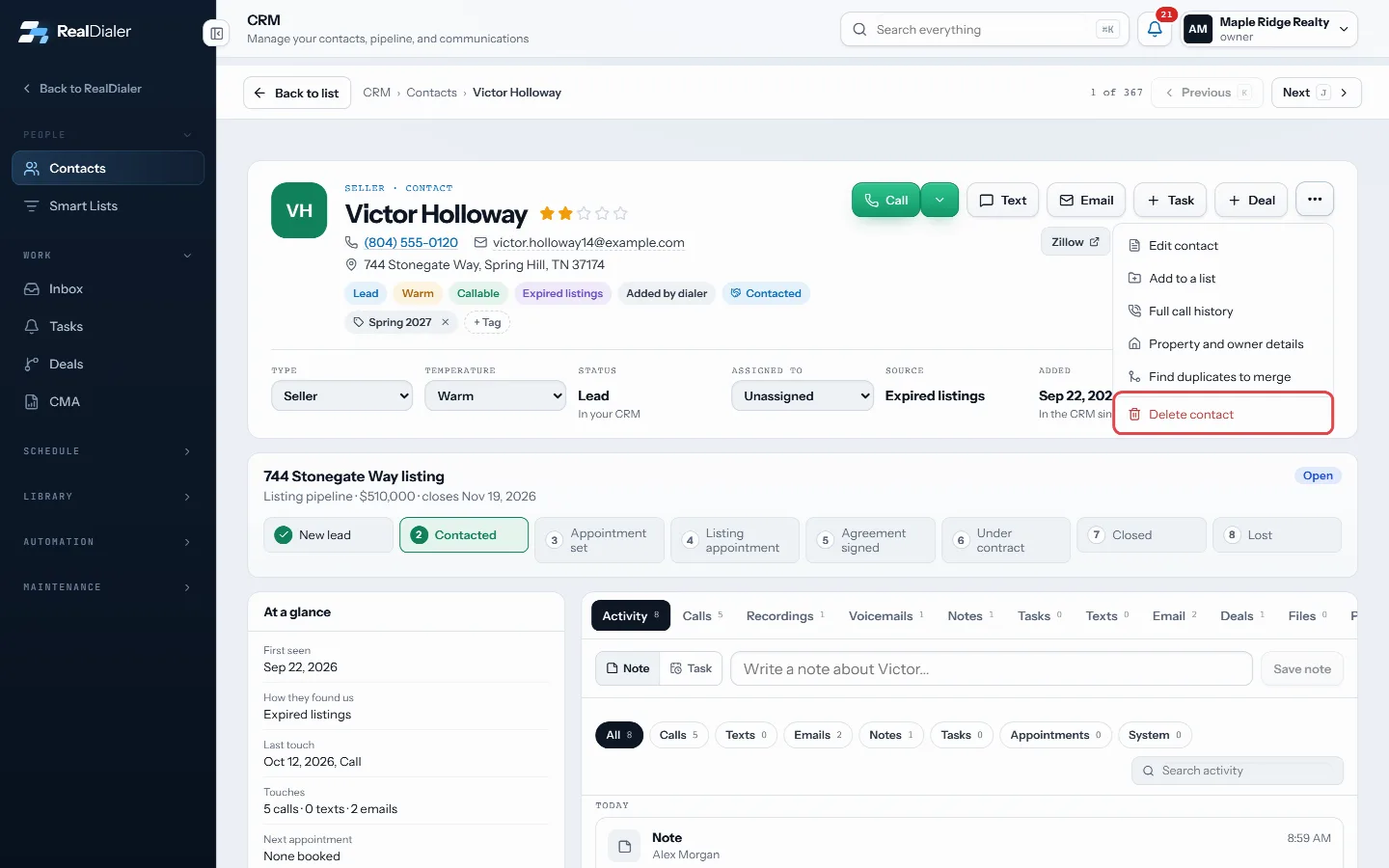
More actions > Delete contact - To get something back, go to CRM > Recycle Bin and press Restore on its row.
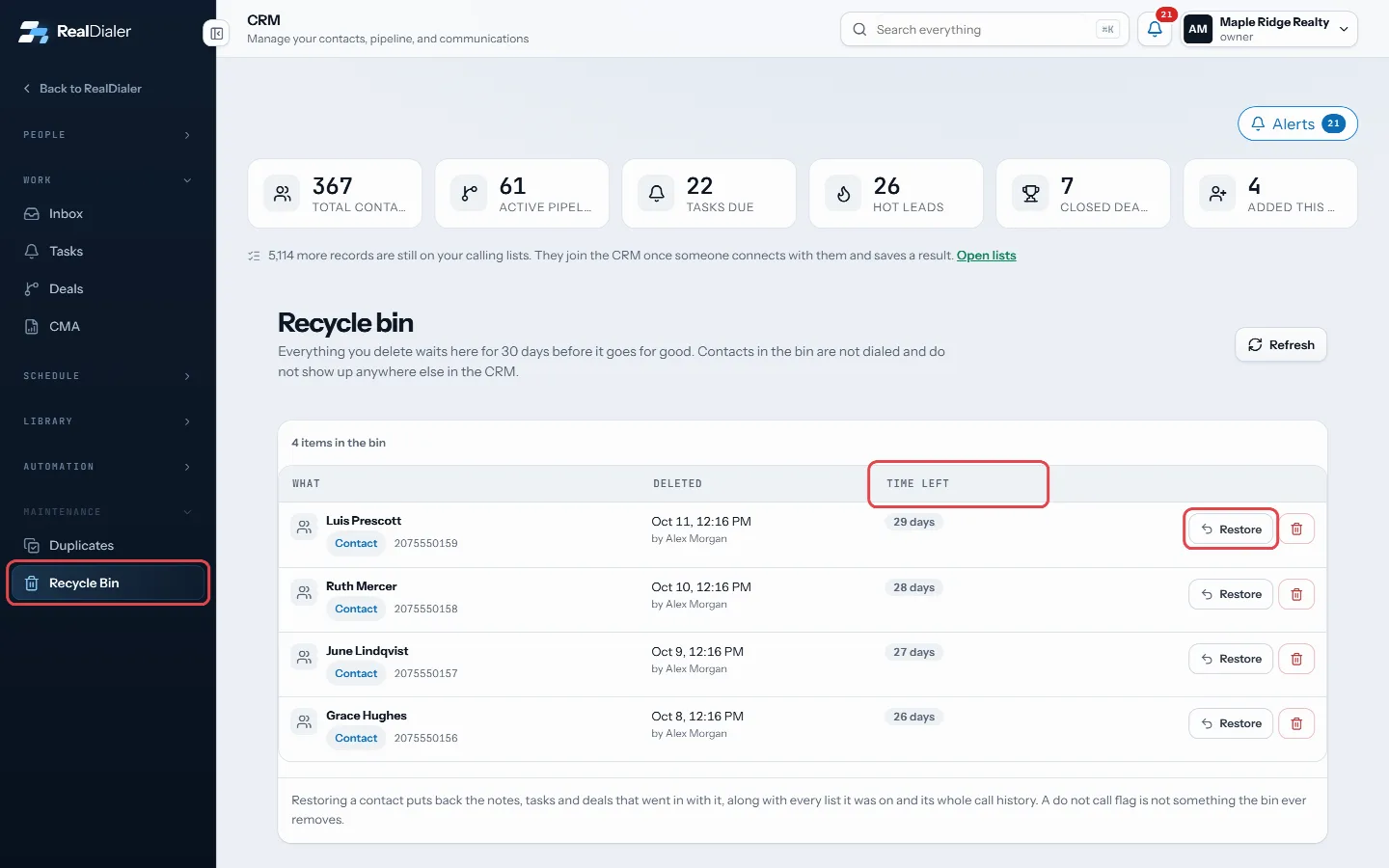
Restore brings it back; Time left counts the days - The Time left column shows how many days remain.
- To remove something now, press the bin icon and then Delete forever.
Good to know
- Restoring a contact brings back its notes, tasks, deals, every list it was on and its call history.
- Calls already made stay in reporting even while a contact is deleted.
- The bin never removes a do not call flag.
- Delete forever cannot be undone, and support cannot get it back. Leaving it alone costs nothing.
- Bulk Delete on the contacts table also sends contacts here.
Was this guide helpful?
Thanks. It helps us make these better.
Next in CRM
Edit a contact’s detailsEvery contact record can be changed at any time: name, email, address, type, temperature, rating, lead source and owner.Fill in your brand kitThe Brand Kit holds the facts every message carries: your name, licence number, brokerage, office address, direct phone and email, website, disclosure line, sigFind and filter your contactsThe Contacts room is a table of everyone in your CRM, with their type, temperature, rating, owner, open work and last activity. A row of filters narrows it down
Still stuck? Write to support@realdialer.com, or open Support from inside RealDialer.