What it is
A smart list is a saved question, not a saved copy. It re-runs against your CRM every time you open it, so it is always current. RealDialer comes with built in smart lists, and you can save your own.
Where to find it
CRM > Smart Lists, or the Smart lists column on the left of CRM > Contacts.
Steps
- Open a built in list: Hot leads, Tasks due, In a deal, Added this week, Quiet 30 days, Never reached, Missing an email or Unassigned.
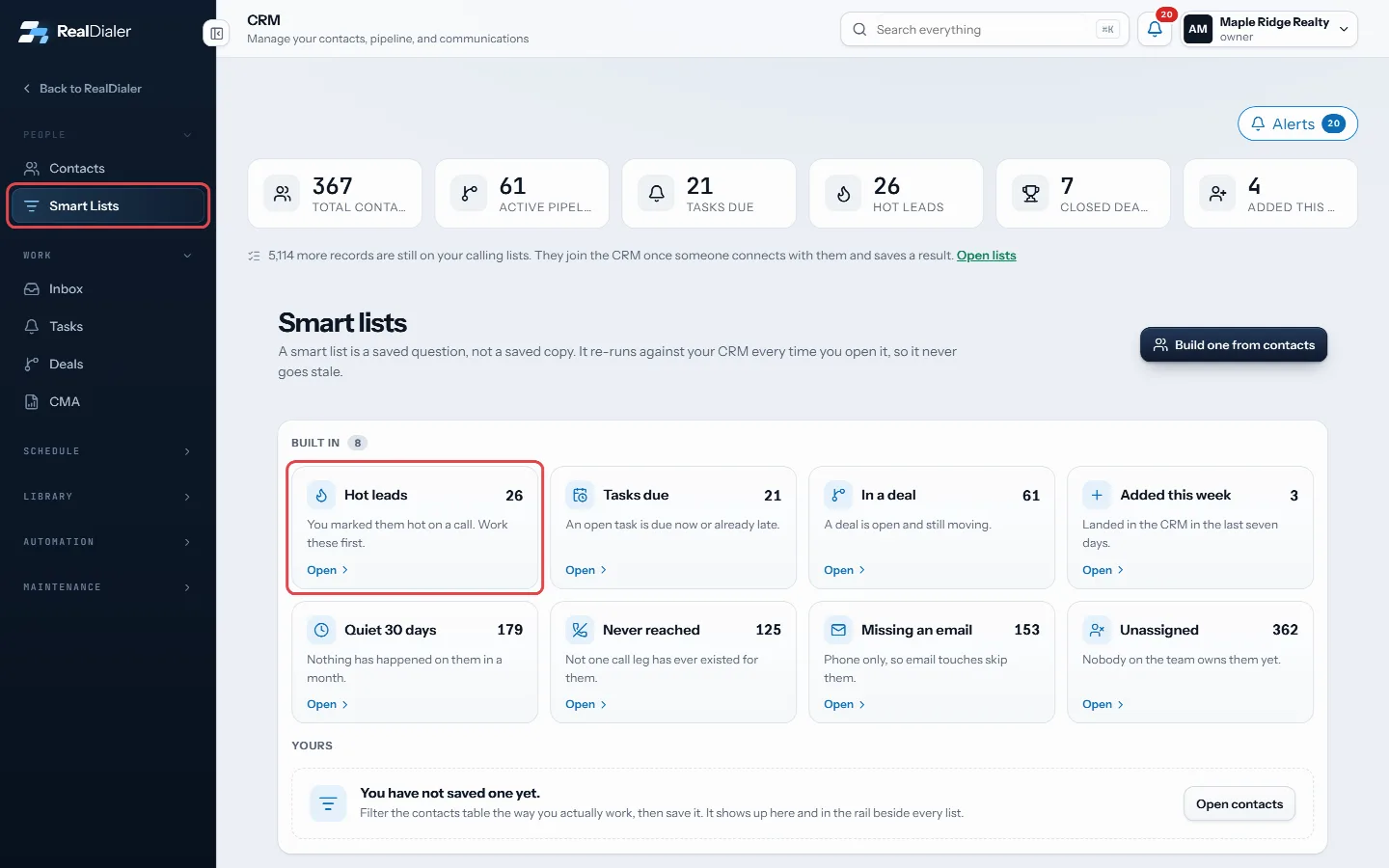
Open a built in smart list - To make your own, go to CRM > Contacts and set the filters the way you work.
- Press Save as smart list.
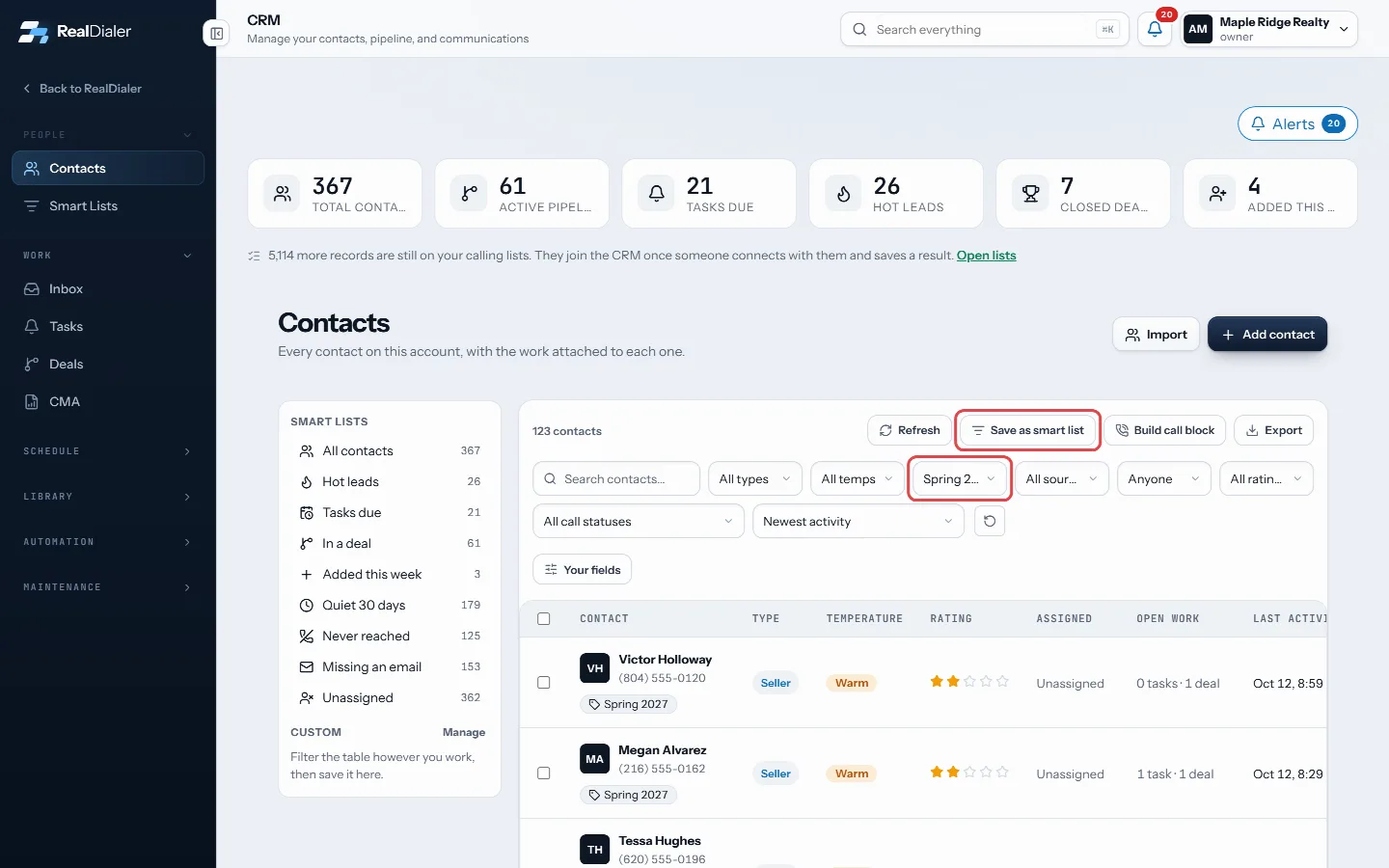
Set the filters, then press Save as smart list - Give it a name. Owners and managers can tick Share with everyone on this account.
- Press Save smart list. It appears under Custom on the Contacts page and under Yours on the Smart Lists page.
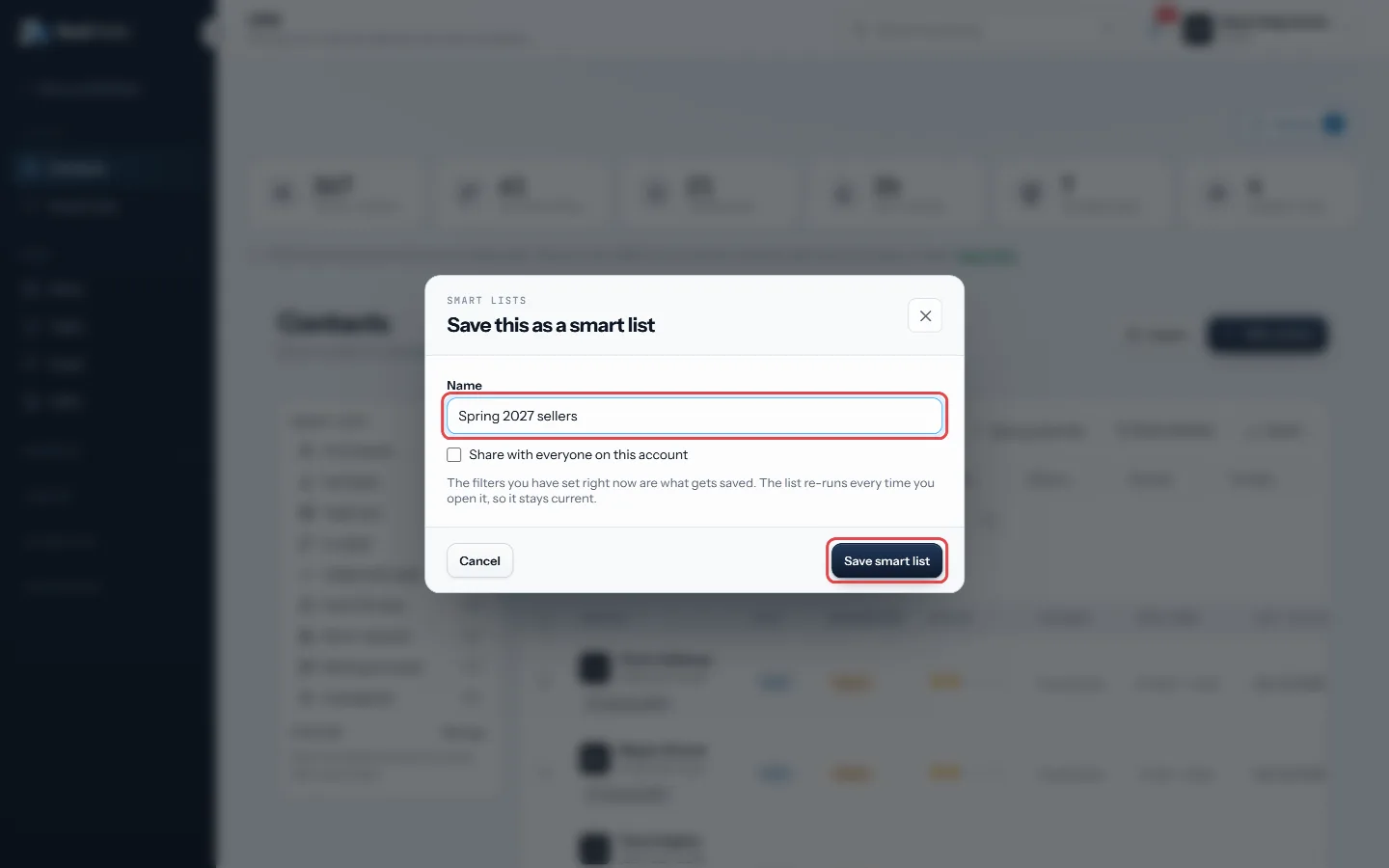
Name it, then press Save smart list - To delete one of yours, press the x next to it, or the bin on its card.
Good to know
- Each list shows a live count.
- Deleting a smart list never touches the contacts in it.
- In a shared list, each person still only sees the contacts they are allowed to see.
- Press the phone icon on a smart list card to turn it into a call block for the dialer.
Was this guide helpful?
Thanks. It helps us make these better.
Next in CRM
Use the contact record pageEach person in RealDialer has one record page with everything about them: numbers, contact info, lists they are on, your fields, tags, the next follow-up, calliUse the CRM calendarThe calendar shows callbacks the dialer booked, appointments you set and your open tasks with a due time, on one grid. Callbacks saved on a call land here on thWrite email and text templatesTemplates are the wording you reuse, with details like the contact's first name filled in for you by merge fields. Sequences, click to text and booking reminder
Still stuck? Write to support@realdialer.com, or open Support from inside RealDialer.